Shared Spaces, Mobile Churches, and SEO: How to Make Your Location Clear Online
Mobile churches can boost SEO by keeping their Google Business Profile accurate, using consistent addresses everywhere, embedding a Google Map, clearly labeling service locations, and updating listings when venues change.
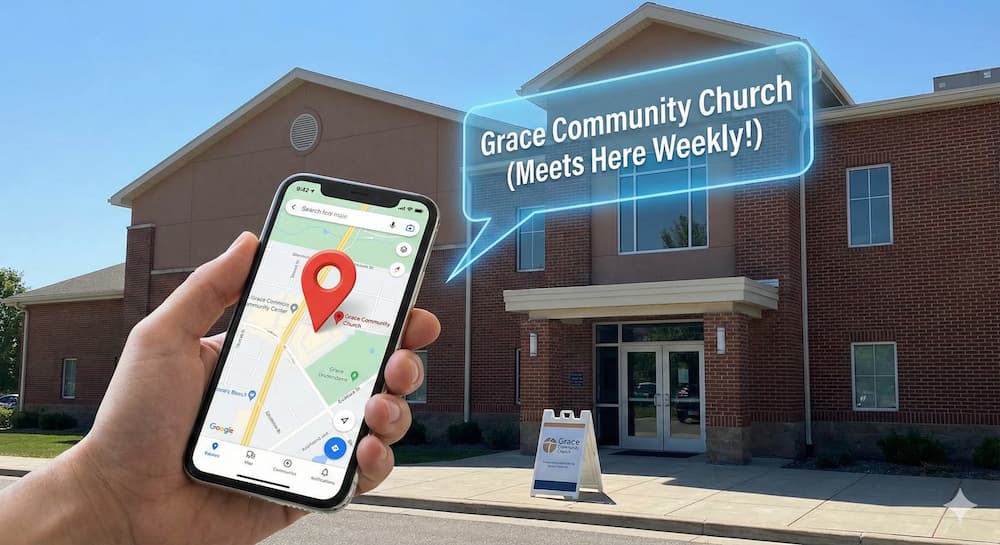



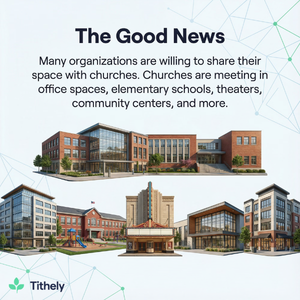
First, the good news. Many organizations are willing to share their space with churches. You’ve got churches meeting in unused office space, elementary schools, theaters, community centers, and many other types of venues.
In my hometown, there’s a church that meets in the party room of a brewery. If they were a little more progressive and attractional, they could do baptisms in vats of Russian stout.
This reality also creates a unique problem for these types of churches: they can be hard to find, both in person and online. The first challenge can be solved relatively easily by placing large, visible signs outside your meeting place. But how do you deal with the second problem?
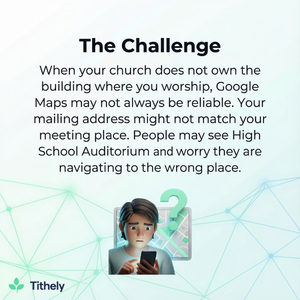
When your church doesn’t own the building where you worship, Google Maps may not always be reliable. Your mailing address might not match your meeting place. Your website might list a location that Google doesn’t recognize as a church.
People may see “High School Auditorium” on Google Maps and worry they’re navigating to the wrong place. And if your Google My Business (GMB) listing isn’t set up correctly, you may not appear in local search results at all.
This is a problem you can’t afford to ignore. If people can’t find your church online, they’re much less likely to visit. You miss a great opportunity to reach your community, and it can be more difficult for your church to fulfill its mission.
Thankfully, this issue isn’t too difficult to solve. You don’t need to be a tech expert. If you’ve used Google, you can do this.
This guide will walk you through how to make your church easily discoverable online. We’ll discuss how to manage your Google listings, how to link your address on your website, and how to tell Google where your church is, even when you don’t own the building.
Why Shared-Space Churches Face Unique SEO Challenges
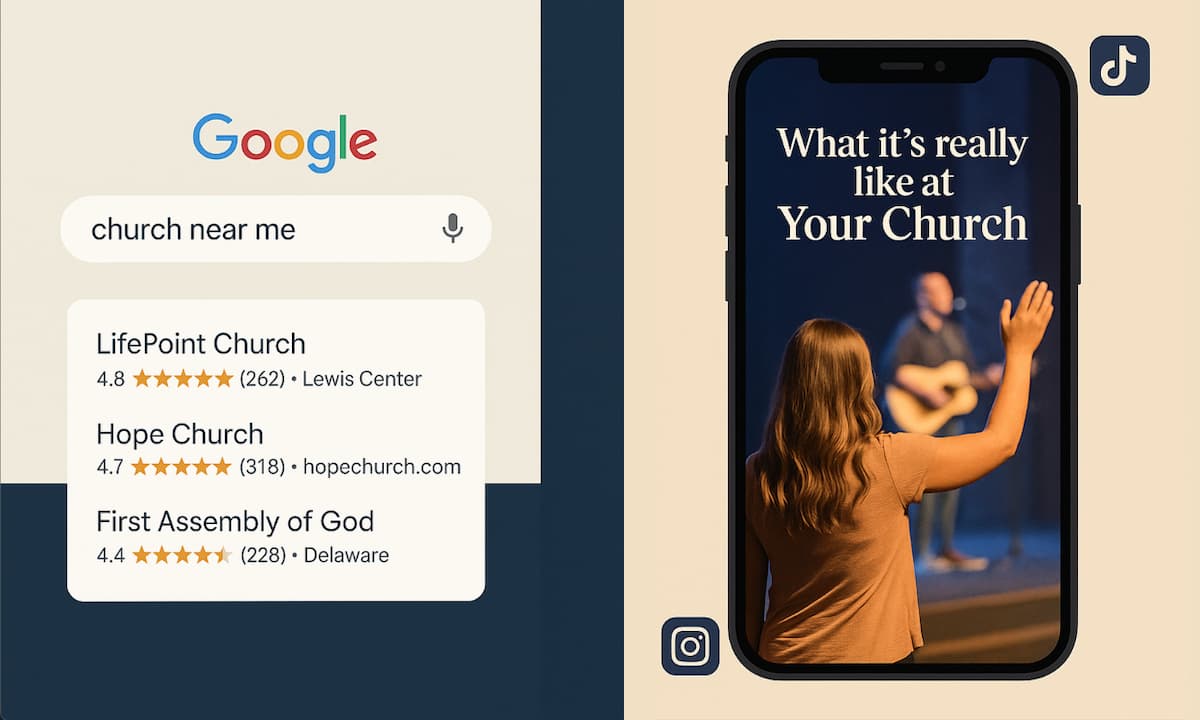
Churches that meet in rented or temporary spaces face unique discoverability challenges. When someone searches “church near me,” Google aims to show them the most accurate and stable results.
For churches in dedicated locations, this isn’t usually a problem. But if you’re in a shared or multi-purpose space, it takes more intentional effort.
To give your church the best chance to appear in the search results, you need to understand a bit about how Google works.
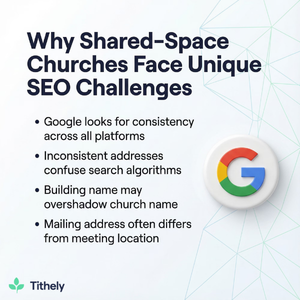
Google looks for consistency. It wants to see the exact address across your website, Google My Business listing, social media, and any other online references.
If your addresses aren’t the same, Google probably won’t show your church to searchers. After all, it might send people to the wrong location.
When a church meets in a school or rented building, inconsistencies are typical. The church office might be located elsewhere. The mailing address might be a P.O. box. The building name might overshadow the church name in search results.
And sometimes a church forgets to make its Google listing reflect where services actually take place.
Visitors rely on Google Maps to find your church. If the map is off or if the venue’s listing conflicts with yours, people can easily get confused or frustrated.
A strong local SEO strategy solves these problems by helping Google understand:
- Who you are
- Where you meet
- When you meet
- How to direct people to you
Even though you don’t own the building, you can still create a reliable online presence that appears consistently in Maps, search results, and “near me” queries.
How to Set Up Google Listings for Mobile or Temporary Venues
If your church doesn’t have a permanent space, your Google My Business listing becomes incredibly important (if you’re not clear on whether you have a GMB profile, this article on church SEO will help).
It’s the main way Google knows where your church meets. It’s how people get directions. And it’s often the first thing visitors see when searching for service times.
You may have the greatest church since Pentecost, but if people can’t find you, they won’t come.
Yet mobile churches often make three common mistakes:
- List their office address instead of their meeting location
- Fail to update their weekly meeting location when the venue changes
- Rely on the venue’s Google listing rather than creating their own
To avoid these pitfalls, your church should always maintain its own GMB listing, even if you meet in another organization’s space.
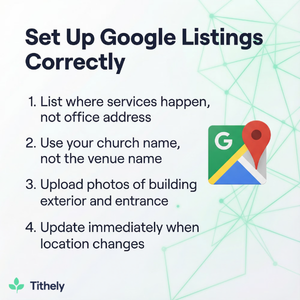
First, your Google listing needs to reflect where services happen. If your staff offices are in a different location, list that address separately on your website under a heading like “Church Office.” Your GMB listing should point to the building where people worship on Sunday.
Second, your listing should use your church’s name, not the venue’s. You want people to see something like “Grace Fellowship Church” on Google Maps, not “Lincoln Middle School.”
You can clarify your meeting place in the description, for example: “Grace Fellowship Church meets weekly at Lincoln Middle School Auditorium.”
Third, use images to provide further clarity. Upload photos of the building’s exterior, parking lot, main entrance, lobby where people enter, and signage that points guests toward the correct doors. Photos help Google better understand the venue and reduce anxiety for first-time visitors.
Finally, update your GMB listing as soon as any location changes occur. Google takes time to re-index listings, so the earlier you update, the better. If you occasionally meet elsewhere (park, retreat center, etc.), update your service times or temporarily adjust your address using Google’s “Special Hours” or event tools.
The goal is to create enough digital evidence that Google recognizes your church as a distinct entity, even when you share space with another organization.

Best Practices for Displaying Your Address on Your Website
Your website plays a significant role in helping Google interpret your location. When your church doesn’t own the building, the way you present your address becomes even more important.
Make your meeting address extremely easy to find. Ideally, the address should be on your homepage, footer, and “Plan Your Visit” page. It should be written in standard postal format so Google can easily parse it. Avoid abbreviations where possible.
Embed a Google Map on your site showing the precise location your church meets. Embedded maps send a strong signal to Google because they link your site directly to the map data the algorithm uses. This is important because it reinforces the connection between your church name and your meeting venue.
Make sure your address is clickable. A clickable link that opens Google Maps enables visitors to quickly get directions. It also helps Google understand that this location is central to your church’s identity.
If your church office is at a different location, clearly distinguish between “Office Address” and “Sunday Service Location.” Don’t combine them in the same line. Mixing these signals makes your local SEO weaker because Google can’t easily determine which address represents your primary meeting place.
It’s also important to avoid confusion with the venue’s website. For example, if your church meets in a high school auditorium, don’t redirect visitors to the school’s website for directions or parking details. All critical location information should remain on your website.
Finally, as we’ve noted, maintain consistency across your digital presence. Your Facebook page, Instagram bio, GMB listing, and website should all use the exact wording, same address lines, same naming conventions, etc. Inconsistency muddies the waters when Google tries to figure out where you meet.
How to Help Visitors Easily Find Your Church
Mobile or shared-space churches can go the extra mile to create a smooth, welcoming experience for visitors.
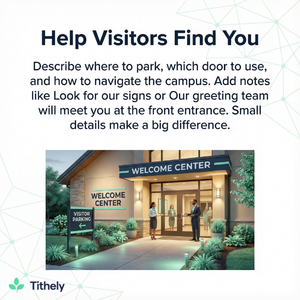
Your website should contain both the address and the logistics of arriving. Describe where to park, which door to use, how to navigate the campus, etc. Many places have multiple entrances, so directions like “Enter through the doors facing Elm Street” can make a big difference.
It can also help to add notes like “Look for our signs” or “Our greeting team will meet you at the front entrance.” These small cues help visitors feel confident that they’re in the right place.
Why Digital Clarity Matters for Your Ministry
When people search for a church, they’re often doing more than browsing. They’re making an important personal decision about where they want to worship. This is a fantastic ministry opportunity for your church, but the digital aspects can make those opportunities easier or harder.
Precise location data reduces friction. It prevents someone from missing the first ten minutes of a service because they circled the wrong building. It minimizes the awkward moment when a visitor wonders if they’re in the right place. And it helps Google consistently include your church in “near me” searches.
Obviously, a strong digital presence doesn’t replace personal connection. It can, however, determine whether that connection happens in the first place. Making your location clear online is a small thing. It doesn’t require much effort. And yet, it can have a profound impact on your community.

Sign Up for Product Updates

Stephen Altrogge lives in Tallahassee, Florida. He is a dad to three wonderful girls and has written for publications like The Gospel Coalition, Church Leaders, Crosswalk, and many more. When he’s not writing, you’ll find him reading or watching The Lord Of the Rings for the 10th time.
First, the good news. Many organizations are willing to share their space with churches. You’ve got churches meeting in unused office space, elementary schools, theaters, community centers, and many other types of venues.
In my hometown, there’s a church that meets in the party room of a brewery. If they were a little more progressive and attractional, they could do baptisms in vats of Russian stout.
This reality also creates a unique problem for these types of churches: they can be hard to find, both in person and online. The first challenge can be solved relatively easily by placing large, visible signs outside your meeting place. But how do you deal with the second problem?
When your church doesn’t own the building where you worship, Google Maps may not always be reliable. Your mailing address might not match your meeting place. Your website might list a location that Google doesn’t recognize as a church.
People may see “High School Auditorium” on Google Maps and worry they’re navigating to the wrong place. And if your Google My Business (GMB) listing isn’t set up correctly, you may not appear in local search results at all.
This is a problem you can’t afford to ignore. If people can’t find your church online, they’re much less likely to visit. You miss a great opportunity to reach your community, and it can be more difficult for your church to fulfill its mission.
Thankfully, this issue isn’t too difficult to solve. You don’t need to be a tech expert. If you’ve used Google, you can do this.
This guide will walk you through how to make your church easily discoverable online. We’ll discuss how to manage your Google listings, how to link your address on your website, and how to tell Google where your church is, even when you don’t own the building.
Why Shared-Space Churches Face Unique SEO Challenges
Churches that meet in rented or temporary spaces face unique discoverability challenges. When someone searches “church near me,” Google aims to show them the most accurate and stable results.
For churches in dedicated locations, this isn’t usually a problem. But if you’re in a shared or multi-purpose space, it takes more intentional effort.
To give your church the best chance to appear in the search results, you need to understand a bit about how Google works.
Google looks for consistency. It wants to see the exact address across your website, Google My Business listing, social media, and any other online references.
If your addresses aren’t the same, Google probably won’t show your church to searchers. After all, it might send people to the wrong location.
When a church meets in a school or rented building, inconsistencies are typical. The church office might be located elsewhere. The mailing address might be a P.O. box. The building name might overshadow the church name in search results.
And sometimes a church forgets to make its Google listing reflect where services actually take place.
Visitors rely on Google Maps to find your church. If the map is off or if the venue’s listing conflicts with yours, people can easily get confused or frustrated.
A strong local SEO strategy solves these problems by helping Google understand:
- Who you are
- Where you meet
- When you meet
- How to direct people to you
Even though you don’t own the building, you can still create a reliable online presence that appears consistently in Maps, search results, and “near me” queries.
How to Set Up Google Listings for Mobile or Temporary Venues
If your church doesn’t have a permanent space, your Google My Business listing becomes incredibly important (if you’re not clear on whether you have a GMB profile, this article on church SEO will help).
It’s the main way Google knows where your church meets. It’s how people get directions. And it’s often the first thing visitors see when searching for service times.
You may have the greatest church since Pentecost, but if people can’t find you, they won’t come.
Yet mobile churches often make three common mistakes:
- List their office address instead of their meeting location
- Fail to update their weekly meeting location when the venue changes
- Rely on the venue’s Google listing rather than creating their own
To avoid these pitfalls, your church should always maintain its own GMB listing, even if you meet in another organization’s space.
First, your Google listing needs to reflect where services happen. If your staff offices are in a different location, list that address separately on your website under a heading like “Church Office.” Your GMB listing should point to the building where people worship on Sunday.
Second, your listing should use your church’s name, not the venue’s. You want people to see something like “Grace Fellowship Church” on Google Maps, not “Lincoln Middle School.”
You can clarify your meeting place in the description, for example: “Grace Fellowship Church meets weekly at Lincoln Middle School Auditorium.”
Third, use images to provide further clarity. Upload photos of the building’s exterior, parking lot, main entrance, lobby where people enter, and signage that points guests toward the correct doors. Photos help Google better understand the venue and reduce anxiety for first-time visitors.
Finally, update your GMB listing as soon as any location changes occur. Google takes time to re-index listings, so the earlier you update, the better. If you occasionally meet elsewhere (park, retreat center, etc.), update your service times or temporarily adjust your address using Google’s “Special Hours” or event tools.
The goal is to create enough digital evidence that Google recognizes your church as a distinct entity, even when you share space with another organization.
Best Practices for Displaying Your Address on Your Website
Your website plays a significant role in helping Google interpret your location. When your church doesn’t own the building, the way you present your address becomes even more important.
Make your meeting address extremely easy to find. Ideally, the address should be on your homepage, footer, and “Plan Your Visit” page. It should be written in standard postal format so Google can easily parse it. Avoid abbreviations where possible.
Embed a Google Map on your site showing the precise location your church meets. Embedded maps send a strong signal to Google because they link your site directly to the map data the algorithm uses. This is important because it reinforces the connection between your church name and your meeting venue.
Make sure your address is clickable. A clickable link that opens Google Maps enables visitors to quickly get directions. It also helps Google understand that this location is central to your church’s identity.
If your church office is at a different location, clearly distinguish between “Office Address” and “Sunday Service Location.” Don’t combine them in the same line. Mixing these signals makes your local SEO weaker because Google can’t easily determine which address represents your primary meeting place.
It’s also important to avoid confusion with the venue’s website. For example, if your church meets in a high school auditorium, don’t redirect visitors to the school’s website for directions or parking details. All critical location information should remain on your website.
Finally, as we’ve noted, maintain consistency across your digital presence. Your Facebook page, Instagram bio, GMB listing, and website should all use the exact wording, same address lines, same naming conventions, etc. Inconsistency muddies the waters when Google tries to figure out where you meet.
How to Help Visitors Easily Find Your Church
Mobile or shared-space churches can go the extra mile to create a smooth, welcoming experience for visitors.
Your website should contain both the address and the logistics of arriving. Describe where to park, which door to use, how to navigate the campus, etc. Many places have multiple entrances, so directions like “Enter through the doors facing Elm Street” can make a big difference.
It can also help to add notes like “Look for our signs” or “Our greeting team will meet you at the front entrance.” These small cues help visitors feel confident that they’re in the right place.
Why Digital Clarity Matters for Your Ministry
When people search for a church, they’re often doing more than browsing. They’re making an important personal decision about where they want to worship. This is a fantastic ministry opportunity for your church, but the digital aspects can make those opportunities easier or harder.
Precise location data reduces friction. It prevents someone from missing the first ten minutes of a service because they circled the wrong building. It minimizes the awkward moment when a visitor wonders if they’re in the right place. And it helps Google consistently include your church in “near me” searches.
Obviously, a strong digital presence doesn’t replace personal connection. It can, however, determine whether that connection happens in the first place. Making your location clear online is a small thing. It doesn’t require much effort. And yet, it can have a profound impact on your community.
podcast transcript
Stephen Altrogge lives in Tallahassee, Florida. He is a dad to three wonderful girls and has written for publications like The Gospel Coalition, Church Leaders, Crosswalk, and many more. When he’s not writing, you’ll find him reading or watching The Lord Of the Rings for the 10th time.
First, the good news. Many organizations are willing to share their space with churches. You’ve got churches meeting in unused office space, elementary schools, theaters, community centers, and many other types of venues.
In my hometown, there’s a church that meets in the party room of a brewery. If they were a little more progressive and attractional, they could do baptisms in vats of Russian stout.
This reality also creates a unique problem for these types of churches: they can be hard to find, both in person and online. The first challenge can be solved relatively easily by placing large, visible signs outside your meeting place. But how do you deal with the second problem?
When your church doesn’t own the building where you worship, Google Maps may not always be reliable. Your mailing address might not match your meeting place. Your website might list a location that Google doesn’t recognize as a church.
People may see “High School Auditorium” on Google Maps and worry they’re navigating to the wrong place. And if your Google My Business (GMB) listing isn’t set up correctly, you may not appear in local search results at all.
This is a problem you can’t afford to ignore. If people can’t find your church online, they’re much less likely to visit. You miss a great opportunity to reach your community, and it can be more difficult for your church to fulfill its mission.
Thankfully, this issue isn’t too difficult to solve. You don’t need to be a tech expert. If you’ve used Google, you can do this.
This guide will walk you through how to make your church easily discoverable online. We’ll discuss how to manage your Google listings, how to link your address on your website, and how to tell Google where your church is, even when you don’t own the building.
Why Shared-Space Churches Face Unique SEO Challenges
Churches that meet in rented or temporary spaces face unique discoverability challenges. When someone searches “church near me,” Google aims to show them the most accurate and stable results.
For churches in dedicated locations, this isn’t usually a problem. But if you’re in a shared or multi-purpose space, it takes more intentional effort.
To give your church the best chance to appear in the search results, you need to understand a bit about how Google works.
Google looks for consistency. It wants to see the exact address across your website, Google My Business listing, social media, and any other online references.
If your addresses aren’t the same, Google probably won’t show your church to searchers. After all, it might send people to the wrong location.
When a church meets in a school or rented building, inconsistencies are typical. The church office might be located elsewhere. The mailing address might be a P.O. box. The building name might overshadow the church name in search results.
And sometimes a church forgets to make its Google listing reflect where services actually take place.
Visitors rely on Google Maps to find your church. If the map is off or if the venue’s listing conflicts with yours, people can easily get confused or frustrated.
A strong local SEO strategy solves these problems by helping Google understand:
- Who you are
- Where you meet
- When you meet
- How to direct people to you
Even though you don’t own the building, you can still create a reliable online presence that appears consistently in Maps, search results, and “near me” queries.
How to Set Up Google Listings for Mobile or Temporary Venues
If your church doesn’t have a permanent space, your Google My Business listing becomes incredibly important (if you’re not clear on whether you have a GMB profile, this article on church SEO will help).
It’s the main way Google knows where your church meets. It’s how people get directions. And it’s often the first thing visitors see when searching for service times.
You may have the greatest church since Pentecost, but if people can’t find you, they won’t come.
Yet mobile churches often make three common mistakes:
- List their office address instead of their meeting location
- Fail to update their weekly meeting location when the venue changes
- Rely on the venue’s Google listing rather than creating their own
To avoid these pitfalls, your church should always maintain its own GMB listing, even if you meet in another organization’s space.
First, your Google listing needs to reflect where services happen. If your staff offices are in a different location, list that address separately on your website under a heading like “Church Office.” Your GMB listing should point to the building where people worship on Sunday.
Second, your listing should use your church’s name, not the venue’s. You want people to see something like “Grace Fellowship Church” on Google Maps, not “Lincoln Middle School.”
You can clarify your meeting place in the description, for example: “Grace Fellowship Church meets weekly at Lincoln Middle School Auditorium.”
Third, use images to provide further clarity. Upload photos of the building’s exterior, parking lot, main entrance, lobby where people enter, and signage that points guests toward the correct doors. Photos help Google better understand the venue and reduce anxiety for first-time visitors.
Finally, update your GMB listing as soon as any location changes occur. Google takes time to re-index listings, so the earlier you update, the better. If you occasionally meet elsewhere (park, retreat center, etc.), update your service times or temporarily adjust your address using Google’s “Special Hours” or event tools.
The goal is to create enough digital evidence that Google recognizes your church as a distinct entity, even when you share space with another organization.
Best Practices for Displaying Your Address on Your Website
Your website plays a significant role in helping Google interpret your location. When your church doesn’t own the building, the way you present your address becomes even more important.
Make your meeting address extremely easy to find. Ideally, the address should be on your homepage, footer, and “Plan Your Visit” page. It should be written in standard postal format so Google can easily parse it. Avoid abbreviations where possible.
Embed a Google Map on your site showing the precise location your church meets. Embedded maps send a strong signal to Google because they link your site directly to the map data the algorithm uses. This is important because it reinforces the connection between your church name and your meeting venue.
Make sure your address is clickable. A clickable link that opens Google Maps enables visitors to quickly get directions. It also helps Google understand that this location is central to your church’s identity.
If your church office is at a different location, clearly distinguish between “Office Address” and “Sunday Service Location.” Don’t combine them in the same line. Mixing these signals makes your local SEO weaker because Google can’t easily determine which address represents your primary meeting place.
It’s also important to avoid confusion with the venue’s website. For example, if your church meets in a high school auditorium, don’t redirect visitors to the school’s website for directions or parking details. All critical location information should remain on your website.
Finally, as we’ve noted, maintain consistency across your digital presence. Your Facebook page, Instagram bio, GMB listing, and website should all use the exact wording, same address lines, same naming conventions, etc. Inconsistency muddies the waters when Google tries to figure out where you meet.
How to Help Visitors Easily Find Your Church
Mobile or shared-space churches can go the extra mile to create a smooth, welcoming experience for visitors.
Your website should contain both the address and the logistics of arriving. Describe where to park, which door to use, how to navigate the campus, etc. Many places have multiple entrances, so directions like “Enter through the doors facing Elm Street” can make a big difference.
It can also help to add notes like “Look for our signs” or “Our greeting team will meet you at the front entrance.” These small cues help visitors feel confident that they’re in the right place.
Why Digital Clarity Matters for Your Ministry
When people search for a church, they’re often doing more than browsing. They’re making an important personal decision about where they want to worship. This is a fantastic ministry opportunity for your church, but the digital aspects can make those opportunities easier or harder.
Precise location data reduces friction. It prevents someone from missing the first ten minutes of a service because they circled the wrong building. It minimizes the awkward moment when a visitor wonders if they’re in the right place. And it helps Google consistently include your church in “near me” searches.
Obviously, a strong digital presence doesn’t replace personal connection. It can, however, determine whether that connection happens in the first place. Making your location clear online is a small thing. It doesn’t require much effort. And yet, it can have a profound impact on your community.
VIDEO transcript
First, the good news. Many organizations are willing to share their space with churches. You’ve got churches meeting in unused office space, elementary schools, theaters, community centers, and many other types of venues.
In my hometown, there’s a church that meets in the party room of a brewery. If they were a little more progressive and attractional, they could do baptisms in vats of Russian stout.
This reality also creates a unique problem for these types of churches: they can be hard to find, both in person and online. The first challenge can be solved relatively easily by placing large, visible signs outside your meeting place. But how do you deal with the second problem?
When your church doesn’t own the building where you worship, Google Maps may not always be reliable. Your mailing address might not match your meeting place. Your website might list a location that Google doesn’t recognize as a church.
People may see “High School Auditorium” on Google Maps and worry they’re navigating to the wrong place. And if your Google My Business (GMB) listing isn’t set up correctly, you may not appear in local search results at all.
This is a problem you can’t afford to ignore. If people can’t find your church online, they’re much less likely to visit. You miss a great opportunity to reach your community, and it can be more difficult for your church to fulfill its mission.
Thankfully, this issue isn’t too difficult to solve. You don’t need to be a tech expert. If you’ve used Google, you can do this.
This guide will walk you through how to make your church easily discoverable online. We’ll discuss how to manage your Google listings, how to link your address on your website, and how to tell Google where your church is, even when you don’t own the building.
Why Shared-Space Churches Face Unique SEO Challenges
Churches that meet in rented or temporary spaces face unique discoverability challenges. When someone searches “church near me,” Google aims to show them the most accurate and stable results.
For churches in dedicated locations, this isn’t usually a problem. But if you’re in a shared or multi-purpose space, it takes more intentional effort.
To give your church the best chance to appear in the search results, you need to understand a bit about how Google works.
Google looks for consistency. It wants to see the exact address across your website, Google My Business listing, social media, and any other online references.
If your addresses aren’t the same, Google probably won’t show your church to searchers. After all, it might send people to the wrong location.
When a church meets in a school or rented building, inconsistencies are typical. The church office might be located elsewhere. The mailing address might be a P.O. box. The building name might overshadow the church name in search results.
And sometimes a church forgets to make its Google listing reflect where services actually take place.
Visitors rely on Google Maps to find your church. If the map is off or if the venue’s listing conflicts with yours, people can easily get confused or frustrated.
A strong local SEO strategy solves these problems by helping Google understand:
- Who you are
- Where you meet
- When you meet
- How to direct people to you
Even though you don’t own the building, you can still create a reliable online presence that appears consistently in Maps, search results, and “near me” queries.
How to Set Up Google Listings for Mobile or Temporary Venues
If your church doesn’t have a permanent space, your Google My Business listing becomes incredibly important (if you’re not clear on whether you have a GMB profile, this article on church SEO will help).
It’s the main way Google knows where your church meets. It’s how people get directions. And it’s often the first thing visitors see when searching for service times.
You may have the greatest church since Pentecost, but if people can’t find you, they won’t come.
Yet mobile churches often make three common mistakes:
- List their office address instead of their meeting location
- Fail to update their weekly meeting location when the venue changes
- Rely on the venue’s Google listing rather than creating their own
To avoid these pitfalls, your church should always maintain its own GMB listing, even if you meet in another organization’s space.
First, your Google listing needs to reflect where services happen. If your staff offices are in a different location, list that address separately on your website under a heading like “Church Office.” Your GMB listing should point to the building where people worship on Sunday.
Second, your listing should use your church’s name, not the venue’s. You want people to see something like “Grace Fellowship Church” on Google Maps, not “Lincoln Middle School.”
You can clarify your meeting place in the description, for example: “Grace Fellowship Church meets weekly at Lincoln Middle School Auditorium.”
Third, use images to provide further clarity. Upload photos of the building’s exterior, parking lot, main entrance, lobby where people enter, and signage that points guests toward the correct doors. Photos help Google better understand the venue and reduce anxiety for first-time visitors.
Finally, update your GMB listing as soon as any location changes occur. Google takes time to re-index listings, so the earlier you update, the better. If you occasionally meet elsewhere (park, retreat center, etc.), update your service times or temporarily adjust your address using Google’s “Special Hours” or event tools.
The goal is to create enough digital evidence that Google recognizes your church as a distinct entity, even when you share space with another organization.
Best Practices for Displaying Your Address on Your Website
Your website plays a significant role in helping Google interpret your location. When your church doesn’t own the building, the way you present your address becomes even more important.
Make your meeting address extremely easy to find. Ideally, the address should be on your homepage, footer, and “Plan Your Visit” page. It should be written in standard postal format so Google can easily parse it. Avoid abbreviations where possible.
Embed a Google Map on your site showing the precise location your church meets. Embedded maps send a strong signal to Google because they link your site directly to the map data the algorithm uses. This is important because it reinforces the connection between your church name and your meeting venue.
Make sure your address is clickable. A clickable link that opens Google Maps enables visitors to quickly get directions. It also helps Google understand that this location is central to your church’s identity.
If your church office is at a different location, clearly distinguish between “Office Address” and “Sunday Service Location.” Don’t combine them in the same line. Mixing these signals makes your local SEO weaker because Google can’t easily determine which address represents your primary meeting place.
It’s also important to avoid confusion with the venue’s website. For example, if your church meets in a high school auditorium, don’t redirect visitors to the school’s website for directions or parking details. All critical location information should remain on your website.
Finally, as we’ve noted, maintain consistency across your digital presence. Your Facebook page, Instagram bio, GMB listing, and website should all use the exact wording, same address lines, same naming conventions, etc. Inconsistency muddies the waters when Google tries to figure out where you meet.
How to Help Visitors Easily Find Your Church
Mobile or shared-space churches can go the extra mile to create a smooth, welcoming experience for visitors.
Your website should contain both the address and the logistics of arriving. Describe where to park, which door to use, how to navigate the campus, etc. Many places have multiple entrances, so directions like “Enter through the doors facing Elm Street” can make a big difference.
It can also help to add notes like “Look for our signs” or “Our greeting team will meet you at the front entrance.” These small cues help visitors feel confident that they’re in the right place.
Why Digital Clarity Matters for Your Ministry
When people search for a church, they’re often doing more than browsing. They’re making an important personal decision about where they want to worship. This is a fantastic ministry opportunity for your church, but the digital aspects can make those opportunities easier or harder.
Precise location data reduces friction. It prevents someone from missing the first ten minutes of a service because they circled the wrong building. It minimizes the awkward moment when a visitor wonders if they’re in the right place. And it helps Google consistently include your church in “near me” searches.
Obviously, a strong digital presence doesn’t replace personal connection. It can, however, determine whether that connection happens in the first place. Making your location clear online is a small thing. It doesn’t require much effort. And yet, it can have a profound impact on your community.
Sign Up for Product Updates
Stephen Altrogge lives in Tallahassee, Florida. He is a dad to three wonderful girls and has written for publications like The Gospel Coalition, Church Leaders, Crosswalk, and many more. When he’s not writing, you’ll find him reading or watching The Lord Of the Rings for the 10th time.

You Might Also Like
More Resources

From increasing giving, managing your congregation, and engaging your church, our collection of resources will keep you up-to-date on the latest church and ministry trends.
Free Resources