The Local SEO Checklist for Churches: 7 Things Every Church Website Should Have
Local SEO determines whether your church shows up when someone searches “church near me.” This checklist breaks down the exact steps your website needs to be visible, trustworthy, and easy to find.




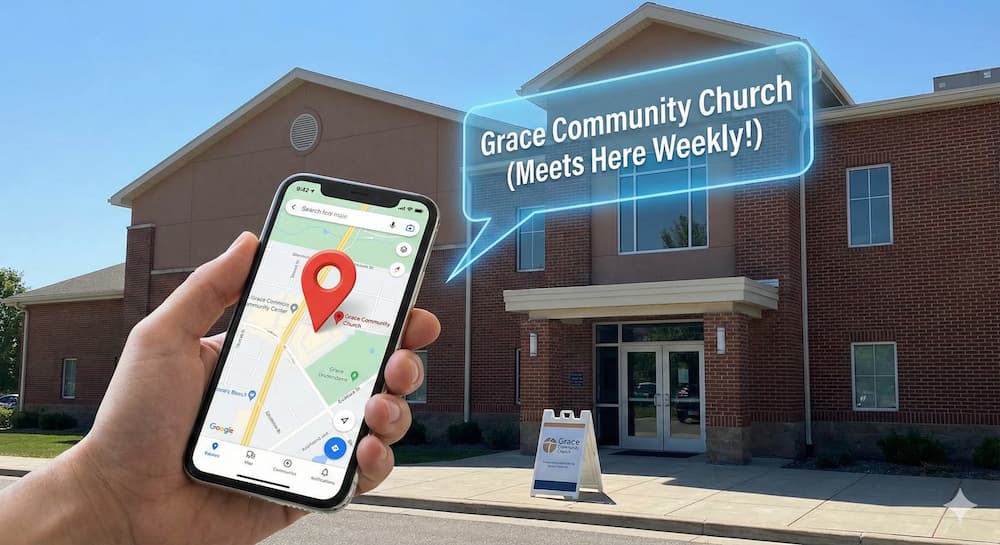
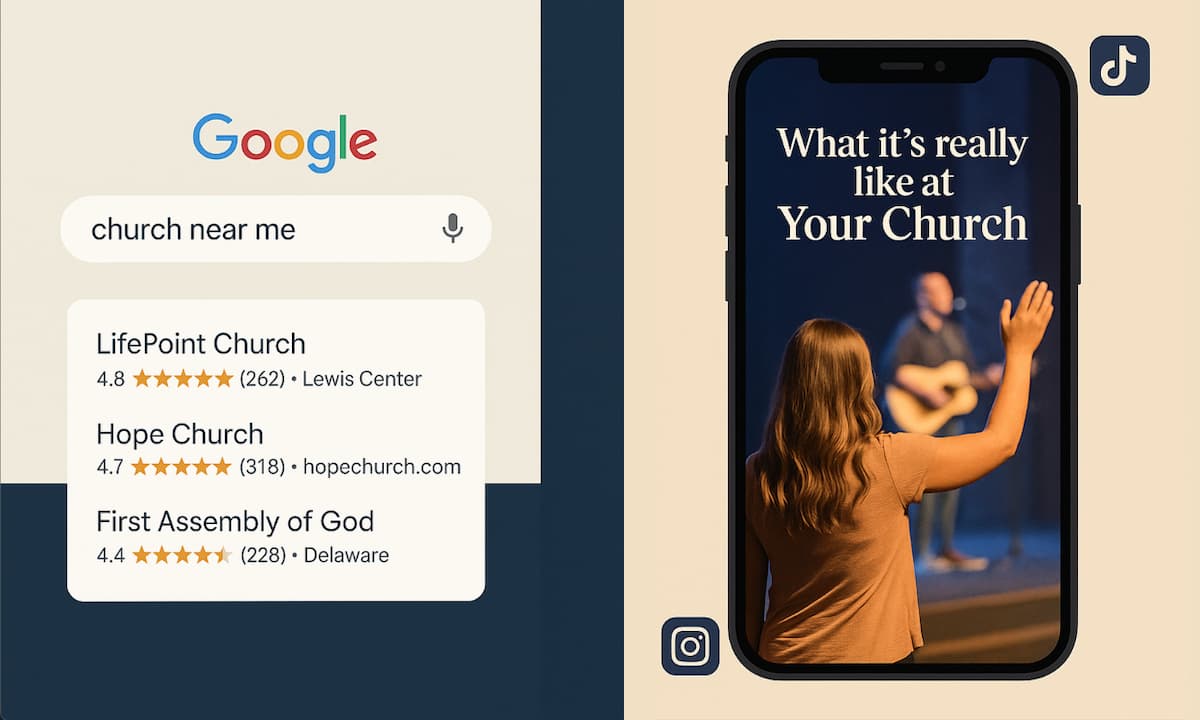
If someone moves to your city this weekend and Googles “church near me”, would your church show up?
If it wouldn’t, you’re missing out on an enormous opportunity to reach your community with the gospel.
If you’re older than 35, you remember phone books. Those enormous tomes that contained the names and contact information of the people and businesses in your city. If a church wanted to be easily findable, it ensured that it was listed in the phone book.
Local SEO for churches is the 2026 version of the phone book.
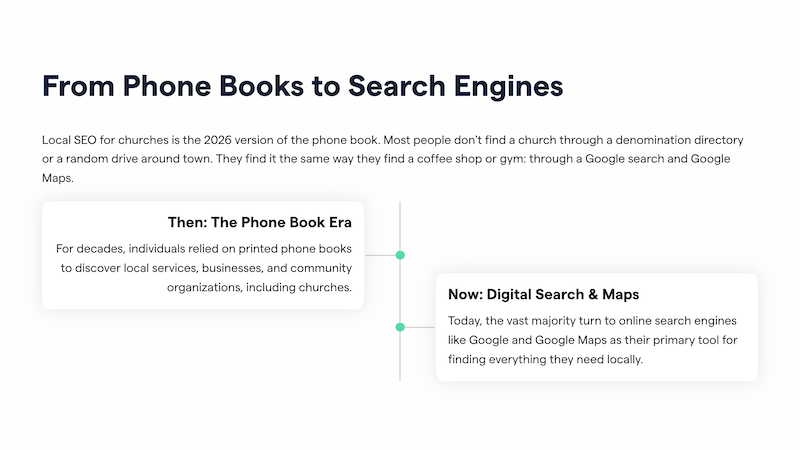
Most people don’t find a church through a denomination directory or a random drive around town. They find it in the same way they find a coffee shop or gym: through a Google search and Google Maps.
What many churches don’t realize is that their website plays a massive role in determining whether they appear in Google search results.
This post is a practical church SEO checklist you can use to quickly audit your online presence. You don’t need to be an SEO expert to use it. You just need to be willing to check a few boxes and clean up some details.
Why Local SEO Matters for Churches
This may sound a bit extreme, but local SEO for churches matters because spreading the gospel matters. Without trying to be overdramatic, if your church doesn’t show up in search results, many people won’t attend, because they don’t know you exist.
Optimizing your church’s online presence for Google is a relatively simple step that requires minimal effort. And yet, it can have a profound impact on a person’s life.
So with that said, here’s what you need to know.
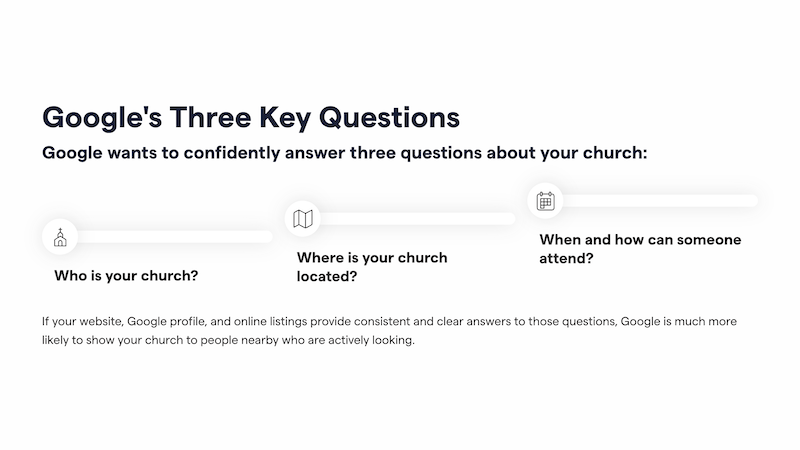
Google wants to confidently answer three questions about your church:
- Who is your church?
- Where is your church located?
- When and how can someone attend?
If your website, Google profile, and online listings provide consistent and clear answers to those questions, Google is much more likely to show your church to people nearby who are actively looking.
Church search behavior is also highly time-sensitive. People often search on Saturday night or Sunday morning. If your service times are missing or tough to find, they’ll move on to the next result.
With that context in mind, let’s walk through the checklist.
1. Claim and Verify Your Google Business Profile
If you only do one thing on this list, make it this.
Your Google Business Profile is the foundation of your local visibility. It’s what powers your appearance in Google Maps and the “local pack” that shows up under map results.
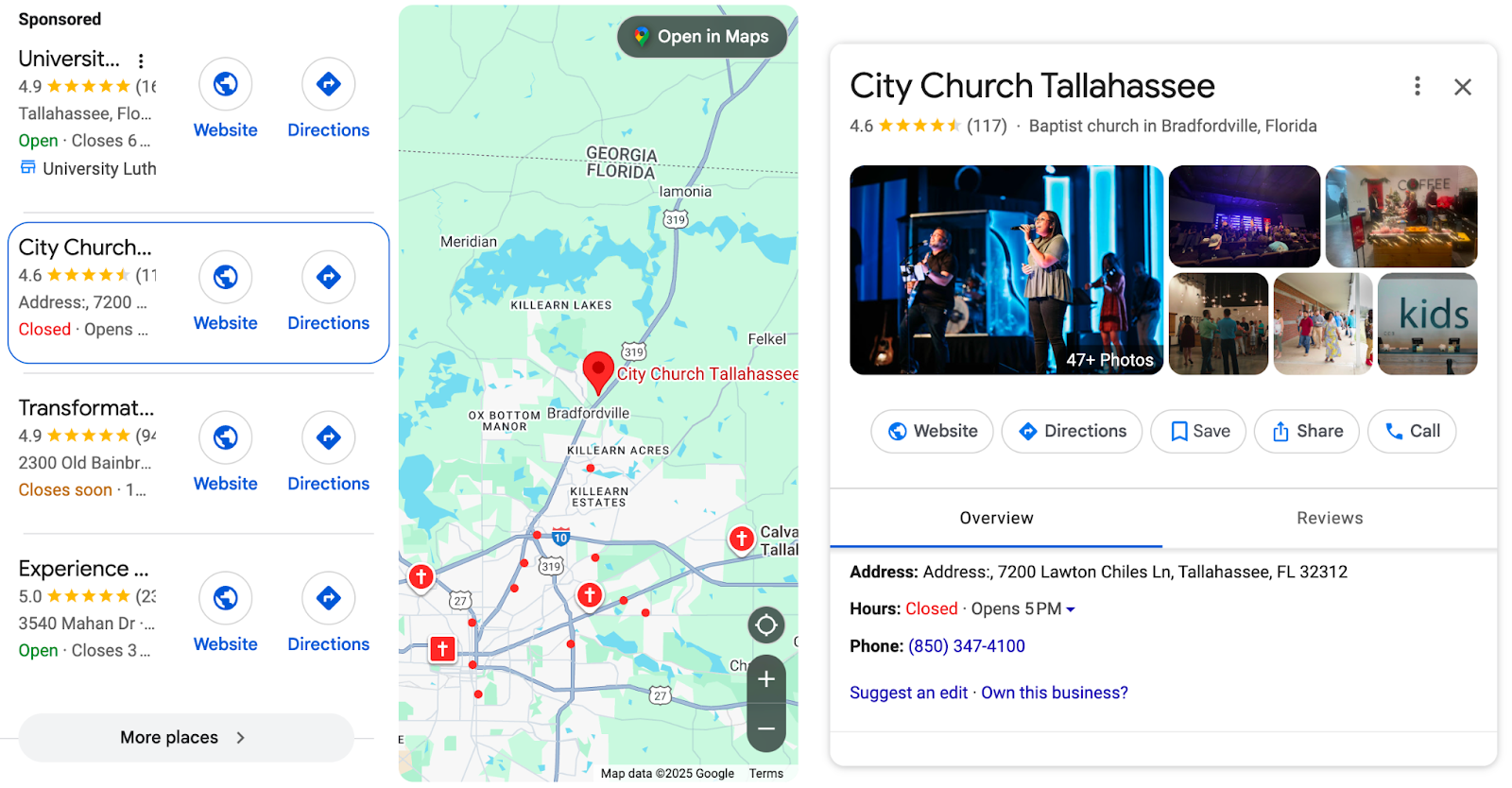
Your church should have only one verified profile that you actively manage (unless you have multiple campuses or related churches, which is for another article).
Start by searching your church name on Google. If a profile exists, claim it. If not, create one and go through the verification process.
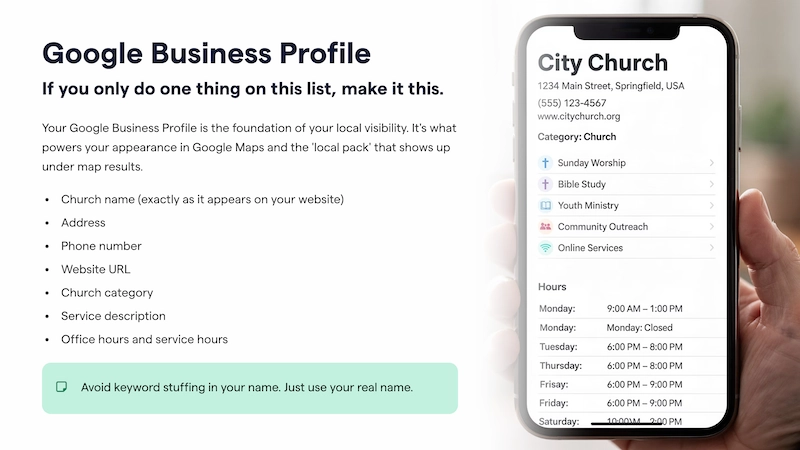
Once verified, fill out every section you can, including:
- Church name (exactly as it appears on your website)
- Address
- Phone number
- Website URL
- Church category (usually “Church” or a denomination-specific option)
- Service description
- Office hours and service hours
Avoid keyword stuffing in your name. Your profile should not be “First Baptist Church of Springfield – Best Church in Springfield.” Just use your real name.
2. Link Your Church’s Address to the Correct Google Maps Listing
This is one of the most overlooked church website tips, and it causes more problems than people realize.
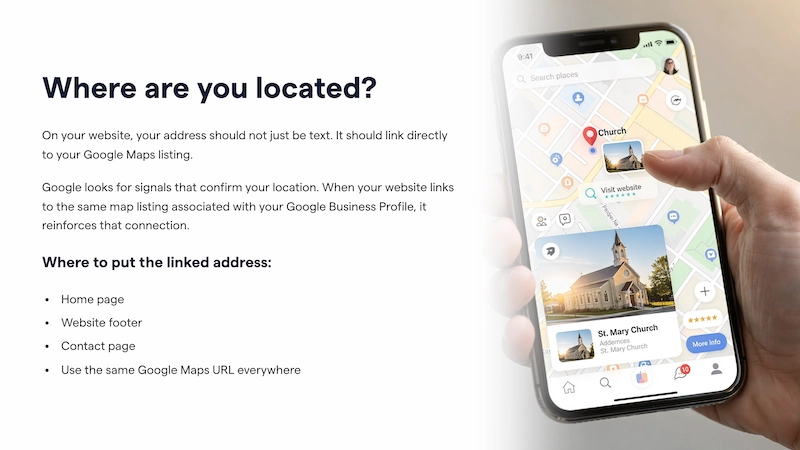
On your website, your address should not just be text. It should link directly to your Google Maps listing.
Google looks for signals that confirm your location. When your website links to the same map listing associated with your Google Business Profile, it reinforces that connection.
Make sure to:
- Put the linked address on your home page
- Include the address in your website footer
- Link the address on your contact page
- Use the same Google Maps URL everywhere
If your church meets in a shared space, such as a school or community center, this step becomes even more critical. You want Google to associate your church with your listing, not the building owner’s.
For more information about ensuring your shared space address is correct on Google, read this article: Shared Spaces, Mobile Churches, and SEO: How to Make Your Location Clear Online
3. Use Consistent NAP (Name, Address, Phone Number) Everywhere
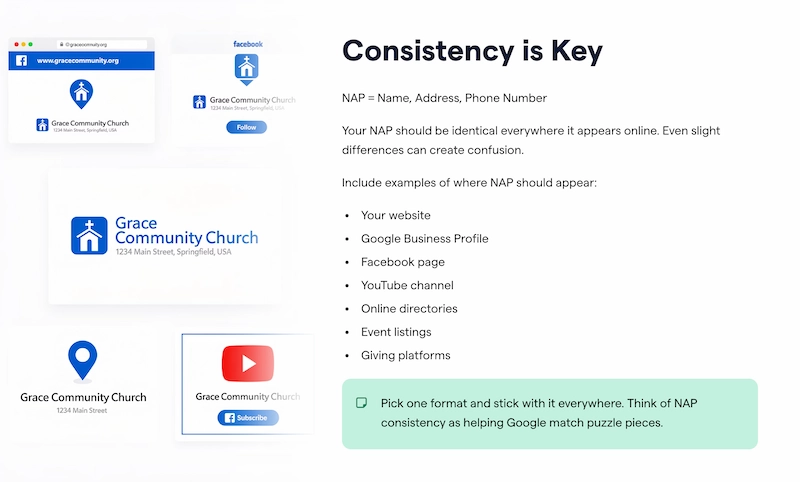
Church Name, Address, and Phone Number (NAP) consistency is one of the most tedious aspects of church SEO, yet it is also one of the most crucial.
Your NAP should be identical everywhere it appears online, including:
- Your website
- Google Business Profile
- Facebook page
- YouTube channel
- Online directories
- Event listings
- Giving platforms
Even slight differences can create confusion. For example:
- “St.” vs “Street”
- “Suite” vs “Ste.”
- A dash vs no dash in your phone number
Pick one format and stick with it everywhere.
Think of NAP consistency as helping Google match puzzle pieces. The more consistent your data, the more confident Google becomes that all of those listings refer to the same church.
4. Clearly Display Service Times and Ministries
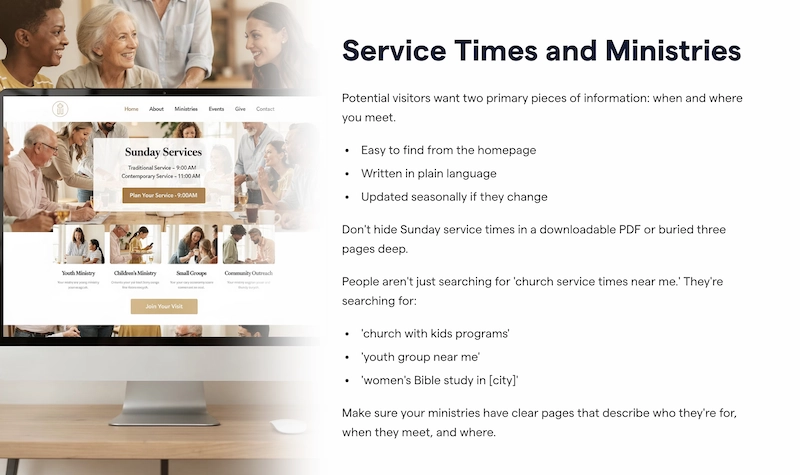
Potential visitors want two primary pieces of information: when and where you meet.
Service times should be:
- Easy to find from the homepage
- Written in plain language
- Updated seasonally if they change
Don’t hide Sunday service times in a downloadable PDF or buried three pages deep. Many churches do this unintentionally, especially after a redesign.
All the information a person needs to visit your church should be immediately visible when they visit your site.
Your ministries matter too. People aren’t just searching for “church service times near me.” They’re searching for:
- “church with kids programs”
- “youth group near me”
- “women’s Bible study in [city]”
Make sure your ministries have clear pages or sections that describe who they’re for, when they meet, and where.
This helps people and strengthens your church website SEO by giving Google more context about what your church offers.
5. Use Real Photos of Your Congregation
Don’t use stock photos on your website. They don’t look authentic, and people can smell fakeness a mile away.
For example, here’s one photo you get when you search “church members” on Pexels (a well-known free stock site).
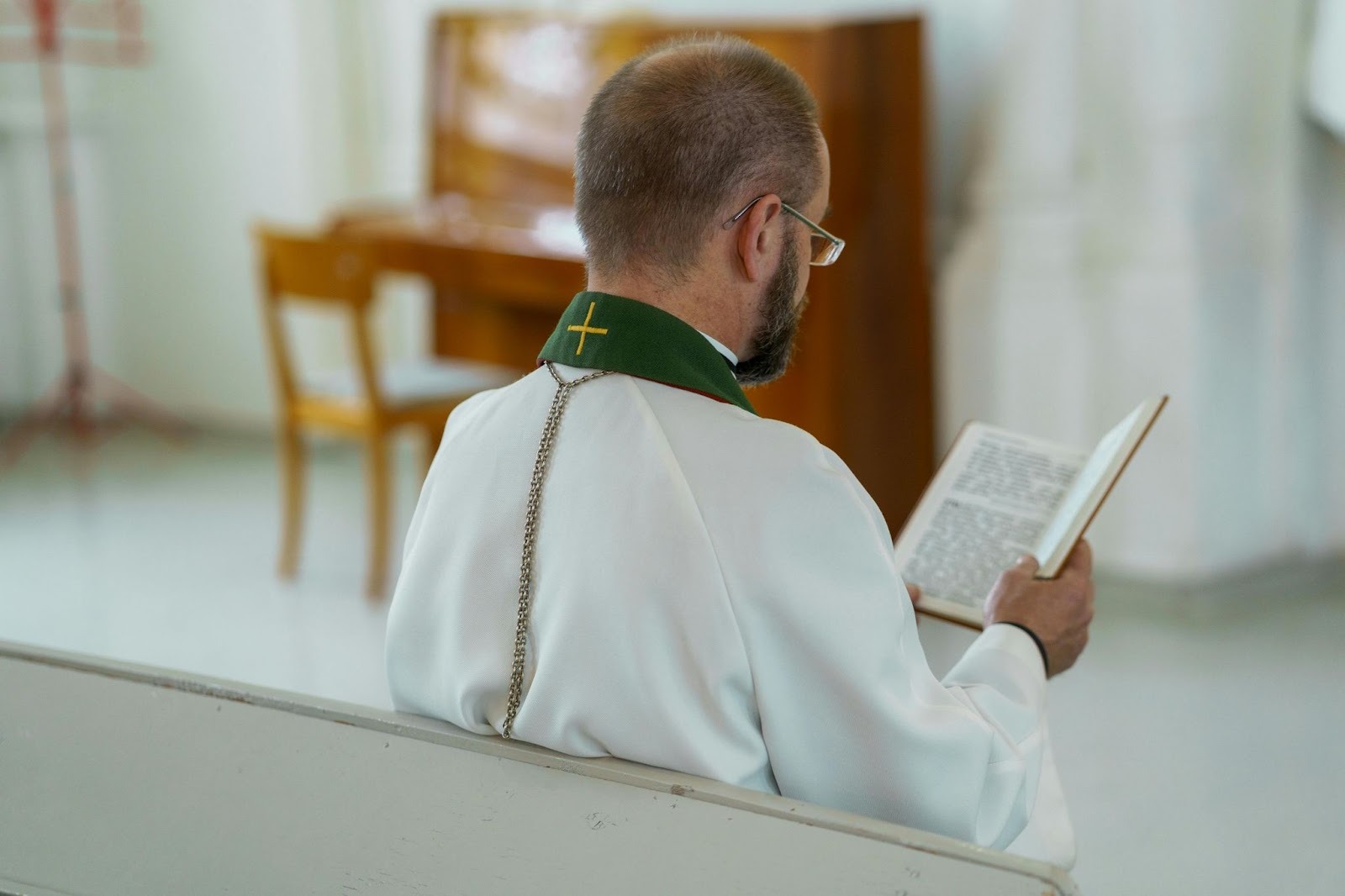
To quote original American Idol judge Randy Jackson, “That’s gonna be a no from me, dawg.”
Also, stock photos don’t help local SEO nearly as much as real images from your gatherings.
Google favors authenticity and relevance. Photos of your actual congregation, worship space, and events send strong local signals.
Make sure you have:
- Photos uploaded to your Google Business Profile
- Images on your website that show church members
- Alt text on images that describes what’s happening and where
Even naming your images adds valuable data to build your online presence. For example, instead of naming a file “IMG_2349.jpg,” use something like “Sunday worship service at Grace Church in Austin.jpg.”
You don’t necessarily need professional photos for your website. High-quality shots taken with a recent mobile phone are usually good enough.
These images also help visitors imagine themselves attending, which improves engagement and trust.
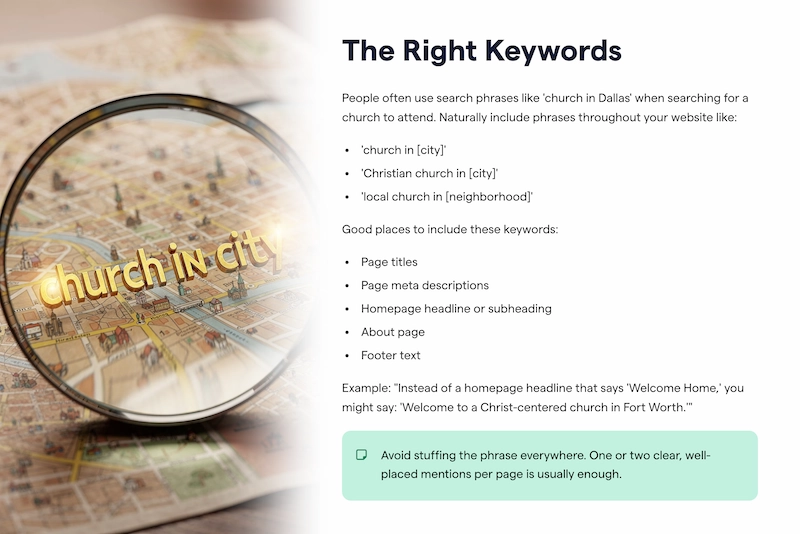
6. Use “Church in [Your City]” Keywords Strategically
This is where SEO becomes intentional without feeling spammy. People often use search phrases like “church in Dallas” when searching for a church to attend.
In light of this, naturally include phrases throughout your website like:
- “church in [city]”
- “Christian church in [city]”
- “local church in [neighborhood]”
If your church is tied to a specific denomination or theological tradition, be more specific with your keywords. For example, “reformed church in Biloxi” or “Baptist church in Burlington”.
Good places to include these keywords include:
- Page titles
- Page meta descriptions
- Homepage headline or subheading
- About page
- Footer text
So, instead of a homepage headline that says “Welcome Home,” you might say:
“Welcome to a Christ-centered church in Fort Worth.”
That small change provides Google with valuable location context while still sounding human.
Avoid stuffing the phrase everywhere. One or two clear, well-placed mentions per page is usually enough.
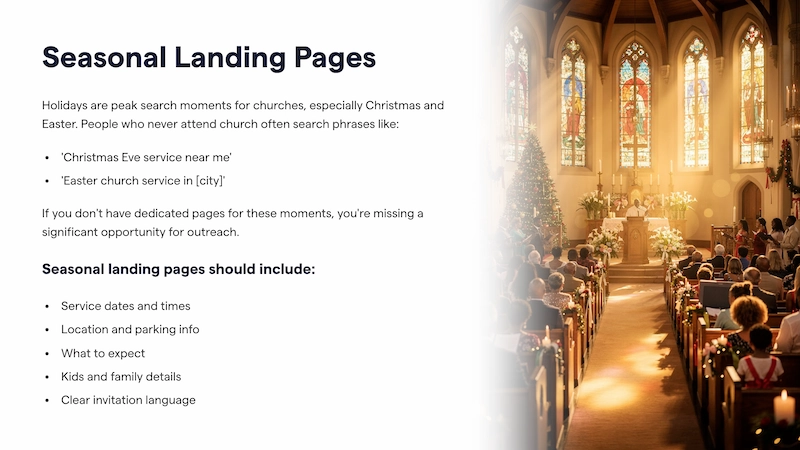
7. Create Seasonal Landing Pages for Holidays
Holidays are peak search moments for churches, especially Christmas and Easter. You want your church to show up on Google in these holiday searches.
People who never attend church often search phrases like:
- “Christmas Eve service near me”
- “Easter church service in [city]”
If you don’t have dedicated pages for these moments, you’re missing a significant opportunity for outreach. It’s one of the few times per year a person might be looking for a church, and you want to do everything possible to take advantage of that time.
Seasonal landing pages should include:
- Service dates and times
- Location and parking info
- What to expect
- Kids and family details
- Clear invitation language
Seasonal pages are one of the simplest ways to optimize a church website for short-term spikes in visibility.
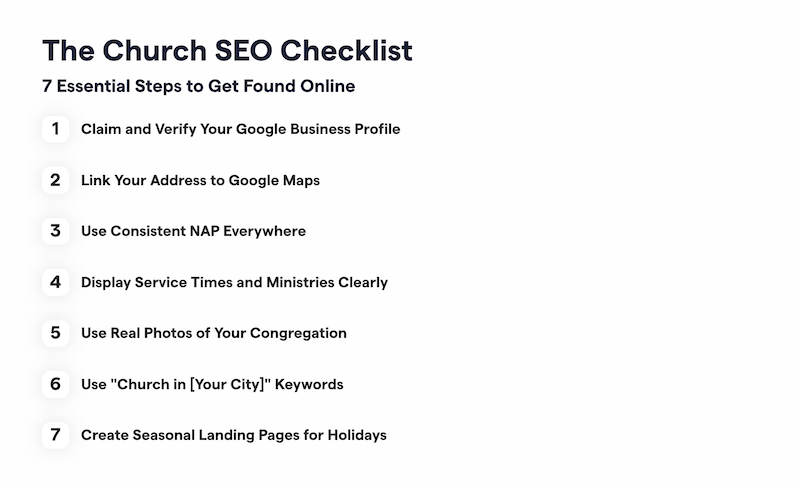
Local SEO Checklist for Churches
- Claim and verify your Google Business Profile
- Link your address to Google Maps
- Keep Name, Address, and Phone Number (NAP) consistent everywhere
- Display church service times clearly
- Use real photos
- Add “church in [city]” keywords
- Create seasonal service pages to improve Christmas and Easter service SEO
How to Use This Church SEO Checklist
If you’re feeling overwhelmed, take a deep breath. You don’t need to fix everything at once.
Start by walking through this list with your website open in one tab and your Google Business Profile open in another. Make notes of what’s missing or unclear.
If you’re part of a church staff team, this checklist also works well as a collaborative exercise. One person can review the website while another reviews the Google profile.
You don’t have to get every part of your local church SEO perfect to show up in search results. Just do as much as you can.
When your website, Google listing, and online presence tell the same clear story, your church becomes easier to find for the people who are already looking.
Sign Up for Product Updates

Stephen Altrogge lives in Tallahassee, Florida. He is a dad to three wonderful girls and has written for publications like The Gospel Coalition, Church Leaders, Crosswalk, and many more. When he’s not writing, you’ll find him reading or watching The Lord Of the Rings for the 10th time.
If someone moves to your city this weekend and Googles “church near me”, would your church show up?
If it wouldn’t, you’re missing out on an enormous opportunity to reach your community with the gospel.
If you’re older than 35, you remember phone books. Those enormous tomes that contained the names and contact information of the people and businesses in your city. If a church wanted to be easily findable, it ensured that it was listed in the phone book.
Local SEO for churches is the 2026 version of the phone book.
Most people don’t find a church through a denomination directory or a random drive around town. They find it in the same way they find a coffee shop or gym: through a Google search and Google Maps.
What many churches don’t realize is that their website plays a massive role in determining whether they appear in Google search results.
This post is a practical church SEO checklist you can use to quickly audit your online presence. You don’t need to be an SEO expert to use it. You just need to be willing to check a few boxes and clean up some details.
Why Local SEO Matters for Churches
This may sound a bit extreme, but local SEO for churches matters because spreading the gospel matters. Without trying to be overdramatic, if your church doesn’t show up in search results, many people won’t attend, because they don’t know you exist.
Optimizing your church’s online presence for Google is a relatively simple step that requires minimal effort. And yet, it can have a profound impact on a person’s life.
So with that said, here’s what you need to know.
Google wants to confidently answer three questions about your church:
- Who is your church?
- Where is your church located?
- When and how can someone attend?
If your website, Google profile, and online listings provide consistent and clear answers to those questions, Google is much more likely to show your church to people nearby who are actively looking.
Church search behavior is also highly time-sensitive. People often search on Saturday night or Sunday morning. If your service times are missing or tough to find, they’ll move on to the next result.
With that context in mind, let’s walk through the checklist.
1. Claim and Verify Your Google Business Profile
If you only do one thing on this list, make it this.
Your Google Business Profile is the foundation of your local visibility. It’s what powers your appearance in Google Maps and the “local pack” that shows up under map results.
Your church should have only one verified profile that you actively manage (unless you have multiple campuses or related churches, which is for another article).
Start by searching your church name on Google. If a profile exists, claim it. If not, create one and go through the verification process.
Once verified, fill out every section you can, including:
- Church name (exactly as it appears on your website)
- Address
- Phone number
- Website URL
- Church category (usually “Church” or a denomination-specific option)
- Service description
- Office hours and service hours
Avoid keyword stuffing in your name. Your profile should not be “First Baptist Church of Springfield – Best Church in Springfield.” Just use your real name.
2. Link Your Church’s Address to the Correct Google Maps Listing
This is one of the most overlooked church website tips, and it causes more problems than people realize.
On your website, your address should not just be text. It should link directly to your Google Maps listing.
Google looks for signals that confirm your location. When your website links to the same map listing associated with your Google Business Profile, it reinforces that connection.
Make sure to:
- Put the linked address on your home page
- Include the address in your website footer
- Link the address on your contact page
- Use the same Google Maps URL everywhere
If your church meets in a shared space, such as a school or community center, this step becomes even more critical. You want Google to associate your church with your listing, not the building owner’s.
For more information about ensuring your shared space address is correct on Google, read this article: Shared Spaces, Mobile Churches, and SEO: How to Make Your Location Clear Online
3. Use Consistent NAP (Name, Address, Phone Number) Everywhere
Church Name, Address, and Phone Number (NAP) consistency is one of the most tedious aspects of church SEO, yet it is also one of the most crucial.
Your NAP should be identical everywhere it appears online, including:
- Your website
- Google Business Profile
- Facebook page
- YouTube channel
- Online directories
- Event listings
- Giving platforms
Even slight differences can create confusion. For example:
- “St.” vs “Street”
- “Suite” vs “Ste.”
- A dash vs no dash in your phone number
Pick one format and stick with it everywhere.
Think of NAP consistency as helping Google match puzzle pieces. The more consistent your data, the more confident Google becomes that all of those listings refer to the same church.
4. Clearly Display Service Times and Ministries
Potential visitors want two primary pieces of information: when and where you meet.
Service times should be:
- Easy to find from the homepage
- Written in plain language
- Updated seasonally if they change
Don’t hide Sunday service times in a downloadable PDF or buried three pages deep. Many churches do this unintentionally, especially after a redesign.
All the information a person needs to visit your church should be immediately visible when they visit your site.
Your ministries matter too. People aren’t just searching for “church service times near me.” They’re searching for:
- “church with kids programs”
- “youth group near me”
- “women’s Bible study in [city]”
Make sure your ministries have clear pages or sections that describe who they’re for, when they meet, and where.
This helps people and strengthens your church website SEO by giving Google more context about what your church offers.
5. Use Real Photos of Your Congregation
Don’t use stock photos on your website. They don’t look authentic, and people can smell fakeness a mile away.
For example, here’s one photo you get when you search “church members” on Pexels (a well-known free stock site).
To quote original American Idol judge Randy Jackson, “That’s gonna be a no from me, dawg.”
Also, stock photos don’t help local SEO nearly as much as real images from your gatherings.
Google favors authenticity and relevance. Photos of your actual congregation, worship space, and events send strong local signals.
Make sure you have:
- Photos uploaded to your Google Business Profile
- Images on your website that show church members
- Alt text on images that describes what’s happening and where
Even naming your images adds valuable data to build your online presence. For example, instead of naming a file “IMG_2349.jpg,” use something like “Sunday worship service at Grace Church in Austin.jpg.”
You don’t necessarily need professional photos for your website. High-quality shots taken with a recent mobile phone are usually good enough.
These images also help visitors imagine themselves attending, which improves engagement and trust.
6. Use “Church in [Your City]” Keywords Strategically
This is where SEO becomes intentional without feeling spammy. People often use search phrases like “church in Dallas” when searching for a church to attend.
In light of this, naturally include phrases throughout your website like:
- “church in [city]”
- “Christian church in [city]”
- “local church in [neighborhood]”
If your church is tied to a specific denomination or theological tradition, be more specific with your keywords. For example, “reformed church in Biloxi” or “Baptist church in Burlington”.
Good places to include these keywords include:
- Page titles
- Page meta descriptions
- Homepage headline or subheading
- About page
- Footer text
So, instead of a homepage headline that says “Welcome Home,” you might say:
“Welcome to a Christ-centered church in Fort Worth.”
That small change provides Google with valuable location context while still sounding human.
Avoid stuffing the phrase everywhere. One or two clear, well-placed mentions per page is usually enough.
7. Create Seasonal Landing Pages for Holidays
Holidays are peak search moments for churches, especially Christmas and Easter. You want your church to show up on Google in these holiday searches.
People who never attend church often search phrases like:
- “Christmas Eve service near me”
- “Easter church service in [city]”
If you don’t have dedicated pages for these moments, you’re missing a significant opportunity for outreach. It’s one of the few times per year a person might be looking for a church, and you want to do everything possible to take advantage of that time.
Seasonal landing pages should include:
- Service dates and times
- Location and parking info
- What to expect
- Kids and family details
- Clear invitation language
Seasonal pages are one of the simplest ways to optimize a church website for short-term spikes in visibility.
Local SEO Checklist for Churches
- Claim and verify your Google Business Profile
- Link your address to Google Maps
- Keep Name, Address, and Phone Number (NAP) consistent everywhere
- Display church service times clearly
- Use real photos
- Add “church in [city]” keywords
- Create seasonal service pages to improve Christmas and Easter service SEO
How to Use This Church SEO Checklist
If you’re feeling overwhelmed, take a deep breath. You don’t need to fix everything at once.
Start by walking through this list with your website open in one tab and your Google Business Profile open in another. Make notes of what’s missing or unclear.
If you’re part of a church staff team, this checklist also works well as a collaborative exercise. One person can review the website while another reviews the Google profile.
You don’t have to get every part of your local church SEO perfect to show up in search results. Just do as much as you can.
When your website, Google listing, and online presence tell the same clear story, your church becomes easier to find for the people who are already looking.
podcast transcript
Stephen Altrogge lives in Tallahassee, Florida. He is a dad to three wonderful girls and has written for publications like The Gospel Coalition, Church Leaders, Crosswalk, and many more. When he’s not writing, you’ll find him reading or watching The Lord Of the Rings for the 10th time.
If someone moves to your city this weekend and Googles “church near me”, would your church show up?
If it wouldn’t, you’re missing out on an enormous opportunity to reach your community with the gospel.
If you’re older than 35, you remember phone books. Those enormous tomes that contained the names and contact information of the people and businesses in your city. If a church wanted to be easily findable, it ensured that it was listed in the phone book.
Local SEO for churches is the 2026 version of the phone book.
Most people don’t find a church through a denomination directory or a random drive around town. They find it in the same way they find a coffee shop or gym: through a Google search and Google Maps.
What many churches don’t realize is that their website plays a massive role in determining whether they appear in Google search results.
This post is a practical church SEO checklist you can use to quickly audit your online presence. You don’t need to be an SEO expert to use it. You just need to be willing to check a few boxes and clean up some details.
Why Local SEO Matters for Churches
This may sound a bit extreme, but local SEO for churches matters because spreading the gospel matters. Without trying to be overdramatic, if your church doesn’t show up in search results, many people won’t attend, because they don’t know you exist.
Optimizing your church’s online presence for Google is a relatively simple step that requires minimal effort. And yet, it can have a profound impact on a person’s life.
So with that said, here’s what you need to know.
Google wants to confidently answer three questions about your church:
- Who is your church?
- Where is your church located?
- When and how can someone attend?
If your website, Google profile, and online listings provide consistent and clear answers to those questions, Google is much more likely to show your church to people nearby who are actively looking.
Church search behavior is also highly time-sensitive. People often search on Saturday night or Sunday morning. If your service times are missing or tough to find, they’ll move on to the next result.
With that context in mind, let’s walk through the checklist.
1. Claim and Verify Your Google Business Profile
If you only do one thing on this list, make it this.
Your Google Business Profile is the foundation of your local visibility. It’s what powers your appearance in Google Maps and the “local pack” that shows up under map results.
Your church should have only one verified profile that you actively manage (unless you have multiple campuses or related churches, which is for another article).
Start by searching your church name on Google. If a profile exists, claim it. If not, create one and go through the verification process.
Once verified, fill out every section you can, including:
- Church name (exactly as it appears on your website)
- Address
- Phone number
- Website URL
- Church category (usually “Church” or a denomination-specific option)
- Service description
- Office hours and service hours
Avoid keyword stuffing in your name. Your profile should not be “First Baptist Church of Springfield – Best Church in Springfield.” Just use your real name.
2. Link Your Church’s Address to the Correct Google Maps Listing
This is one of the most overlooked church website tips, and it causes more problems than people realize.
On your website, your address should not just be text. It should link directly to your Google Maps listing.
Google looks for signals that confirm your location. When your website links to the same map listing associated with your Google Business Profile, it reinforces that connection.
Make sure to:
- Put the linked address on your home page
- Include the address in your website footer
- Link the address on your contact page
- Use the same Google Maps URL everywhere
If your church meets in a shared space, such as a school or community center, this step becomes even more critical. You want Google to associate your church with your listing, not the building owner’s.
For more information about ensuring your shared space address is correct on Google, read this article: Shared Spaces, Mobile Churches, and SEO: How to Make Your Location Clear Online
3. Use Consistent NAP (Name, Address, Phone Number) Everywhere
Church Name, Address, and Phone Number (NAP) consistency is one of the most tedious aspects of church SEO, yet it is also one of the most crucial.
Your NAP should be identical everywhere it appears online, including:
- Your website
- Google Business Profile
- Facebook page
- YouTube channel
- Online directories
- Event listings
- Giving platforms
Even slight differences can create confusion. For example:
- “St.” vs “Street”
- “Suite” vs “Ste.”
- A dash vs no dash in your phone number
Pick one format and stick with it everywhere.
Think of NAP consistency as helping Google match puzzle pieces. The more consistent your data, the more confident Google becomes that all of those listings refer to the same church.
4. Clearly Display Service Times and Ministries
Potential visitors want two primary pieces of information: when and where you meet.
Service times should be:
- Easy to find from the homepage
- Written in plain language
- Updated seasonally if they change
Don’t hide Sunday service times in a downloadable PDF or buried three pages deep. Many churches do this unintentionally, especially after a redesign.
All the information a person needs to visit your church should be immediately visible when they visit your site.
Your ministries matter too. People aren’t just searching for “church service times near me.” They’re searching for:
- “church with kids programs”
- “youth group near me”
- “women’s Bible study in [city]”
Make sure your ministries have clear pages or sections that describe who they’re for, when they meet, and where.
This helps people and strengthens your church website SEO by giving Google more context about what your church offers.
5. Use Real Photos of Your Congregation
Don’t use stock photos on your website. They don’t look authentic, and people can smell fakeness a mile away.
For example, here’s one photo you get when you search “church members” on Pexels (a well-known free stock site).
To quote original American Idol judge Randy Jackson, “That’s gonna be a no from me, dawg.”
Also, stock photos don’t help local SEO nearly as much as real images from your gatherings.
Google favors authenticity and relevance. Photos of your actual congregation, worship space, and events send strong local signals.
Make sure you have:
- Photos uploaded to your Google Business Profile
- Images on your website that show church members
- Alt text on images that describes what’s happening and where
Even naming your images adds valuable data to build your online presence. For example, instead of naming a file “IMG_2349.jpg,” use something like “Sunday worship service at Grace Church in Austin.jpg.”
You don’t necessarily need professional photos for your website. High-quality shots taken with a recent mobile phone are usually good enough.
These images also help visitors imagine themselves attending, which improves engagement and trust.
6. Use “Church in [Your City]” Keywords Strategically
This is where SEO becomes intentional without feeling spammy. People often use search phrases like “church in Dallas” when searching for a church to attend.
In light of this, naturally include phrases throughout your website like:
- “church in [city]”
- “Christian church in [city]”
- “local church in [neighborhood]”
If your church is tied to a specific denomination or theological tradition, be more specific with your keywords. For example, “reformed church in Biloxi” or “Baptist church in Burlington”.
Good places to include these keywords include:
- Page titles
- Page meta descriptions
- Homepage headline or subheading
- About page
- Footer text
So, instead of a homepage headline that says “Welcome Home,” you might say:
“Welcome to a Christ-centered church in Fort Worth.”
That small change provides Google with valuable location context while still sounding human.
Avoid stuffing the phrase everywhere. One or two clear, well-placed mentions per page is usually enough.
7. Create Seasonal Landing Pages for Holidays
Holidays are peak search moments for churches, especially Christmas and Easter. You want your church to show up on Google in these holiday searches.
People who never attend church often search phrases like:
- “Christmas Eve service near me”
- “Easter church service in [city]”
If you don’t have dedicated pages for these moments, you’re missing a significant opportunity for outreach. It’s one of the few times per year a person might be looking for a church, and you want to do everything possible to take advantage of that time.
Seasonal landing pages should include:
- Service dates and times
- Location and parking info
- What to expect
- Kids and family details
- Clear invitation language
Seasonal pages are one of the simplest ways to optimize a church website for short-term spikes in visibility.
Local SEO Checklist for Churches
- Claim and verify your Google Business Profile
- Link your address to Google Maps
- Keep Name, Address, and Phone Number (NAP) consistent everywhere
- Display church service times clearly
- Use real photos
- Add “church in [city]” keywords
- Create seasonal service pages to improve Christmas and Easter service SEO
How to Use This Church SEO Checklist
If you’re feeling overwhelmed, take a deep breath. You don’t need to fix everything at once.
Start by walking through this list with your website open in one tab and your Google Business Profile open in another. Make notes of what’s missing or unclear.
If you’re part of a church staff team, this checklist also works well as a collaborative exercise. One person can review the website while another reviews the Google profile.
You don’t have to get every part of your local church SEO perfect to show up in search results. Just do as much as you can.
When your website, Google listing, and online presence tell the same clear story, your church becomes easier to find for the people who are already looking.
VIDEO transcript
If someone moves to your city this weekend and Googles “church near me”, would your church show up?
If it wouldn’t, you’re missing out on an enormous opportunity to reach your community with the gospel.
If you’re older than 35, you remember phone books. Those enormous tomes that contained the names and contact information of the people and businesses in your city. If a church wanted to be easily findable, it ensured that it was listed in the phone book.
Local SEO for churches is the 2026 version of the phone book.
Most people don’t find a church through a denomination directory or a random drive around town. They find it in the same way they find a coffee shop or gym: through a Google search and Google Maps.
What many churches don’t realize is that their website plays a massive role in determining whether they appear in Google search results.
This post is a practical church SEO checklist you can use to quickly audit your online presence. You don’t need to be an SEO expert to use it. You just need to be willing to check a few boxes and clean up some details.
Why Local SEO Matters for Churches
This may sound a bit extreme, but local SEO for churches matters because spreading the gospel matters. Without trying to be overdramatic, if your church doesn’t show up in search results, many people won’t attend, because they don’t know you exist.
Optimizing your church’s online presence for Google is a relatively simple step that requires minimal effort. And yet, it can have a profound impact on a person’s life.
So with that said, here’s what you need to know.
Google wants to confidently answer three questions about your church:
- Who is your church?
- Where is your church located?
- When and how can someone attend?
If your website, Google profile, and online listings provide consistent and clear answers to those questions, Google is much more likely to show your church to people nearby who are actively looking.
Church search behavior is also highly time-sensitive. People often search on Saturday night or Sunday morning. If your service times are missing or tough to find, they’ll move on to the next result.
With that context in mind, let’s walk through the checklist.
1. Claim and Verify Your Google Business Profile
If you only do one thing on this list, make it this.
Your Google Business Profile is the foundation of your local visibility. It’s what powers your appearance in Google Maps and the “local pack” that shows up under map results.
Your church should have only one verified profile that you actively manage (unless you have multiple campuses or related churches, which is for another article).
Start by searching your church name on Google. If a profile exists, claim it. If not, create one and go through the verification process.
Once verified, fill out every section you can, including:
- Church name (exactly as it appears on your website)
- Address
- Phone number
- Website URL
- Church category (usually “Church” or a denomination-specific option)
- Service description
- Office hours and service hours
Avoid keyword stuffing in your name. Your profile should not be “First Baptist Church of Springfield – Best Church in Springfield.” Just use your real name.
2. Link Your Church’s Address to the Correct Google Maps Listing
This is one of the most overlooked church website tips, and it causes more problems than people realize.
On your website, your address should not just be text. It should link directly to your Google Maps listing.
Google looks for signals that confirm your location. When your website links to the same map listing associated with your Google Business Profile, it reinforces that connection.
Make sure to:
- Put the linked address on your home page
- Include the address in your website footer
- Link the address on your contact page
- Use the same Google Maps URL everywhere
If your church meets in a shared space, such as a school or community center, this step becomes even more critical. You want Google to associate your church with your listing, not the building owner’s.
For more information about ensuring your shared space address is correct on Google, read this article: Shared Spaces, Mobile Churches, and SEO: How to Make Your Location Clear Online
3. Use Consistent NAP (Name, Address, Phone Number) Everywhere
Church Name, Address, and Phone Number (NAP) consistency is one of the most tedious aspects of church SEO, yet it is also one of the most crucial.
Your NAP should be identical everywhere it appears online, including:
- Your website
- Google Business Profile
- Facebook page
- YouTube channel
- Online directories
- Event listings
- Giving platforms
Even slight differences can create confusion. For example:
- “St.” vs “Street”
- “Suite” vs “Ste.”
- A dash vs no dash in your phone number
Pick one format and stick with it everywhere.
Think of NAP consistency as helping Google match puzzle pieces. The more consistent your data, the more confident Google becomes that all of those listings refer to the same church.
4. Clearly Display Service Times and Ministries
Potential visitors want two primary pieces of information: when and where you meet.
Service times should be:
- Easy to find from the homepage
- Written in plain language
- Updated seasonally if they change
Don’t hide Sunday service times in a downloadable PDF or buried three pages deep. Many churches do this unintentionally, especially after a redesign.
All the information a person needs to visit your church should be immediately visible when they visit your site.
Your ministries matter too. People aren’t just searching for “church service times near me.” They’re searching for:
- “church with kids programs”
- “youth group near me”
- “women’s Bible study in [city]”
Make sure your ministries have clear pages or sections that describe who they’re for, when they meet, and where.
This helps people and strengthens your church website SEO by giving Google more context about what your church offers.
5. Use Real Photos of Your Congregation
Don’t use stock photos on your website. They don’t look authentic, and people can smell fakeness a mile away.
For example, here’s one photo you get when you search “church members” on Pexels (a well-known free stock site).
To quote original American Idol judge Randy Jackson, “That’s gonna be a no from me, dawg.”
Also, stock photos don’t help local SEO nearly as much as real images from your gatherings.
Google favors authenticity and relevance. Photos of your actual congregation, worship space, and events send strong local signals.
Make sure you have:
- Photos uploaded to your Google Business Profile
- Images on your website that show church members
- Alt text on images that describes what’s happening and where
Even naming your images adds valuable data to build your online presence. For example, instead of naming a file “IMG_2349.jpg,” use something like “Sunday worship service at Grace Church in Austin.jpg.”
You don’t necessarily need professional photos for your website. High-quality shots taken with a recent mobile phone are usually good enough.
These images also help visitors imagine themselves attending, which improves engagement and trust.
6. Use “Church in [Your City]” Keywords Strategically
This is where SEO becomes intentional without feeling spammy. People often use search phrases like “church in Dallas” when searching for a church to attend.
In light of this, naturally include phrases throughout your website like:
- “church in [city]”
- “Christian church in [city]”
- “local church in [neighborhood]”
If your church is tied to a specific denomination or theological tradition, be more specific with your keywords. For example, “reformed church in Biloxi” or “Baptist church in Burlington”.
Good places to include these keywords include:
- Page titles
- Page meta descriptions
- Homepage headline or subheading
- About page
- Footer text
So, instead of a homepage headline that says “Welcome Home,” you might say:
“Welcome to a Christ-centered church in Fort Worth.”
That small change provides Google with valuable location context while still sounding human.
Avoid stuffing the phrase everywhere. One or two clear, well-placed mentions per page is usually enough.
7. Create Seasonal Landing Pages for Holidays
Holidays are peak search moments for churches, especially Christmas and Easter. You want your church to show up on Google in these holiday searches.
People who never attend church often search phrases like:
- “Christmas Eve service near me”
- “Easter church service in [city]”
If you don’t have dedicated pages for these moments, you’re missing a significant opportunity for outreach. It’s one of the few times per year a person might be looking for a church, and you want to do everything possible to take advantage of that time.
Seasonal landing pages should include:
- Service dates and times
- Location and parking info
- What to expect
- Kids and family details
- Clear invitation language
Seasonal pages are one of the simplest ways to optimize a church website for short-term spikes in visibility.
Local SEO Checklist for Churches
- Claim and verify your Google Business Profile
- Link your address to Google Maps
- Keep Name, Address, and Phone Number (NAP) consistent everywhere
- Display church service times clearly
- Use real photos
- Add “church in [city]” keywords
- Create seasonal service pages to improve Christmas and Easter service SEO
How to Use This Church SEO Checklist
If you’re feeling overwhelmed, take a deep breath. You don’t need to fix everything at once.
Start by walking through this list with your website open in one tab and your Google Business Profile open in another. Make notes of what’s missing or unclear.
If you’re part of a church staff team, this checklist also works well as a collaborative exercise. One person can review the website while another reviews the Google profile.
You don’t have to get every part of your local church SEO perfect to show up in search results. Just do as much as you can.
When your website, Google listing, and online presence tell the same clear story, your church becomes easier to find for the people who are already looking.
Sign Up for Product Updates
Stephen Altrogge lives in Tallahassee, Florida. He is a dad to three wonderful girls and has written for publications like The Gospel Coalition, Church Leaders, Crosswalk, and many more. When he’s not writing, you’ll find him reading or watching The Lord Of the Rings for the 10th time.

You Might Also Like
More Resources

From increasing giving, managing your congregation, and engaging your church, our collection of resources will keep you up-to-date on the latest church and ministry trends.
Free Resources