How Churches Accept Payments: Most Popular Methods Compared (2026 Guide)
Today, most churches accept digital giving through a mix of online giving forms, mobile apps, tap-to-give tools, and peer-to-peer platforms like Venmo and Cash App. The right combination depends on your church’s size, congregation, and whether you process more than just Sunday tithes—like events, merchandise, or café sales.




Quick answer
Most churches in 2026 accept payments through a mix of four channels: a giving platform on the church website, a mobile giving app, an in-person card reader or tap disc, and a peer-to-peer app like Venmo or Cash App for casual gifts. The right combination depends on your size, your congregation's age, and whether you sell anything beyond Sunday giving—like merchandise, event tickets, or coffee shop items.
We’ll consider each option, what each one costs, where each one fits, and how to decide which to offer.
Why this matters more than it did five years ago
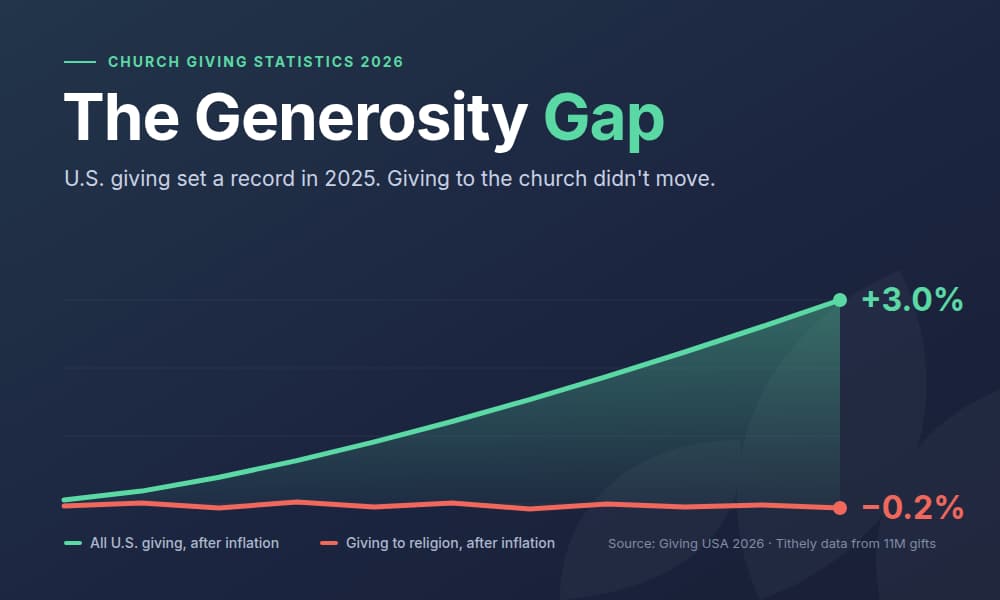
Cash in the offering plate has dropped to under 10% of total giving at the average U.S. church. Nearly half of Americans say they almost never carry cash, and Gen Z and younger Millennials—the people your church needs to retain—expect to give the same way they pay for everything else: by tapping a phone, scanning a QR code, or setting up a recurring transfer.
That's not a trend you can opt out of. A church that only accepts cash and checks effectively shrinks the pool of givers. But the answer isn't to bolt on every payment app you've ever heard of. It's to be deliberate about which channels you support, which fees you absorb, and how your giving experience feels for the person on the other end.
The rest of this guide is built to help you make that call.
In-person payment methods
The Sunday offering hasn't gone away—it's just gone digital at the seat. Here's how to take in-person payments today.
Credit and debit card readers
A countertop or mobile card reader is the workhorse of in-person church payments, especially for anything beyond the offering: merchandise, event tickets, coffee shop sales, and tailgating events. Modern readers are EMV-chip and NFC-enabled, meaning they accept chip cards, swipes, Apple Pay, and Google Pay through the same hardware.
What to look for:
- Flat per-transaction pricing (avoid tiered "qualified vs. non-qualified" structures)
- Non-profit pricing—some processors discount for 501(c)(3)s
- Hardware that travels (for outreach events, retreats, fundraising galas)
For a full breakdown of how card processing actually works inside a church—including the fee structures pastors get tripped up by—read our Guide to Credit Card Processing for Churches.
Tap-to-give discs and contactless terminals
A tap-to-give disc sits on a table in your lobby, on the back of a seat or pew, or near the welcome desk. Guests and members tap a card, phone, or watch—no app download, no log-in. For many churches, Tap-to-Give is what finally replaces the dwindling cash offering, because it converts casual visitors who would never have stopped at the bank for a check, and most likely aren’t carrying any cash.
Churches that add tap-to-give typically see a 15–30% lift in lobby-collected giving within the first six months. Read more in our deep dive on tap-to-give and how it increases donations.
Cash and check
Don't retire these. Older donors give large, predictable gifts by check—often your highest-value givers—and cash remains the right channel for anonymous benevolence fund contributions. Just be sure you've got a clean process for counting, logging, and depositing. Our free tithe and offering record sheet template is the simplest way to track manual offerings cleanly enough to satisfy an audit.
Online and digital giving methods
The majority of giving in 2026 happens before or after the service, on a screen, not in a plate. The online channels below are where the bulk of your giving will live.
Online giving forms
This is the foundation. A dedicated giving page on your church website lets donors set up one-time or recurring gifts, choose which fund the gift supports, and (on most platforms) cover the processing fee themselves so 100% of the gift reaches your ministry.
The right form is mobile-friendly, accepts cards plus ACH, and remembers returning donors. Avoid generic checkout pages and PayPal buttons—they convert poorly and lack the fund designation, recurring giving, and tax receipting features churches need.
Mobile app giving
A church-branded giving app puts a one-tap path to giving in the palm of every member. The best ones combine giving with sermon notes, event registration, and small-group sign-ups, so the app becomes the church's home screen—not a single-purpose tool that gets deleted.
Mobile giving works because friction is the single biggest predictor of completed gifts. Every screen you remove between intent and submission lifts conversion.
Text giving
Text-to-give lets a donor send a keyword and amount to a short code or number, receive a quick link, and complete the gift in under 30 seconds. It's the most accessible option for older members and the most cost-effective channel for first-time givers—no app to install, no account to create.
For pairing text giving with broader congregational communication, our guide to free mass texting services for nonprofits covers the platforms worth using.
Recurring giving
Recurring giving is the single most important number on your finance dashboard. Churches with strong recurring-giving programs experience budget predictability, since a single recurring donor gives roughly 42% more annually than a one-time donor.
Every method on this page can be set to recurring. Guide members toward weekly or monthly auto-give whenever you can. It's not transactional pressure—it's discipleship around faithful, regular generosity.
ACH and bank transfer
For larger recurring gifts—$500/month and up—push donors toward ACH instead of card. ACH fees are roughly 1% versus 2.9% for cards, which means a $1,000 monthly gift saves your ministry around $20 every time it's drafted. Over a year, that's a counseling session, a youth event, or a missions trip subsidy.
The catch is that ACH setup takes more steps for the donor (entering bank routing information). It's worth it for the high-value gifts; not worth pushing for the $25 weekly giver.
Mobile wallets for Church Donations
Apple Pay and Google Pay
Mobile wallets aren't a separate payment method so much as a faster way to use the methods you already accept. Apple Pay and Google Pay transmit a tokenized version of the underlying credit card—meaning your card reader, online giving form, and kiosk can all accept them with no separate setup.
For mobile-first givers, the difference is friction. Tapping a phone takes about two seconds. Typing in a 16-digit card number takes about thirty. Multiply that across every casual gift your church will receive this year, and the conversion gap is significant.
The short answer to "do churches take Apple Pay?" is yes—as long as your giving platform supports it. Most modern church-specific platforms (including Tithely) do by default.
Peer-to-peer apps
P2P apps deserve their own section because the conversation around them is more nuanced than "yes" or "no." Each has real strengths and real trade-offs for ministry.
Venmo for churches
Venmo is one of the most-requested giving methods in churches today—especially among congregants under 40. It works, with caveats: your church needs a Venmo business profile (not a personal account), gifts received through it are reported to the IRS via 1099-K above the threshold, and donor receipting requires manual reconciliation against your ChMS.
For when Venmo makes sense, when it doesn't, and the exact setup steps, see our deep dive on Venmo for churches.
Cash App for churches
Cash App skews younger than Venmo and is heavily used in some demographics—particularly in urban congregations and among Gen Z. The trade-offs mirror Venmo's: you need a Cash App for Business account, the 2.75% fee is higher than ACH but lower than some card processors, and receipts won't be automatic.
A common question is whether the platform was designed for charitable giving at all. We unpacked that question in Should Churches Use Cash App?.
PayPal
PayPal is the oldest digital wallet in the mix and still skews older in the church context. It's familiar, low-friction for users who already have accounts, and integrates with most church website builders. The trade-offs: PayPal's giving experience isn't church-aware (no fund designation, no automatic tax-deductible receipts in the format the IRS expects), and its fees run slightly higher than competitors.
If you currently use PayPal, run the math on what a church-specific platform would save you—we compared PayPal to Tithely directly so you can see the numbers side by side.
Zelle
Zelle is the wildcard. It's free, fast, and bank-to-bank—no fees, no holding period—which makes it attractive on paper for large gifts. The problem is that most banks limit Zelle to person-to-person payments; your church needs a Zelle-enabled business banking relationship, and donor receipting must be entirely manual.
For most churches, Zelle is worth offering as an option for known high-value donors who ask for it, not as a primary channel.
What about Stripe and Square?
Stripe and Square are payment processors, not church platforms. That distinction matters. They handle the back-end transaction—taking the card and moving the money to your bank—but they don't handle fund designation, recurring giving rules specific to your ministry, tax-deductible receipting, or integration with your church management software.
Many church-specific platforms (Tithely included) use Stripe or a similar processor under the hood, so you're effectively getting Stripe-grade transaction processing wrapped in a ministry-aware experience. Going direct to Stripe means building the ministry layer yourself.
Fees: what your church actually pays
Headline rates can be misleading. Here's what the actual cost looks like across the most common channels in 2026:
- Online card giving: 2.9% + 30¢ per transaction. A $100 gift nets your church $96.80.
- In-person card (POS): 2.6% + 10¢. A $100 gift nets $97.30.
- ACH: ~1% (capped, often $5–$10). A $1,000 gift nets ~$990.
- Cash and check: $0 in processing fees, but real cost in staff/volunteer time to count, log, and deposit.
- Venmo Business: 1.9% + 10¢ for business profiles.
- Cash App Business: 2.75%.
- PayPal Non-profit: 1.99% + 49¢ for verified 501(c)(3)s (reduced from standard rates).
Two financial moves worth knowing:
1. Let donors cover the fee. Most modern platforms include a "cover the processing fee" checkbox at checkout. Roughly 60–70% of donors check it. That's effectively a fee-free model for the church.
2. Push large recurring gifts to ACH. The savings compound. If 10 donors give $500/month via card, you're losing about $1,800/year to fees. Move them to ACH, and you keep most of it.
Receipts, taxes, and the compliance side
This is the part that trips up churches most. The IRS requires tax-deductible giving receipts to include the donor's name, the amount, the date, the church's name and EIN, and a statement that no goods or services were provided in exchange for the gift (for non-quid-pro-quo donations). Receipts must go out by January 31 of the following year.
The risk with manual channels—Venmo, Cash App, Zelle, cash, check—is that none of them generate compliant receipts automatically. You'll need someone to reconcile these gifts against your ChMS each week and issue year-end statements by hand. For a church receiving more than a handful of gifts through these channels, that's a real ongoing labor cost.
Church-specific giving platforms automatically generate compliant receipts, store them in the donor's portal, and email annual statements without staff intervention. That's the single biggest operational reason to centralize giving on one platform.
A separate compliance note: gifts received through Venmo, Cash App, and PayPal Business may trigger 1099-K reporting to the IRS once you cross the threshold (currently $20,000 & 200 transactions for 2026 receipts). A 1099-K doesn't change your church's tax status, but it does mean the IRS sees the gross receipts, and your reconciliation needs to be airtight.
How to decide which methods to offer
The temptation is to accept everything. Resist it. Every additional channel adds reconciliation work, donor confusion, and a slightly worse giving experience overall.
A defensible default for a church under 500 people in 2026:
- Online giving form on the website (anchor of everything)
- Mobile giving app (for app-comfortable members)
- Text giving (broadest demographic reach)
- One in-person option—tap-to-give discs
- ACH for any donor giving $500+/month
- Cash and check still accepted (don't shut the door)
That's it. Add Venmo or Cash App only if your congregation is asking for it by name, and only with a clear reconciliation process. Add Zelle only for specific high-value donors who request it.
For churches above 500 people or with multiple campuses, the same core list applies—you'll just want the underlying platform to handle multi-site fund routing and consolidated reporting.
Track what comes in
Whatever combination you land on, you'll need a clean way to log every gift, especially the manual ones. Cash, check, Venmo, Cash App, Zelle—these all live outside your giving platform unless someone enters them.
We built a free tithe and offering record sheet template for exactly this use case. Print it for the counting team, or use the spreadsheet version for digital reconciliation.
Get every method in one place: Tithely
The cleanest version of this whole setup runs on one platform that handles all the giving methods you actually need—online forms, mobile app, text giving, kiosk, recurring, ACH, and Apple Pay / Google Pay—and feeds every gift into one set of donor records and one set of tax statements.
That's what Tithely was built for. Churches using Tithely Giving typically see 30–40% growth in giving within the first year, because the friction comes out of every channel at once. No more reconciling Venmo against Cash App against PayPal in a spreadsheet on Sunday afternoon.
If you're trying to consolidate, start with Online Giving for Churches.
Last updated: May 2026. Processing fees, PCI DSS requirements, and 1099-K thresholds reflect publicly available information as of publication. Always verify current rates and IRS thresholds with your platform and tax advisor.
Sign Up for Product Updates

Tithely provides the tools you need to engage with your church online, stay connected, increase generosity, and simplify the lives of your staff.
With tools like text and email messaging, custom church apps and websites, church management software, digital giving, and so much more… it’s no wonder why over 53,000 churches in 50 countries trust Tithely to help run their church.
Quick answer
Most churches in 2026 accept payments through a mix of four channels: a giving platform on the church website, a mobile giving app, an in-person card reader or tap disc, and a peer-to-peer app like Venmo or Cash App for casual gifts. The right combination depends on your size, your congregation's age, and whether you sell anything beyond Sunday giving—like merchandise, event tickets, or coffee shop items.
We’ll consider each option, what each one costs, where each one fits, and how to decide which to offer.
Why this matters more than it did five years ago
Cash in the offering plate has dropped to under 10% of total giving at the average U.S. church. Nearly half of Americans say they almost never carry cash, and Gen Z and younger Millennials—the people your church needs to retain—expect to give the same way they pay for everything else: by tapping a phone, scanning a QR code, or setting up a recurring transfer.
That's not a trend you can opt out of. A church that only accepts cash and checks effectively shrinks the pool of givers. But the answer isn't to bolt on every payment app you've ever heard of. It's to be deliberate about which channels you support, which fees you absorb, and how your giving experience feels for the person on the other end.
The rest of this guide is built to help you make that call.
In-person payment methods
The Sunday offering hasn't gone away—it's just gone digital at the seat. Here's how to take in-person payments today.
Credit and debit card readers
A countertop or mobile card reader is the workhorse of in-person church payments, especially for anything beyond the offering: merchandise, event tickets, coffee shop sales, and tailgating events. Modern readers are EMV-chip and NFC-enabled, meaning they accept chip cards, swipes, Apple Pay, and Google Pay through the same hardware.
What to look for:
- Flat per-transaction pricing (avoid tiered "qualified vs. non-qualified" structures)
- Non-profit pricing—some processors discount for 501(c)(3)s
- Hardware that travels (for outreach events, retreats, fundraising galas)
For a full breakdown of how card processing actually works inside a church—including the fee structures pastors get tripped up by—read our Guide to Credit Card Processing for Churches.
Tap-to-give discs and contactless terminals
A tap-to-give disc sits on a table in your lobby, on the back of a seat or pew, or near the welcome desk. Guests and members tap a card, phone, or watch—no app download, no log-in. For many churches, Tap-to-Give is what finally replaces the dwindling cash offering, because it converts casual visitors who would never have stopped at the bank for a check, and most likely aren’t carrying any cash.
Churches that add tap-to-give typically see a 15–30% lift in lobby-collected giving within the first six months. Read more in our deep dive on tap-to-give and how it increases donations.
Cash and check
Don't retire these. Older donors give large, predictable gifts by check—often your highest-value givers—and cash remains the right channel for anonymous benevolence fund contributions. Just be sure you've got a clean process for counting, logging, and depositing. Our free tithe and offering record sheet template is the simplest way to track manual offerings cleanly enough to satisfy an audit.
Online and digital giving methods
The majority of giving in 2026 happens before or after the service, on a screen, not in a plate. The online channels below are where the bulk of your giving will live.
Online giving forms
This is the foundation. A dedicated giving page on your church website lets donors set up one-time or recurring gifts, choose which fund the gift supports, and (on most platforms) cover the processing fee themselves so 100% of the gift reaches your ministry.
The right form is mobile-friendly, accepts cards plus ACH, and remembers returning donors. Avoid generic checkout pages and PayPal buttons—they convert poorly and lack the fund designation, recurring giving, and tax receipting features churches need.
Mobile app giving
A church-branded giving app puts a one-tap path to giving in the palm of every member. The best ones combine giving with sermon notes, event registration, and small-group sign-ups, so the app becomes the church's home screen—not a single-purpose tool that gets deleted.
Mobile giving works because friction is the single biggest predictor of completed gifts. Every screen you remove between intent and submission lifts conversion.
Text giving
Text-to-give lets a donor send a keyword and amount to a short code or number, receive a quick link, and complete the gift in under 30 seconds. It's the most accessible option for older members and the most cost-effective channel for first-time givers—no app to install, no account to create.
For pairing text giving with broader congregational communication, our guide to free mass texting services for nonprofits covers the platforms worth using.
Recurring giving
Recurring giving is the single most important number on your finance dashboard. Churches with strong recurring-giving programs experience budget predictability, since a single recurring donor gives roughly 42% more annually than a one-time donor.
Every method on this page can be set to recurring. Guide members toward weekly or monthly auto-give whenever you can. It's not transactional pressure—it's discipleship around faithful, regular generosity.
ACH and bank transfer
For larger recurring gifts—$500/month and up—push donors toward ACH instead of card. ACH fees are roughly 1% versus 2.9% for cards, which means a $1,000 monthly gift saves your ministry around $20 every time it's drafted. Over a year, that's a counseling session, a youth event, or a missions trip subsidy.
The catch is that ACH setup takes more steps for the donor (entering bank routing information). It's worth it for the high-value gifts; not worth pushing for the $25 weekly giver.
Mobile wallets for Church Donations
Apple Pay and Google Pay
Mobile wallets aren't a separate payment method so much as a faster way to use the methods you already accept. Apple Pay and Google Pay transmit a tokenized version of the underlying credit card—meaning your card reader, online giving form, and kiosk can all accept them with no separate setup.
For mobile-first givers, the difference is friction. Tapping a phone takes about two seconds. Typing in a 16-digit card number takes about thirty. Multiply that across every casual gift your church will receive this year, and the conversion gap is significant.
The short answer to "do churches take Apple Pay?" is yes—as long as your giving platform supports it. Most modern church-specific platforms (including Tithely) do by default.
Peer-to-peer apps
P2P apps deserve their own section because the conversation around them is more nuanced than "yes" or "no." Each has real strengths and real trade-offs for ministry.
Venmo for churches
Venmo is one of the most-requested giving methods in churches today—especially among congregants under 40. It works, with caveats: your church needs a Venmo business profile (not a personal account), gifts received through it are reported to the IRS via 1099-K above the threshold, and donor receipting requires manual reconciliation against your ChMS.
For when Venmo makes sense, when it doesn't, and the exact setup steps, see our deep dive on Venmo for churches.
Cash App for churches
Cash App skews younger than Venmo and is heavily used in some demographics—particularly in urban congregations and among Gen Z. The trade-offs mirror Venmo's: you need a Cash App for Business account, the 2.75% fee is higher than ACH but lower than some card processors, and receipts won't be automatic.
A common question is whether the platform was designed for charitable giving at all. We unpacked that question in Should Churches Use Cash App?.
PayPal
PayPal is the oldest digital wallet in the mix and still skews older in the church context. It's familiar, low-friction for users who already have accounts, and integrates with most church website builders. The trade-offs: PayPal's giving experience isn't church-aware (no fund designation, no automatic tax-deductible receipts in the format the IRS expects), and its fees run slightly higher than competitors.
If you currently use PayPal, run the math on what a church-specific platform would save you—we compared PayPal to Tithely directly so you can see the numbers side by side.
Zelle
Zelle is the wildcard. It's free, fast, and bank-to-bank—no fees, no holding period—which makes it attractive on paper for large gifts. The problem is that most banks limit Zelle to person-to-person payments; your church needs a Zelle-enabled business banking relationship, and donor receipting must be entirely manual.
For most churches, Zelle is worth offering as an option for known high-value donors who ask for it, not as a primary channel.
What about Stripe and Square?
Stripe and Square are payment processors, not church platforms. That distinction matters. They handle the back-end transaction—taking the card and moving the money to your bank—but they don't handle fund designation, recurring giving rules specific to your ministry, tax-deductible receipting, or integration with your church management software.
Many church-specific platforms (Tithely included) use Stripe or a similar processor under the hood, so you're effectively getting Stripe-grade transaction processing wrapped in a ministry-aware experience. Going direct to Stripe means building the ministry layer yourself.
Fees: what your church actually pays
Headline rates can be misleading. Here's what the actual cost looks like across the most common channels in 2026:
- Online card giving: 2.9% + 30¢ per transaction. A $100 gift nets your church $96.80.
- In-person card (POS): 2.6% + 10¢. A $100 gift nets $97.30.
- ACH: ~1% (capped, often $5–$10). A $1,000 gift nets ~$990.
- Cash and check: $0 in processing fees, but real cost in staff/volunteer time to count, log, and deposit.
- Venmo Business: 1.9% + 10¢ for business profiles.
- Cash App Business: 2.75%.
- PayPal Non-profit: 1.99% + 49¢ for verified 501(c)(3)s (reduced from standard rates).
Two financial moves worth knowing:
1. Let donors cover the fee. Most modern platforms include a "cover the processing fee" checkbox at checkout. Roughly 60–70% of donors check it. That's effectively a fee-free model for the church.
2. Push large recurring gifts to ACH. The savings compound. If 10 donors give $500/month via card, you're losing about $1,800/year to fees. Move them to ACH, and you keep most of it.
Receipts, taxes, and the compliance side
This is the part that trips up churches most. The IRS requires tax-deductible giving receipts to include the donor's name, the amount, the date, the church's name and EIN, and a statement that no goods or services were provided in exchange for the gift (for non-quid-pro-quo donations). Receipts must go out by January 31 of the following year.
The risk with manual channels—Venmo, Cash App, Zelle, cash, check—is that none of them generate compliant receipts automatically. You'll need someone to reconcile these gifts against your ChMS each week and issue year-end statements by hand. For a church receiving more than a handful of gifts through these channels, that's a real ongoing labor cost.
Church-specific giving platforms automatically generate compliant receipts, store them in the donor's portal, and email annual statements without staff intervention. That's the single biggest operational reason to centralize giving on one platform.
A separate compliance note: gifts received through Venmo, Cash App, and PayPal Business may trigger 1099-K reporting to the IRS once you cross the threshold (currently $20,000 & 200 transactions for 2026 receipts). A 1099-K doesn't change your church's tax status, but it does mean the IRS sees the gross receipts, and your reconciliation needs to be airtight.
How to decide which methods to offer
The temptation is to accept everything. Resist it. Every additional channel adds reconciliation work, donor confusion, and a slightly worse giving experience overall.
A defensible default for a church under 500 people in 2026:
- Online giving form on the website (anchor of everything)
- Mobile giving app (for app-comfortable members)
- Text giving (broadest demographic reach)
- One in-person option—tap-to-give discs
- ACH for any donor giving $500+/month
- Cash and check still accepted (don't shut the door)
That's it. Add Venmo or Cash App only if your congregation is asking for it by name, and only with a clear reconciliation process. Add Zelle only for specific high-value donors who request it.
For churches above 500 people or with multiple campuses, the same core list applies—you'll just want the underlying platform to handle multi-site fund routing and consolidated reporting.
Track what comes in
Whatever combination you land on, you'll need a clean way to log every gift, especially the manual ones. Cash, check, Venmo, Cash App, Zelle—these all live outside your giving platform unless someone enters them.
We built a free tithe and offering record sheet template for exactly this use case. Print it for the counting team, or use the spreadsheet version for digital reconciliation.
Get every method in one place: Tithely
The cleanest version of this whole setup runs on one platform that handles all the giving methods you actually need—online forms, mobile app, text giving, kiosk, recurring, ACH, and Apple Pay / Google Pay—and feeds every gift into one set of donor records and one set of tax statements.
That's what Tithely was built for. Churches using Tithely Giving typically see 30–40% growth in giving within the first year, because the friction comes out of every channel at once. No more reconciling Venmo against Cash App against PayPal in a spreadsheet on Sunday afternoon.
If you're trying to consolidate, start with Online Giving for Churches.
Last updated: May 2026. Processing fees, PCI DSS requirements, and 1099-K thresholds reflect publicly available information as of publication. Always verify current rates and IRS thresholds with your platform and tax advisor.
podcast transcript
Tithely provides the tools you need to engage with your church online, stay connected, increase generosity, and simplify the lives of your staff.
With tools like text and email messaging, custom church apps and websites, church management software, digital giving, and so much more… it’s no wonder why over 53,000 churches in 50 countries trust Tithely to help run their church.
Quick answer
Most churches in 2026 accept payments through a mix of four channels: a giving platform on the church website, a mobile giving app, an in-person card reader or tap disc, and a peer-to-peer app like Venmo or Cash App for casual gifts. The right combination depends on your size, your congregation's age, and whether you sell anything beyond Sunday giving—like merchandise, event tickets, or coffee shop items.
We’ll consider each option, what each one costs, where each one fits, and how to decide which to offer.
Why this matters more than it did five years ago
Cash in the offering plate has dropped to under 10% of total giving at the average U.S. church. Nearly half of Americans say they almost never carry cash, and Gen Z and younger Millennials—the people your church needs to retain—expect to give the same way they pay for everything else: by tapping a phone, scanning a QR code, or setting up a recurring transfer.
That's not a trend you can opt out of. A church that only accepts cash and checks effectively shrinks the pool of givers. But the answer isn't to bolt on every payment app you've ever heard of. It's to be deliberate about which channels you support, which fees you absorb, and how your giving experience feels for the person on the other end.
The rest of this guide is built to help you make that call.
In-person payment methods
The Sunday offering hasn't gone away—it's just gone digital at the seat. Here's how to take in-person payments today.
Credit and debit card readers
A countertop or mobile card reader is the workhorse of in-person church payments, especially for anything beyond the offering: merchandise, event tickets, coffee shop sales, and tailgating events. Modern readers are EMV-chip and NFC-enabled, meaning they accept chip cards, swipes, Apple Pay, and Google Pay through the same hardware.
What to look for:
- Flat per-transaction pricing (avoid tiered "qualified vs. non-qualified" structures)
- Non-profit pricing—some processors discount for 501(c)(3)s
- Hardware that travels (for outreach events, retreats, fundraising galas)
For a full breakdown of how card processing actually works inside a church—including the fee structures pastors get tripped up by—read our Guide to Credit Card Processing for Churches.
Tap-to-give discs and contactless terminals
A tap-to-give disc sits on a table in your lobby, on the back of a seat or pew, or near the welcome desk. Guests and members tap a card, phone, or watch—no app download, no log-in. For many churches, Tap-to-Give is what finally replaces the dwindling cash offering, because it converts casual visitors who would never have stopped at the bank for a check, and most likely aren’t carrying any cash.
Churches that add tap-to-give typically see a 15–30% lift in lobby-collected giving within the first six months. Read more in our deep dive on tap-to-give and how it increases donations.
Cash and check
Don't retire these. Older donors give large, predictable gifts by check—often your highest-value givers—and cash remains the right channel for anonymous benevolence fund contributions. Just be sure you've got a clean process for counting, logging, and depositing. Our free tithe and offering record sheet template is the simplest way to track manual offerings cleanly enough to satisfy an audit.
Online and digital giving methods
The majority of giving in 2026 happens before or after the service, on a screen, not in a plate. The online channels below are where the bulk of your giving will live.
Online giving forms
This is the foundation. A dedicated giving page on your church website lets donors set up one-time or recurring gifts, choose which fund the gift supports, and (on most platforms) cover the processing fee themselves so 100% of the gift reaches your ministry.
The right form is mobile-friendly, accepts cards plus ACH, and remembers returning donors. Avoid generic checkout pages and PayPal buttons—they convert poorly and lack the fund designation, recurring giving, and tax receipting features churches need.
Mobile app giving
A church-branded giving app puts a one-tap path to giving in the palm of every member. The best ones combine giving with sermon notes, event registration, and small-group sign-ups, so the app becomes the church's home screen—not a single-purpose tool that gets deleted.
Mobile giving works because friction is the single biggest predictor of completed gifts. Every screen you remove between intent and submission lifts conversion.
Text giving
Text-to-give lets a donor send a keyword and amount to a short code or number, receive a quick link, and complete the gift in under 30 seconds. It's the most accessible option for older members and the most cost-effective channel for first-time givers—no app to install, no account to create.
For pairing text giving with broader congregational communication, our guide to free mass texting services for nonprofits covers the platforms worth using.
Recurring giving
Recurring giving is the single most important number on your finance dashboard. Churches with strong recurring-giving programs experience budget predictability, since a single recurring donor gives roughly 42% more annually than a one-time donor.
Every method on this page can be set to recurring. Guide members toward weekly or monthly auto-give whenever you can. It's not transactional pressure—it's discipleship around faithful, regular generosity.
ACH and bank transfer
For larger recurring gifts—$500/month and up—push donors toward ACH instead of card. ACH fees are roughly 1% versus 2.9% for cards, which means a $1,000 monthly gift saves your ministry around $20 every time it's drafted. Over a year, that's a counseling session, a youth event, or a missions trip subsidy.
The catch is that ACH setup takes more steps for the donor (entering bank routing information). It's worth it for the high-value gifts; not worth pushing for the $25 weekly giver.
Mobile wallets for Church Donations
Apple Pay and Google Pay
Mobile wallets aren't a separate payment method so much as a faster way to use the methods you already accept. Apple Pay and Google Pay transmit a tokenized version of the underlying credit card—meaning your card reader, online giving form, and kiosk can all accept them with no separate setup.
For mobile-first givers, the difference is friction. Tapping a phone takes about two seconds. Typing in a 16-digit card number takes about thirty. Multiply that across every casual gift your church will receive this year, and the conversion gap is significant.
The short answer to "do churches take Apple Pay?" is yes—as long as your giving platform supports it. Most modern church-specific platforms (including Tithely) do by default.
Peer-to-peer apps
P2P apps deserve their own section because the conversation around them is more nuanced than "yes" or "no." Each has real strengths and real trade-offs for ministry.
Venmo for churches
Venmo is one of the most-requested giving methods in churches today—especially among congregants under 40. It works, with caveats: your church needs a Venmo business profile (not a personal account), gifts received through it are reported to the IRS via 1099-K above the threshold, and donor receipting requires manual reconciliation against your ChMS.
For when Venmo makes sense, when it doesn't, and the exact setup steps, see our deep dive on Venmo for churches.
Cash App for churches
Cash App skews younger than Venmo and is heavily used in some demographics—particularly in urban congregations and among Gen Z. The trade-offs mirror Venmo's: you need a Cash App for Business account, the 2.75% fee is higher than ACH but lower than some card processors, and receipts won't be automatic.
A common question is whether the platform was designed for charitable giving at all. We unpacked that question in Should Churches Use Cash App?.
PayPal
PayPal is the oldest digital wallet in the mix and still skews older in the church context. It's familiar, low-friction for users who already have accounts, and integrates with most church website builders. The trade-offs: PayPal's giving experience isn't church-aware (no fund designation, no automatic tax-deductible receipts in the format the IRS expects), and its fees run slightly higher than competitors.
If you currently use PayPal, run the math on what a church-specific platform would save you—we compared PayPal to Tithely directly so you can see the numbers side by side.
Zelle
Zelle is the wildcard. It's free, fast, and bank-to-bank—no fees, no holding period—which makes it attractive on paper for large gifts. The problem is that most banks limit Zelle to person-to-person payments; your church needs a Zelle-enabled business banking relationship, and donor receipting must be entirely manual.
For most churches, Zelle is worth offering as an option for known high-value donors who ask for it, not as a primary channel.
What about Stripe and Square?
Stripe and Square are payment processors, not church platforms. That distinction matters. They handle the back-end transaction—taking the card and moving the money to your bank—but they don't handle fund designation, recurring giving rules specific to your ministry, tax-deductible receipting, or integration with your church management software.
Many church-specific platforms (Tithely included) use Stripe or a similar processor under the hood, so you're effectively getting Stripe-grade transaction processing wrapped in a ministry-aware experience. Going direct to Stripe means building the ministry layer yourself.
Fees: what your church actually pays
Headline rates can be misleading. Here's what the actual cost looks like across the most common channels in 2026:
- Online card giving: 2.9% + 30¢ per transaction. A $100 gift nets your church $96.80.
- In-person card (POS): 2.6% + 10¢. A $100 gift nets $97.30.
- ACH: ~1% (capped, often $5–$10). A $1,000 gift nets ~$990.
- Cash and check: $0 in processing fees, but real cost in staff/volunteer time to count, log, and deposit.
- Venmo Business: 1.9% + 10¢ for business profiles.
- Cash App Business: 2.75%.
- PayPal Non-profit: 1.99% + 49¢ for verified 501(c)(3)s (reduced from standard rates).
Two financial moves worth knowing:
1. Let donors cover the fee. Most modern platforms include a "cover the processing fee" checkbox at checkout. Roughly 60–70% of donors check it. That's effectively a fee-free model for the church.
2. Push large recurring gifts to ACH. The savings compound. If 10 donors give $500/month via card, you're losing about $1,800/year to fees. Move them to ACH, and you keep most of it.
Receipts, taxes, and the compliance side
This is the part that trips up churches most. The IRS requires tax-deductible giving receipts to include the donor's name, the amount, the date, the church's name and EIN, and a statement that no goods or services were provided in exchange for the gift (for non-quid-pro-quo donations). Receipts must go out by January 31 of the following year.
The risk with manual channels—Venmo, Cash App, Zelle, cash, check—is that none of them generate compliant receipts automatically. You'll need someone to reconcile these gifts against your ChMS each week and issue year-end statements by hand. For a church receiving more than a handful of gifts through these channels, that's a real ongoing labor cost.
Church-specific giving platforms automatically generate compliant receipts, store them in the donor's portal, and email annual statements without staff intervention. That's the single biggest operational reason to centralize giving on one platform.
A separate compliance note: gifts received through Venmo, Cash App, and PayPal Business may trigger 1099-K reporting to the IRS once you cross the threshold (currently $20,000 & 200 transactions for 2026 receipts). A 1099-K doesn't change your church's tax status, but it does mean the IRS sees the gross receipts, and your reconciliation needs to be airtight.
How to decide which methods to offer
The temptation is to accept everything. Resist it. Every additional channel adds reconciliation work, donor confusion, and a slightly worse giving experience overall.
A defensible default for a church under 500 people in 2026:
- Online giving form on the website (anchor of everything)
- Mobile giving app (for app-comfortable members)
- Text giving (broadest demographic reach)
- One in-person option—tap-to-give discs
- ACH for any donor giving $500+/month
- Cash and check still accepted (don't shut the door)
That's it. Add Venmo or Cash App only if your congregation is asking for it by name, and only with a clear reconciliation process. Add Zelle only for specific high-value donors who request it.
For churches above 500 people or with multiple campuses, the same core list applies—you'll just want the underlying platform to handle multi-site fund routing and consolidated reporting.
Track what comes in
Whatever combination you land on, you'll need a clean way to log every gift, especially the manual ones. Cash, check, Venmo, Cash App, Zelle—these all live outside your giving platform unless someone enters them.
We built a free tithe and offering record sheet template for exactly this use case. Print it for the counting team, or use the spreadsheet version for digital reconciliation.
Get every method in one place: Tithely
The cleanest version of this whole setup runs on one platform that handles all the giving methods you actually need—online forms, mobile app, text giving, kiosk, recurring, ACH, and Apple Pay / Google Pay—and feeds every gift into one set of donor records and one set of tax statements.
That's what Tithely was built for. Churches using Tithely Giving typically see 30–40% growth in giving within the first year, because the friction comes out of every channel at once. No more reconciling Venmo against Cash App against PayPal in a spreadsheet on Sunday afternoon.
If you're trying to consolidate, start with Online Giving for Churches.
Last updated: May 2026. Processing fees, PCI DSS requirements, and 1099-K thresholds reflect publicly available information as of publication. Always verify current rates and IRS thresholds with your platform and tax advisor.
VIDEO transcript
Quick answer
Most churches in 2026 accept payments through a mix of four channels: a giving platform on the church website, a mobile giving app, an in-person card reader or tap disc, and a peer-to-peer app like Venmo or Cash App for casual gifts. The right combination depends on your size, your congregation's age, and whether you sell anything beyond Sunday giving—like merchandise, event tickets, or coffee shop items.
We’ll consider each option, what each one costs, where each one fits, and how to decide which to offer.
Why this matters more than it did five years ago
Cash in the offering plate has dropped to under 10% of total giving at the average U.S. church. Nearly half of Americans say they almost never carry cash, and Gen Z and younger Millennials—the people your church needs to retain—expect to give the same way they pay for everything else: by tapping a phone, scanning a QR code, or setting up a recurring transfer.
That's not a trend you can opt out of. A church that only accepts cash and checks effectively shrinks the pool of givers. But the answer isn't to bolt on every payment app you've ever heard of. It's to be deliberate about which channels you support, which fees you absorb, and how your giving experience feels for the person on the other end.
The rest of this guide is built to help you make that call.
In-person payment methods
The Sunday offering hasn't gone away—it's just gone digital at the seat. Here's how to take in-person payments today.
Credit and debit card readers
A countertop or mobile card reader is the workhorse of in-person church payments, especially for anything beyond the offering: merchandise, event tickets, coffee shop sales, and tailgating events. Modern readers are EMV-chip and NFC-enabled, meaning they accept chip cards, swipes, Apple Pay, and Google Pay through the same hardware.
What to look for:
- Flat per-transaction pricing (avoid tiered "qualified vs. non-qualified" structures)
- Non-profit pricing—some processors discount for 501(c)(3)s
- Hardware that travels (for outreach events, retreats, fundraising galas)
For a full breakdown of how card processing actually works inside a church—including the fee structures pastors get tripped up by—read our Guide to Credit Card Processing for Churches.
Tap-to-give discs and contactless terminals
A tap-to-give disc sits on a table in your lobby, on the back of a seat or pew, or near the welcome desk. Guests and members tap a card, phone, or watch—no app download, no log-in. For many churches, Tap-to-Give is what finally replaces the dwindling cash offering, because it converts casual visitors who would never have stopped at the bank for a check, and most likely aren’t carrying any cash.
Churches that add tap-to-give typically see a 15–30% lift in lobby-collected giving within the first six months. Read more in our deep dive on tap-to-give and how it increases donations.
Cash and check
Don't retire these. Older donors give large, predictable gifts by check—often your highest-value givers—and cash remains the right channel for anonymous benevolence fund contributions. Just be sure you've got a clean process for counting, logging, and depositing. Our free tithe and offering record sheet template is the simplest way to track manual offerings cleanly enough to satisfy an audit.
Online and digital giving methods
The majority of giving in 2026 happens before or after the service, on a screen, not in a plate. The online channels below are where the bulk of your giving will live.
Online giving forms
This is the foundation. A dedicated giving page on your church website lets donors set up one-time or recurring gifts, choose which fund the gift supports, and (on most platforms) cover the processing fee themselves so 100% of the gift reaches your ministry.
The right form is mobile-friendly, accepts cards plus ACH, and remembers returning donors. Avoid generic checkout pages and PayPal buttons—they convert poorly and lack the fund designation, recurring giving, and tax receipting features churches need.
Mobile app giving
A church-branded giving app puts a one-tap path to giving in the palm of every member. The best ones combine giving with sermon notes, event registration, and small-group sign-ups, so the app becomes the church's home screen—not a single-purpose tool that gets deleted.
Mobile giving works because friction is the single biggest predictor of completed gifts. Every screen you remove between intent and submission lifts conversion.
Text giving
Text-to-give lets a donor send a keyword and amount to a short code or number, receive a quick link, and complete the gift in under 30 seconds. It's the most accessible option for older members and the most cost-effective channel for first-time givers—no app to install, no account to create.
For pairing text giving with broader congregational communication, our guide to free mass texting services for nonprofits covers the platforms worth using.
Recurring giving
Recurring giving is the single most important number on your finance dashboard. Churches with strong recurring-giving programs experience budget predictability, since a single recurring donor gives roughly 42% more annually than a one-time donor.
Every method on this page can be set to recurring. Guide members toward weekly or monthly auto-give whenever you can. It's not transactional pressure—it's discipleship around faithful, regular generosity.
ACH and bank transfer
For larger recurring gifts—$500/month and up—push donors toward ACH instead of card. ACH fees are roughly 1% versus 2.9% for cards, which means a $1,000 monthly gift saves your ministry around $20 every time it's drafted. Over a year, that's a counseling session, a youth event, or a missions trip subsidy.
The catch is that ACH setup takes more steps for the donor (entering bank routing information). It's worth it for the high-value gifts; not worth pushing for the $25 weekly giver.
Mobile wallets for Church Donations
Apple Pay and Google Pay
Mobile wallets aren't a separate payment method so much as a faster way to use the methods you already accept. Apple Pay and Google Pay transmit a tokenized version of the underlying credit card—meaning your card reader, online giving form, and kiosk can all accept them with no separate setup.
For mobile-first givers, the difference is friction. Tapping a phone takes about two seconds. Typing in a 16-digit card number takes about thirty. Multiply that across every casual gift your church will receive this year, and the conversion gap is significant.
The short answer to "do churches take Apple Pay?" is yes—as long as your giving platform supports it. Most modern church-specific platforms (including Tithely) do by default.
Peer-to-peer apps
P2P apps deserve their own section because the conversation around them is more nuanced than "yes" or "no." Each has real strengths and real trade-offs for ministry.
Venmo for churches
Venmo is one of the most-requested giving methods in churches today—especially among congregants under 40. It works, with caveats: your church needs a Venmo business profile (not a personal account), gifts received through it are reported to the IRS via 1099-K above the threshold, and donor receipting requires manual reconciliation against your ChMS.
For when Venmo makes sense, when it doesn't, and the exact setup steps, see our deep dive on Venmo for churches.
Cash App for churches
Cash App skews younger than Venmo and is heavily used in some demographics—particularly in urban congregations and among Gen Z. The trade-offs mirror Venmo's: you need a Cash App for Business account, the 2.75% fee is higher than ACH but lower than some card processors, and receipts won't be automatic.
A common question is whether the platform was designed for charitable giving at all. We unpacked that question in Should Churches Use Cash App?.
PayPal
PayPal is the oldest digital wallet in the mix and still skews older in the church context. It's familiar, low-friction for users who already have accounts, and integrates with most church website builders. The trade-offs: PayPal's giving experience isn't church-aware (no fund designation, no automatic tax-deductible receipts in the format the IRS expects), and its fees run slightly higher than competitors.
If you currently use PayPal, run the math on what a church-specific platform would save you—we compared PayPal to Tithely directly so you can see the numbers side by side.
Zelle
Zelle is the wildcard. It's free, fast, and bank-to-bank—no fees, no holding period—which makes it attractive on paper for large gifts. The problem is that most banks limit Zelle to person-to-person payments; your church needs a Zelle-enabled business banking relationship, and donor receipting must be entirely manual.
For most churches, Zelle is worth offering as an option for known high-value donors who ask for it, not as a primary channel.
What about Stripe and Square?
Stripe and Square are payment processors, not church platforms. That distinction matters. They handle the back-end transaction—taking the card and moving the money to your bank—but they don't handle fund designation, recurring giving rules specific to your ministry, tax-deductible receipting, or integration with your church management software.
Many church-specific platforms (Tithely included) use Stripe or a similar processor under the hood, so you're effectively getting Stripe-grade transaction processing wrapped in a ministry-aware experience. Going direct to Stripe means building the ministry layer yourself.
Fees: what your church actually pays
Headline rates can be misleading. Here's what the actual cost looks like across the most common channels in 2026:
- Online card giving: 2.9% + 30¢ per transaction. A $100 gift nets your church $96.80.
- In-person card (POS): 2.6% + 10¢. A $100 gift nets $97.30.
- ACH: ~1% (capped, often $5–$10). A $1,000 gift nets ~$990.
- Cash and check: $0 in processing fees, but real cost in staff/volunteer time to count, log, and deposit.
- Venmo Business: 1.9% + 10¢ for business profiles.
- Cash App Business: 2.75%.
- PayPal Non-profit: 1.99% + 49¢ for verified 501(c)(3)s (reduced from standard rates).
Two financial moves worth knowing:
1. Let donors cover the fee. Most modern platforms include a "cover the processing fee" checkbox at checkout. Roughly 60–70% of donors check it. That's effectively a fee-free model for the church.
2. Push large recurring gifts to ACH. The savings compound. If 10 donors give $500/month via card, you're losing about $1,800/year to fees. Move them to ACH, and you keep most of it.
Receipts, taxes, and the compliance side
This is the part that trips up churches most. The IRS requires tax-deductible giving receipts to include the donor's name, the amount, the date, the church's name and EIN, and a statement that no goods or services were provided in exchange for the gift (for non-quid-pro-quo donations). Receipts must go out by January 31 of the following year.
The risk with manual channels—Venmo, Cash App, Zelle, cash, check—is that none of them generate compliant receipts automatically. You'll need someone to reconcile these gifts against your ChMS each week and issue year-end statements by hand. For a church receiving more than a handful of gifts through these channels, that's a real ongoing labor cost.
Church-specific giving platforms automatically generate compliant receipts, store them in the donor's portal, and email annual statements without staff intervention. That's the single biggest operational reason to centralize giving on one platform.
A separate compliance note: gifts received through Venmo, Cash App, and PayPal Business may trigger 1099-K reporting to the IRS once you cross the threshold (currently $20,000 & 200 transactions for 2026 receipts). A 1099-K doesn't change your church's tax status, but it does mean the IRS sees the gross receipts, and your reconciliation needs to be airtight.
How to decide which methods to offer
The temptation is to accept everything. Resist it. Every additional channel adds reconciliation work, donor confusion, and a slightly worse giving experience overall.
A defensible default for a church under 500 people in 2026:
- Online giving form on the website (anchor of everything)
- Mobile giving app (for app-comfortable members)
- Text giving (broadest demographic reach)
- One in-person option—tap-to-give discs
- ACH for any donor giving $500+/month
- Cash and check still accepted (don't shut the door)
That's it. Add Venmo or Cash App only if your congregation is asking for it by name, and only with a clear reconciliation process. Add Zelle only for specific high-value donors who request it.
For churches above 500 people or with multiple campuses, the same core list applies—you'll just want the underlying platform to handle multi-site fund routing and consolidated reporting.
Track what comes in
Whatever combination you land on, you'll need a clean way to log every gift, especially the manual ones. Cash, check, Venmo, Cash App, Zelle—these all live outside your giving platform unless someone enters them.
We built a free tithe and offering record sheet template for exactly this use case. Print it for the counting team, or use the spreadsheet version for digital reconciliation.
Get every method in one place: Tithely
The cleanest version of this whole setup runs on one platform that handles all the giving methods you actually need—online forms, mobile app, text giving, kiosk, recurring, ACH, and Apple Pay / Google Pay—and feeds every gift into one set of donor records and one set of tax statements.
That's what Tithely was built for. Churches using Tithely Giving typically see 30–40% growth in giving within the first year, because the friction comes out of every channel at once. No more reconciling Venmo against Cash App against PayPal in a spreadsheet on Sunday afternoon.
If you're trying to consolidate, start with Online Giving for Churches.
Last updated: May 2026. Processing fees, PCI DSS requirements, and 1099-K thresholds reflect publicly available information as of publication. Always verify current rates and IRS thresholds with your platform and tax advisor.
Sign Up for Product Updates
Tithely provides the tools you need to engage with your church online, stay connected, increase generosity, and simplify the lives of your staff.
With tools like text and email messaging, custom church apps and websites, church management software, digital giving, and so much more… it’s no wonder why over 53,000 churches in 50 countries trust Tithely to help run their church.

You Might Also Like
More Resources

From increasing giving, managing your congregation, and engaging your church, our collection of resources will keep you up-to-date on the latest church and ministry trends.
Free Resources
.jpg)


.jpg)