Canva for Churches: How to Design Like a Pro (Even If You’re Not a Graphic Designer)
Canva for churches is a design tool that helps church leaders quickly create graphics for social media, events, sermon series, and announcements. With templates, drag-and-drop editing, and built-in collaboration, Canva allows church teams to design professional visuals without needing graphic design experience.




Graphic design is not everyone's cup of Sunday morning coffee.
For a lot of church teams, it's just one more thing wedged into an already packed workday, somewhere between sermon prep, announcements, and that last-minute text that says, "Can you post this today?"
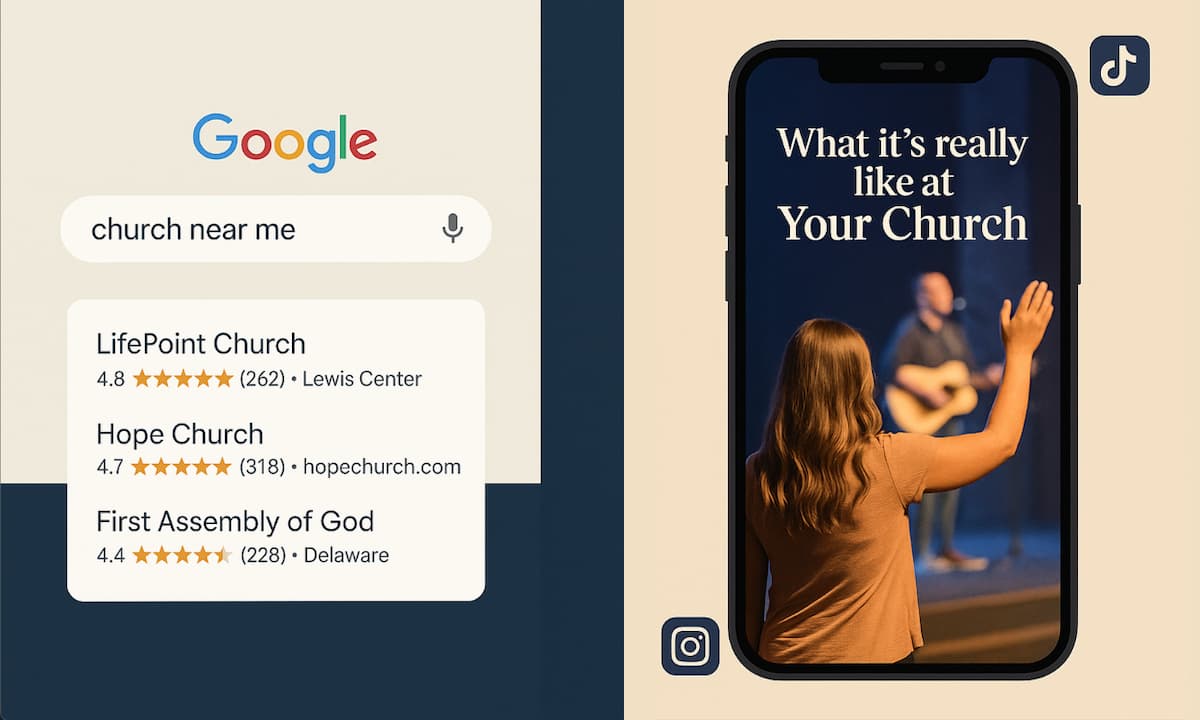
This is exactly where a tool like Canva can shine. Canva is a free (or affordable) design platform that helps churches create professional-looking graphics in minutes so that church leaders like you can finally stop stressing over social media posts, event flyers, and bulletin inserts.
Whether you’ve never heard of Canva – or you've opened it, gotten overwhelmed, and closed it again – here are a few practical tips to make it feel simple and actually useful for ministry.
Why Canva is Perfect for Church Graphic Design
Most church staff members didn't sign up to become graphic designers. You just need to get information out the door in a way that doesn't look like it was thrown together in Microsoft Paint. This is what makes Canva especially great for churches.
It's intuitive. If you can use social media, you can use Canva. The learning curve is minimal, and most people figure out the basics within ten minutes of clicking around.
The template library is massive. Need a Mother's Day graphic? A youth group flyer? An Instagram story countdown for your Christmas Eve service? There's a template for that. You can search by event type, platform, or style and customize from there.
And if you want to skip the customization altogether, Tithely offers free downloadable graphic packs on our resources page that you can use as-is or drop into Canva to tweak with your church's branding.
Collaboration is built in. Canva lets multiple people work on the same design at the same time. Your worship pastor can adjust the sermon graphic while your social media volunteer updates text, all without emailing files back and forth.
Canva Free vs. Canva Pro: What Churches Actually Need
Canva’s free version is more capable than most people expect. You get access to thousands of templates, solid design tools, and the ability to download graphics in standard formats. For many small churches, the free version is more than enough.
If you are designing every week, however, Canva Pro is usually worth it, mainly because it saves time and keeps everything consistent:
- Brand Kit: Lock in your logo, colors, and fonts so every ministry is pulling from the same visual toolkit.
- Magic Resize: Create one design, then instantly adapt it for posts, stories, slides, and banners.
- Background Remover: Clean up photos fast, no extra software needed.
- More premium content and organization: More photos, elements, and folders so your graphics stay easy to find and reuse.
Whether you choose Free or Pro, Canva helps your church designs look clear and consistent without eating up your whole week.
Set Up Your Church Brand Kit in Canva
One of the biggest mistakes churches make with graphic design is inconsistency. One week, the announcement slide is neon green with a funky font. The next week, it's a muted beige with serif text. Before long, your church's visual identity looks like a Pinterest board thrown into a blender.
This is where a Canva brand kit can save you time and energy. A brand kit is essentially a style guide for your church. It includes your logo, your primary and secondary colors, and the fonts you use most often. Once it's set up, you can apply your branding to any design with a single click instead of manually hunting down the right shade of blue every time.
Here's how to set it up in Canva Pro:
- Upload your church logo (PNG file with a transparent background works best).
- Add your church's primary colors using hex codes. If you don't know your hex codes, ask whoever designed your website or pull them from your logo using a free tool like ColorPick Eyedropper.
- Choose two or three fonts: one for headlines, one for body text, and optionally one for accents. Stick with them. Consistency matters more than variety.
What if you're on the free version?
You won't have access to Canva's official Brand Kit feature, but you can still stay consistent. Create a blank design and drop your logo, color swatches, and font names in a document you can reference every time. Save this as a template and duplicate it whenever you start a new project. It's a manual workaround, but it works.
The key here is to establish your visual identity once and then protect it fiercely. When people see your graphics in their feed, they should immediately recognize it as coming from your church.
Time-Saving Canva Design Hacks for Churches
Once you've got your brand kit in place, it's time to work smarter, not harder. Here are a few Canva tricks that will save you hours in the long run:
Duplicate and edit instead of starting from scratch. Every time you create a graphic you like, duplicate it and use it as a starting point for the next one. Change the text, swap the photo, adjust the colors if needed, but keep the layout. This helps with consistency and cuts your design time in half.
Use Magic Resize for multi-platform posting. If you're on Canva Pro, Magic Resize is a game-changer. Design one graphic for Instagram, click the resize button, and instantly generate versions for Facebook, Twitter, Instagram Stories, and more. No need to rebuild the same design five times.
Turn static images into video with AI. This is one of Canva Pro's newer features, and it's honestly impressive. You can take a static image without faces - like a photo from your church potluck or a designed graphic - and use Canva's AI to turn it into a short video with movement and effects. It's perfect for social media platforms that prioritize video content (looking at you, Instagram and TikTok). Instead of spending hours learning video editing software, you can create engaging video content in minutes.
Set up folders for different ministries. Keep your kids' ministry graphics separate from your worship team promos. Use folders to organize by event, season, or department, so you're not wasting time hunting through old designs.
Create templates for recurring graphics. Do you post the same type of announcement every week? Build a reusable template, lock the background elements, then just update the text and image each time.
Download all your assets at once. When designing multiple graphics for the same event, design them all in separate pages within one Canva file. Then download the entire file at once.
Simple Graphic Design Rules That Instantly Improve Church Graphics
You don't need to understand color theory to make graphics that look polished. Just follow a few simple rules that professionals use every day.
White space is your friend. Don't cram every inch of your graphic with text, images, and icons. Give your design room to breathe. If it feels too empty, resist the urge to fill it. Less is almost always more.
Use high-contrast text. If your background is light, use dark text. If your background is dark, use light text. Your congregation should be able to read your graphic in two seconds while scrolling on their phone.
Align everything. Canva has built-in alignment guides that pop up when you drag elements around. Use them. When text and images are aligned properly, your design feels intentional and professional.
Tools That Help Churches Communicate Better
Canva helps you create graphics. The next challenge is making sure the systems behind the graphics are just as organized.
If you are ready to spend less time chasing details and more time focusing on ministry, Tithely's church management software helps you streamline giving, communication, events, and member engagement in one place. And when you need to turn around a new design quickly, you can grab Tithely's free downloadable graphic packs to start with something clean and ready to customize.
P.S. If you are already a Tithely member, you also have an in-depth Canva course waiting for you inside your resources library. Check it out for free today!
Sign Up for Product Updates

Susanna is a theological content writer with a Master of Arts in Intercultural Studies from Fuller Theological Seminary. She is passionate about ministry, running, and exploring new cultures through international travel. In her free time, you’ll find her surfing, obsessing over the Olympics, or enjoying the San Diego sunshine!
Graphic design is not everyone's cup of Sunday morning coffee.
For a lot of church teams, it's just one more thing wedged into an already packed workday, somewhere between sermon prep, announcements, and that last-minute text that says, "Can you post this today?"
This is exactly where a tool like Canva can shine. Canva is a free (or affordable) design platform that helps churches create professional-looking graphics in minutes so that church leaders like you can finally stop stressing over social media posts, event flyers, and bulletin inserts.
Whether you’ve never heard of Canva – or you've opened it, gotten overwhelmed, and closed it again – here are a few practical tips to make it feel simple and actually useful for ministry.
Why Canva is Perfect for Church Graphic Design
Most church staff members didn't sign up to become graphic designers. You just need to get information out the door in a way that doesn't look like it was thrown together in Microsoft Paint. This is what makes Canva especially great for churches.
It's intuitive. If you can use social media, you can use Canva. The learning curve is minimal, and most people figure out the basics within ten minutes of clicking around.
The template library is massive. Need a Mother's Day graphic? A youth group flyer? An Instagram story countdown for your Christmas Eve service? There's a template for that. You can search by event type, platform, or style and customize from there.
And if you want to skip the customization altogether, Tithely offers free downloadable graphic packs on our resources page that you can use as-is or drop into Canva to tweak with your church's branding.
Collaboration is built in. Canva lets multiple people work on the same design at the same time. Your worship pastor can adjust the sermon graphic while your social media volunteer updates text, all without emailing files back and forth.
Canva Free vs. Canva Pro: What Churches Actually Need
Canva’s free version is more capable than most people expect. You get access to thousands of templates, solid design tools, and the ability to download graphics in standard formats. For many small churches, the free version is more than enough.
If you are designing every week, however, Canva Pro is usually worth it, mainly because it saves time and keeps everything consistent:
- Brand Kit: Lock in your logo, colors, and fonts so every ministry is pulling from the same visual toolkit.
- Magic Resize: Create one design, then instantly adapt it for posts, stories, slides, and banners.
- Background Remover: Clean up photos fast, no extra software needed.
- More premium content and organization: More photos, elements, and folders so your graphics stay easy to find and reuse.
Whether you choose Free or Pro, Canva helps your church designs look clear and consistent without eating up your whole week.
Set Up Your Church Brand Kit in Canva
One of the biggest mistakes churches make with graphic design is inconsistency. One week, the announcement slide is neon green with a funky font. The next week, it's a muted beige with serif text. Before long, your church's visual identity looks like a Pinterest board thrown into a blender.
This is where a Canva brand kit can save you time and energy. A brand kit is essentially a style guide for your church. It includes your logo, your primary and secondary colors, and the fonts you use most often. Once it's set up, you can apply your branding to any design with a single click instead of manually hunting down the right shade of blue every time.
Here's how to set it up in Canva Pro:
- Upload your church logo (PNG file with a transparent background works best).
- Add your church's primary colors using hex codes. If you don't know your hex codes, ask whoever designed your website or pull them from your logo using a free tool like ColorPick Eyedropper.
- Choose two or three fonts: one for headlines, one for body text, and optionally one for accents. Stick with them. Consistency matters more than variety.
What if you're on the free version?
You won't have access to Canva's official Brand Kit feature, but you can still stay consistent. Create a blank design and drop your logo, color swatches, and font names in a document you can reference every time. Save this as a template and duplicate it whenever you start a new project. It's a manual workaround, but it works.
The key here is to establish your visual identity once and then protect it fiercely. When people see your graphics in their feed, they should immediately recognize it as coming from your church.
Time-Saving Canva Design Hacks for Churches
Once you've got your brand kit in place, it's time to work smarter, not harder. Here are a few Canva tricks that will save you hours in the long run:
Duplicate and edit instead of starting from scratch. Every time you create a graphic you like, duplicate it and use it as a starting point for the next one. Change the text, swap the photo, adjust the colors if needed, but keep the layout. This helps with consistency and cuts your design time in half.
Use Magic Resize for multi-platform posting. If you're on Canva Pro, Magic Resize is a game-changer. Design one graphic for Instagram, click the resize button, and instantly generate versions for Facebook, Twitter, Instagram Stories, and more. No need to rebuild the same design five times.
Turn static images into video with AI. This is one of Canva Pro's newer features, and it's honestly impressive. You can take a static image without faces - like a photo from your church potluck or a designed graphic - and use Canva's AI to turn it into a short video with movement and effects. It's perfect for social media platforms that prioritize video content (looking at you, Instagram and TikTok). Instead of spending hours learning video editing software, you can create engaging video content in minutes.
Set up folders for different ministries. Keep your kids' ministry graphics separate from your worship team promos. Use folders to organize by event, season, or department, so you're not wasting time hunting through old designs.
Create templates for recurring graphics. Do you post the same type of announcement every week? Build a reusable template, lock the background elements, then just update the text and image each time.
Download all your assets at once. When designing multiple graphics for the same event, design them all in separate pages within one Canva file. Then download the entire file at once.
Simple Graphic Design Rules That Instantly Improve Church Graphics
You don't need to understand color theory to make graphics that look polished. Just follow a few simple rules that professionals use every day.
White space is your friend. Don't cram every inch of your graphic with text, images, and icons. Give your design room to breathe. If it feels too empty, resist the urge to fill it. Less is almost always more.
Use high-contrast text. If your background is light, use dark text. If your background is dark, use light text. Your congregation should be able to read your graphic in two seconds while scrolling on their phone.
Align everything. Canva has built-in alignment guides that pop up when you drag elements around. Use them. When text and images are aligned properly, your design feels intentional and professional.
Tools That Help Churches Communicate Better
Canva helps you create graphics. The next challenge is making sure the systems behind the graphics are just as organized.
If you are ready to spend less time chasing details and more time focusing on ministry, Tithely's church management software helps you streamline giving, communication, events, and member engagement in one place. And when you need to turn around a new design quickly, you can grab Tithely's free downloadable graphic packs to start with something clean and ready to customize.
P.S. If you are already a Tithely member, you also have an in-depth Canva course waiting for you inside your resources library. Check it out for free today!
podcast transcript
Susanna is a theological content writer with a Master of Arts in Intercultural Studies from Fuller Theological Seminary. She is passionate about ministry, running, and exploring new cultures through international travel. In her free time, you’ll find her surfing, obsessing over the Olympics, or enjoying the San Diego sunshine!
Graphic design is not everyone's cup of Sunday morning coffee.
For a lot of church teams, it's just one more thing wedged into an already packed workday, somewhere between sermon prep, announcements, and that last-minute text that says, "Can you post this today?"
This is exactly where a tool like Canva can shine. Canva is a free (or affordable) design platform that helps churches create professional-looking graphics in minutes so that church leaders like you can finally stop stressing over social media posts, event flyers, and bulletin inserts.
Whether you’ve never heard of Canva – or you've opened it, gotten overwhelmed, and closed it again – here are a few practical tips to make it feel simple and actually useful for ministry.
Why Canva is Perfect for Church Graphic Design
Most church staff members didn't sign up to become graphic designers. You just need to get information out the door in a way that doesn't look like it was thrown together in Microsoft Paint. This is what makes Canva especially great for churches.
It's intuitive. If you can use social media, you can use Canva. The learning curve is minimal, and most people figure out the basics within ten minutes of clicking around.
The template library is massive. Need a Mother's Day graphic? A youth group flyer? An Instagram story countdown for your Christmas Eve service? There's a template for that. You can search by event type, platform, or style and customize from there.
And if you want to skip the customization altogether, Tithely offers free downloadable graphic packs on our resources page that you can use as-is or drop into Canva to tweak with your church's branding.
Collaboration is built in. Canva lets multiple people work on the same design at the same time. Your worship pastor can adjust the sermon graphic while your social media volunteer updates text, all without emailing files back and forth.
Canva Free vs. Canva Pro: What Churches Actually Need
Canva’s free version is more capable than most people expect. You get access to thousands of templates, solid design tools, and the ability to download graphics in standard formats. For many small churches, the free version is more than enough.
If you are designing every week, however, Canva Pro is usually worth it, mainly because it saves time and keeps everything consistent:
- Brand Kit: Lock in your logo, colors, and fonts so every ministry is pulling from the same visual toolkit.
- Magic Resize: Create one design, then instantly adapt it for posts, stories, slides, and banners.
- Background Remover: Clean up photos fast, no extra software needed.
- More premium content and organization: More photos, elements, and folders so your graphics stay easy to find and reuse.
Whether you choose Free or Pro, Canva helps your church designs look clear and consistent without eating up your whole week.
Set Up Your Church Brand Kit in Canva
One of the biggest mistakes churches make with graphic design is inconsistency. One week, the announcement slide is neon green with a funky font. The next week, it's a muted beige with serif text. Before long, your church's visual identity looks like a Pinterest board thrown into a blender.
This is where a Canva brand kit can save you time and energy. A brand kit is essentially a style guide for your church. It includes your logo, your primary and secondary colors, and the fonts you use most often. Once it's set up, you can apply your branding to any design with a single click instead of manually hunting down the right shade of blue every time.
Here's how to set it up in Canva Pro:
- Upload your church logo (PNG file with a transparent background works best).
- Add your church's primary colors using hex codes. If you don't know your hex codes, ask whoever designed your website or pull them from your logo using a free tool like ColorPick Eyedropper.
- Choose two or three fonts: one for headlines, one for body text, and optionally one for accents. Stick with them. Consistency matters more than variety.
What if you're on the free version?
You won't have access to Canva's official Brand Kit feature, but you can still stay consistent. Create a blank design and drop your logo, color swatches, and font names in a document you can reference every time. Save this as a template and duplicate it whenever you start a new project. It's a manual workaround, but it works.
The key here is to establish your visual identity once and then protect it fiercely. When people see your graphics in their feed, they should immediately recognize it as coming from your church.
Time-Saving Canva Design Hacks for Churches
Once you've got your brand kit in place, it's time to work smarter, not harder. Here are a few Canva tricks that will save you hours in the long run:
Duplicate and edit instead of starting from scratch. Every time you create a graphic you like, duplicate it and use it as a starting point for the next one. Change the text, swap the photo, adjust the colors if needed, but keep the layout. This helps with consistency and cuts your design time in half.
Use Magic Resize for multi-platform posting. If you're on Canva Pro, Magic Resize is a game-changer. Design one graphic for Instagram, click the resize button, and instantly generate versions for Facebook, Twitter, Instagram Stories, and more. No need to rebuild the same design five times.
Turn static images into video with AI. This is one of Canva Pro's newer features, and it's honestly impressive. You can take a static image without faces - like a photo from your church potluck or a designed graphic - and use Canva's AI to turn it into a short video with movement and effects. It's perfect for social media platforms that prioritize video content (looking at you, Instagram and TikTok). Instead of spending hours learning video editing software, you can create engaging video content in minutes.
Set up folders for different ministries. Keep your kids' ministry graphics separate from your worship team promos. Use folders to organize by event, season, or department, so you're not wasting time hunting through old designs.
Create templates for recurring graphics. Do you post the same type of announcement every week? Build a reusable template, lock the background elements, then just update the text and image each time.
Download all your assets at once. When designing multiple graphics for the same event, design them all in separate pages within one Canva file. Then download the entire file at once.
Simple Graphic Design Rules That Instantly Improve Church Graphics
You don't need to understand color theory to make graphics that look polished. Just follow a few simple rules that professionals use every day.
White space is your friend. Don't cram every inch of your graphic with text, images, and icons. Give your design room to breathe. If it feels too empty, resist the urge to fill it. Less is almost always more.
Use high-contrast text. If your background is light, use dark text. If your background is dark, use light text. Your congregation should be able to read your graphic in two seconds while scrolling on their phone.
Align everything. Canva has built-in alignment guides that pop up when you drag elements around. Use them. When text and images are aligned properly, your design feels intentional and professional.
Tools That Help Churches Communicate Better
Canva helps you create graphics. The next challenge is making sure the systems behind the graphics are just as organized.
If you are ready to spend less time chasing details and more time focusing on ministry, Tithely's church management software helps you streamline giving, communication, events, and member engagement in one place. And when you need to turn around a new design quickly, you can grab Tithely's free downloadable graphic packs to start with something clean and ready to customize.
P.S. If you are already a Tithely member, you also have an in-depth Canva course waiting for you inside your resources library. Check it out for free today!
VIDEO transcript
Graphic design is not everyone's cup of Sunday morning coffee.
For a lot of church teams, it's just one more thing wedged into an already packed workday, somewhere between sermon prep, announcements, and that last-minute text that says, "Can you post this today?"
This is exactly where a tool like Canva can shine. Canva is a free (or affordable) design platform that helps churches create professional-looking graphics in minutes so that church leaders like you can finally stop stressing over social media posts, event flyers, and bulletin inserts.
Whether you’ve never heard of Canva – or you've opened it, gotten overwhelmed, and closed it again – here are a few practical tips to make it feel simple and actually useful for ministry.
Why Canva is Perfect for Church Graphic Design
Most church staff members didn't sign up to become graphic designers. You just need to get information out the door in a way that doesn't look like it was thrown together in Microsoft Paint. This is what makes Canva especially great for churches.
It's intuitive. If you can use social media, you can use Canva. The learning curve is minimal, and most people figure out the basics within ten minutes of clicking around.
The template library is massive. Need a Mother's Day graphic? A youth group flyer? An Instagram story countdown for your Christmas Eve service? There's a template for that. You can search by event type, platform, or style and customize from there.
And if you want to skip the customization altogether, Tithely offers free downloadable graphic packs on our resources page that you can use as-is or drop into Canva to tweak with your church's branding.
Collaboration is built in. Canva lets multiple people work on the same design at the same time. Your worship pastor can adjust the sermon graphic while your social media volunteer updates text, all without emailing files back and forth.
Canva Free vs. Canva Pro: What Churches Actually Need
Canva’s free version is more capable than most people expect. You get access to thousands of templates, solid design tools, and the ability to download graphics in standard formats. For many small churches, the free version is more than enough.
If you are designing every week, however, Canva Pro is usually worth it, mainly because it saves time and keeps everything consistent:
- Brand Kit: Lock in your logo, colors, and fonts so every ministry is pulling from the same visual toolkit.
- Magic Resize: Create one design, then instantly adapt it for posts, stories, slides, and banners.
- Background Remover: Clean up photos fast, no extra software needed.
- More premium content and organization: More photos, elements, and folders so your graphics stay easy to find and reuse.
Whether you choose Free or Pro, Canva helps your church designs look clear and consistent without eating up your whole week.
Set Up Your Church Brand Kit in Canva
One of the biggest mistakes churches make with graphic design is inconsistency. One week, the announcement slide is neon green with a funky font. The next week, it's a muted beige with serif text. Before long, your church's visual identity looks like a Pinterest board thrown into a blender.
This is where a Canva brand kit can save you time and energy. A brand kit is essentially a style guide for your church. It includes your logo, your primary and secondary colors, and the fonts you use most often. Once it's set up, you can apply your branding to any design with a single click instead of manually hunting down the right shade of blue every time.
Here's how to set it up in Canva Pro:
- Upload your church logo (PNG file with a transparent background works best).
- Add your church's primary colors using hex codes. If you don't know your hex codes, ask whoever designed your website or pull them from your logo using a free tool like ColorPick Eyedropper.
- Choose two or three fonts: one for headlines, one for body text, and optionally one for accents. Stick with them. Consistency matters more than variety.
What if you're on the free version?
You won't have access to Canva's official Brand Kit feature, but you can still stay consistent. Create a blank design and drop your logo, color swatches, and font names in a document you can reference every time. Save this as a template and duplicate it whenever you start a new project. It's a manual workaround, but it works.
The key here is to establish your visual identity once and then protect it fiercely. When people see your graphics in their feed, they should immediately recognize it as coming from your church.
Time-Saving Canva Design Hacks for Churches
Once you've got your brand kit in place, it's time to work smarter, not harder. Here are a few Canva tricks that will save you hours in the long run:
Duplicate and edit instead of starting from scratch. Every time you create a graphic you like, duplicate it and use it as a starting point for the next one. Change the text, swap the photo, adjust the colors if needed, but keep the layout. This helps with consistency and cuts your design time in half.
Use Magic Resize for multi-platform posting. If you're on Canva Pro, Magic Resize is a game-changer. Design one graphic for Instagram, click the resize button, and instantly generate versions for Facebook, Twitter, Instagram Stories, and more. No need to rebuild the same design five times.
Turn static images into video with AI. This is one of Canva Pro's newer features, and it's honestly impressive. You can take a static image without faces - like a photo from your church potluck or a designed graphic - and use Canva's AI to turn it into a short video with movement and effects. It's perfect for social media platforms that prioritize video content (looking at you, Instagram and TikTok). Instead of spending hours learning video editing software, you can create engaging video content in minutes.
Set up folders for different ministries. Keep your kids' ministry graphics separate from your worship team promos. Use folders to organize by event, season, or department, so you're not wasting time hunting through old designs.
Create templates for recurring graphics. Do you post the same type of announcement every week? Build a reusable template, lock the background elements, then just update the text and image each time.
Download all your assets at once. When designing multiple graphics for the same event, design them all in separate pages within one Canva file. Then download the entire file at once.
Simple Graphic Design Rules That Instantly Improve Church Graphics
You don't need to understand color theory to make graphics that look polished. Just follow a few simple rules that professionals use every day.
White space is your friend. Don't cram every inch of your graphic with text, images, and icons. Give your design room to breathe. If it feels too empty, resist the urge to fill it. Less is almost always more.
Use high-contrast text. If your background is light, use dark text. If your background is dark, use light text. Your congregation should be able to read your graphic in two seconds while scrolling on their phone.
Align everything. Canva has built-in alignment guides that pop up when you drag elements around. Use them. When text and images are aligned properly, your design feels intentional and professional.
Tools That Help Churches Communicate Better
Canva helps you create graphics. The next challenge is making sure the systems behind the graphics are just as organized.
If you are ready to spend less time chasing details and more time focusing on ministry, Tithely's church management software helps you streamline giving, communication, events, and member engagement in one place. And when you need to turn around a new design quickly, you can grab Tithely's free downloadable graphic packs to start with something clean and ready to customize.
P.S. If you are already a Tithely member, you also have an in-depth Canva course waiting for you inside your resources library. Check it out for free today!
Sign Up for Product Updates
Susanna is a theological content writer with a Master of Arts in Intercultural Studies from Fuller Theological Seminary. She is passionate about ministry, running, and exploring new cultures through international travel. In her free time, you’ll find her surfing, obsessing over the Olympics, or enjoying the San Diego sunshine!

You Might Also Like
More Resources

From increasing giving, managing your congregation, and engaging your church, our collection of resources will keep you up-to-date on the latest church and ministry trends.
Free Resources