Tithely’s 2026 Product Roadmap: What’s New and What’s Next
Tithely Chief Product & Technology Officer Todd Trappe shares what the product team has been building in 2026, including Groups, Tithely Tap, multifund giving, faster pages, improved finance tools, and the continuing journey toward one unified church management platform.




TL;DR: Tithely’s new Chief Product & Technology Officer, Todd Trappe, is leading a renewed focus on quality, security, stability, and the continued journey toward one unified church management platform. This year, Tithely has launched Groups for every church, expanded Tithely Tap beyond giving, introduced multifund giving, improved the digital wallet experience, and upgraded key finance and administrative tools. Here’s a closer look at what has shipped, why it matters, and what the product team is working toward next.
A year ago, Todd took a job that combined his two lifelong passions: technology and the church. He'd spent 20 years in software, building fundraising tools for schools. As it turns out, he was already a Breeze user at his own church before he ever worked here. "I actually am pretty aware of what the product is great at and where it has opportunities to improve," he said. "So when I got the opportunity, I was two thumbs up ready to jump in."
Today he's Tithely's Chief Product & Technology Officer, leading the team that decides what we build, why we build it, and how it gets into your hands. In a recent conversation with Frank Barry, Todd walked through what his team has been focused on this year and what's shipped along the way. If you've been wondering what's changed under the hood, or just want to put a face to the team building your software, here's the recap.
Four Priorities Guiding Everything We Build
Early on, Todd sat down with the leadership team to set priorities for 2026, and four things rose to the top.
Quality, performance, and stability. "Quality is the foundation of any great product," Todd said. "It both helps the user experience be a lot better, and it also helps us develop a lot faster." That meant clearing out a few bugs and shoring up the software you rely on every day.
Security. As AI opens new doors for churches, it opens some unwelcome ones too. "We feel an incredible responsibility to be as secure as possible here at Tithely," Todd said, and the team has invested heavily this year in staying ahead of it.
The journey to one unified platform. Tithely and Breeze are still on the path to a single login, single platform experience: one place to do everything you need to run your church. Real progress has been made, and there's real work still ahead.
Shipping value iteratively. This is the shift worth noting: the team decided not to hold new features back until some future "big migration" day. "We're not going to wait to build new features or make improvements in one kind of big move," Todd said. Instead, improvements roll out along the way, so by the time you do move to the next version of the platform, it won't feel like a big transition. You'll have already been living with most of it.
As Todd put it, the unified platform isn't really about a totally new system. It's about bringing your current systems together, starting with the data underneath them. "Even fixing the data will actually enable us to give you improvements on your current systems," he said.
Faster Pages, Fewer Bugs, More Stability
On the quality front, the team has been working through a genuine backlog. Timestamps that broke during daylight saving in the check-in app. Messages and notifications in private group chats that weren't firing correctly. Email history that didn't display properly. "These are things that are, you know, annoying and frustrating things," Todd said. "We know that some of these things aren't game changers. They're just what I'd call thorns on a product... but if it has a bunch of thorns, it can be a frustrating experience."
Performance got real attention too, especially for churches with a decade or more of data. The transaction page (one of the most-visited pages in the whole product) now loads in under three seconds, down from what had become a slow crawl for some larger churches. And on stability, the team has made steady progress reducing anything that would disrupt your day-to-day use, with more room still to go.
Groups Is Live for Every Church
If you use the church management side of Tithely, this is the big one: Groups is live, and every church now has access to it.
Groups has been available for a while in Tithely 3.0, but the underlying complexity (permissions, group structure, how people and billing connected to it all) meant it couldn't roll out to everyone at once. The team spent the first half of the year resolving that complexity so Groups could launch broadly, regardless of where a church was on its Tithely journey.
Before the full launch, 34 churches piloted Groups side by side with the product team for a month or two, shaping the feature before it went live for everyone. "We had 34 customers walk side by side with us and pilot the new functionality so that we knew that it would be a success when we rolled it out further," Todd said. "This is going to be a pattern we continually follow." More than 200 churches activated Groups within the first week after it launched.
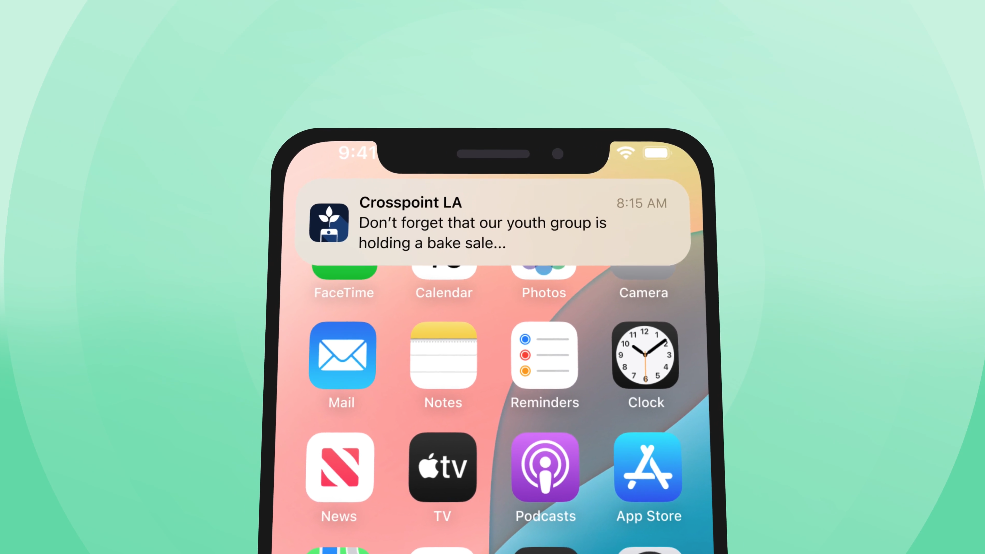
Groups also connects directly to Tithely's Church App. Groups created in your ChMS show up in the app, members can browse for groups, message inside their group, and group leaders can send two-way push notifications to keep everyone in the loop, and even approve new join requests no matter where they are.
Want a guided walkthrough? Join us on August 18 for a live walkthrough of Groups, led by the Product Manager who brought it to life. Learn how to build groups from your existing tags, approve join requests, and get ready for fall programming. Bring all your questions, and we'll be ready with answers.
Tithely Tap: More Than a Way to Give
Tithely Tap launched around the start of the year, and it's turned into something bigger than the team originally planned for. The small NFC discs (the kind churches place on the back of the seat in front of you, or around the sanctuary) were built to make giving effortless: tap, and you're on the giving page.
But churches in the pilot group found another use for it: engagement. A tap can point to anything a church wants: a giving page, a small group sign-up, an event registration, even a page listing a church's top three to five ways to get involved. "It's not just for giving, it's for engagement," Frank said. There's now an analytics dashboard so churches can see how their taps are actually being used.
A Better Giving Experience
A handful of long-requested features landed on the giving side this year, and a few of them are worth calling out specifically.
Multifund giving. Donors can now split a single gift across multiple funds in one click, with the deposits, transactions, and fee breakdowns all reconciling correctly behind the scenes. It's a simple idea that took real engineering to get right, and it's become the most highly adopted feature since Todd joined the team.
Apple Pay and Google Pay, reimagined. The online giving form got a redesign that makes Apple Pay and Google Pay more prominent and more obvious. Todd estimated it now takes about 15 seconds from landing on the form to completing a gift. Adoption jumped immediately. "Our goal is not to add friction to the giving experience," Todd said, "so that people can just be thinking about what God has on their heart to give."
Giving reminders. Some donors want to give once but be reminded to come back, a feature request that came directly from donor feedback channels. Now they can set a reminder for next week, or for a set number of recurring weeks, right in the giving flow.
More languages. Japanese was added this year, bringing the giving experience to four or five supported languages.
Behind the Scenes for Your Finance Team
Not every improvement is donor-facing. The team also spent time on the workflows your finance and admin staff use every day.
Check scanning got a round of reliability fixes, along with clearer alerts when a scan fails, so problems surface immediately instead of during reconciliation weeks later.
Bank deposits and transactions, two of the most-viewed screens in the product, got a significant UI overhaul, with better traceability between transfers and transactions (especially important now that gifts can split across multiple funds) and reworked filters so the most relevant information shows up first.
Batch giving got easier too, with a clearer way to move between batches and assign donors while entering cash and checks.
What's Next
Frank and Todd were careful not to announce anything that isn't live yet, but they did point to where the team's attention is headed next: making your data (giving data and people data) easier to access and more unified, which in turn opens the door to better reporting. The team is already running proof-of-concept work on new reporting engines and gathering client feedback on them.
Beyond that, expect more attention on the core capabilities churches already rely on, like volunteer management, calendar, and forms, as quality and security work clears the way for it.
We Want to Hear From You
If you've used Groups, Tap, or any of the features above, the team wants your feedback, through your account team, the customer support channels, or wherever you already talk with Tithely. As Frank put it, "we will be giving these kind of updates on a frequent basis," so this won't be the last recap.
Have questions about anything above? Reach out to your account team or visit the Tithely Help Center.
07/24/2026 - Introducing Groups: One of Your Most-Requested Features Is Here
You've been asking for this one: Groups is now available in Breeze ChMS.
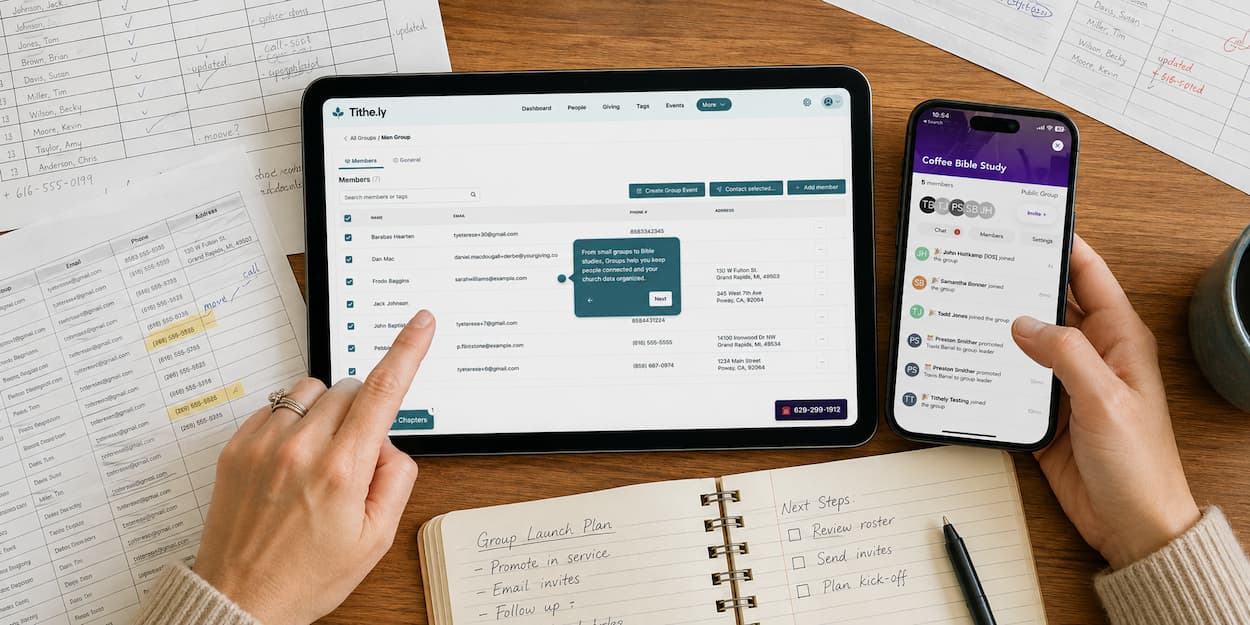
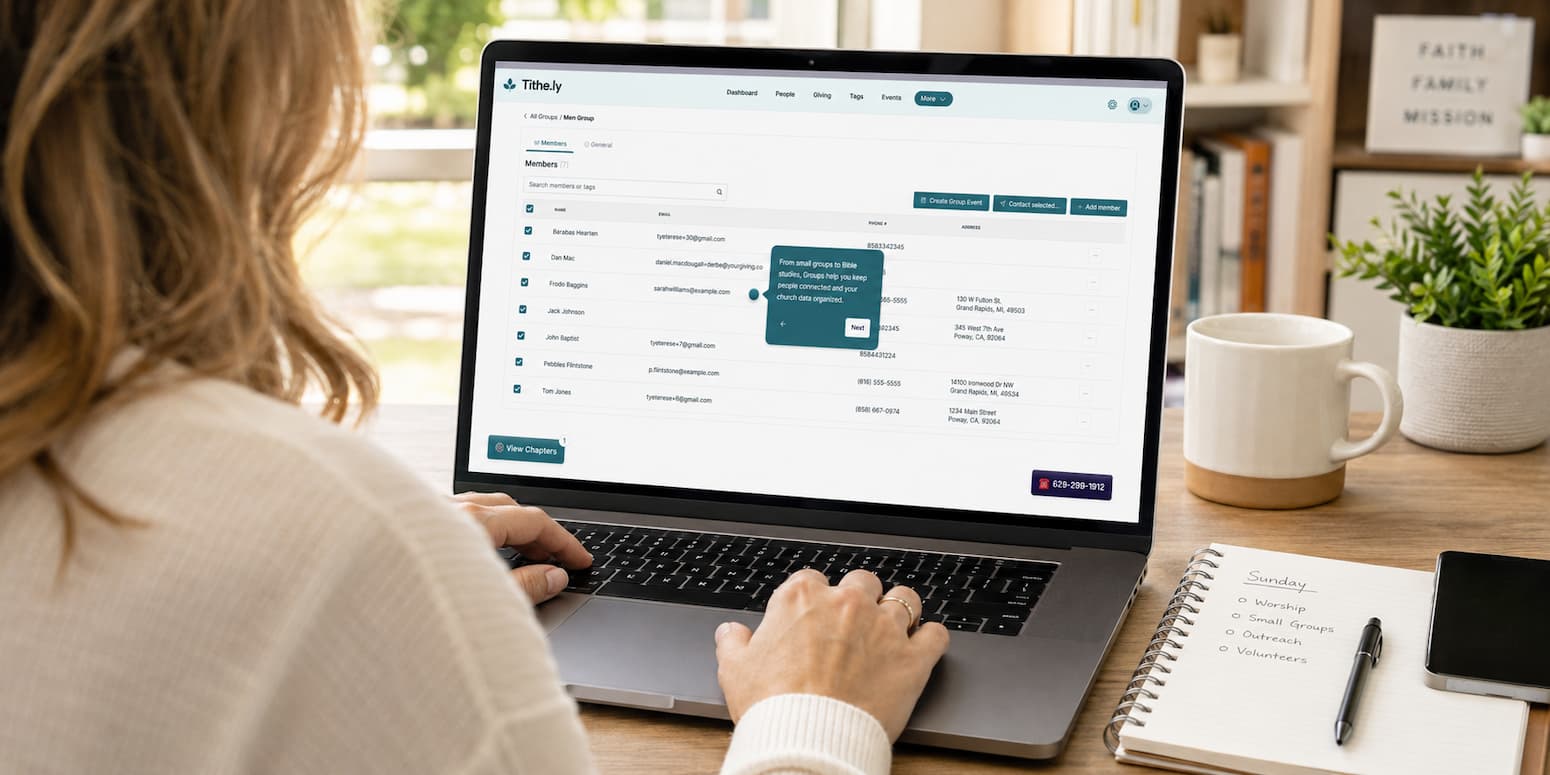
Groups gives every group in your church its own home: members, leaders, meeting cadence, and a join path through Church Apps, built from the tags you've already created.
Why build your groups now
Fall programming is closer than it feels. Set up your groups today, while your tags are current and the calendar's a little quieter, and you'll walk into small-group season with rosters, leaders, and meeting details already in place, instead of rebuilding lists by hand in August.
Built from what you've done
Groups turns the tags you've already built into real groups. Search your existing tags, see member counts, multi-select, preview the combined list, and create a fully-populated group without rebuilding it by hand. The tagging work you already did becomes the foundation, not a workaround.
One home, in sync
Every group lives on its own dedicated, searchable tab in your ChMS. Members, leaders, meeting cadence, location, and visibility settings flow to Church Apps automatically. Change it once in the ChMS, and it's up to date everywhere your congregation looks.
Interest to belonging in minutes
A visitor finds a group in the church app and requests to join. You see the request and approve or deny it the same day, closing the gap between Sunday curiosity and Wednesday connection.
What early access churches are saying?
"The ability to assign and manage groups has been a real asset in helping us communicate with people." — Church Admin
"Everything is streamlined!! This system makes it easy to manage and communicate with multiple groups at a time!" — Groups Pastor
Included, not extra
Unlike other church management software providers, Tithely doesn't charge extra for you to have access to Groups. Groups is included in your Breeze ChMS or Breeze Bundle plan. You read that correctly, there are no per-group or per-member fees, no matter how many groups you build.
Want a guided walkthrough first?
Join us on August 18 for a live walkthrough of Groups, led by the Product Manager who brought it to life. Learn how to build groups from your existing tags, approve join requests, and get ready for fall programming. Bring all your questions, and we'll be ready with answers.
Note: some accounts will need to update to Tithely Billing before Groups unlocks. If that's you, you'll see a prompt in your account. See how to update →
Sign Up for Product Updates

Tithely provides the tools you need to engage with your church online, stay connected, increase generosity, and simplify the lives of your staff.
With tools like text and email messaging, custom church apps and websites, church management software, digital giving, and so much more… it’s no wonder why over 53,000 churches in 50 countries trust Tithely to help run their church.
TL;DR: Tithely’s new Chief Product & Technology Officer, Todd Trappe, is leading a renewed focus on quality, security, stability, and the continued journey toward one unified church management platform. This year, Tithely has launched Groups for every church, expanded Tithely Tap beyond giving, introduced multifund giving, improved the digital wallet experience, and upgraded key finance and administrative tools. Here’s a closer look at what has shipped, why it matters, and what the product team is working toward next.
A year ago, Todd took a job that combined his two lifelong passions: technology and the church. He'd spent 20 years in software, building fundraising tools for schools. As it turns out, he was already a Breeze user at his own church before he ever worked here. "I actually am pretty aware of what the product is great at and where it has opportunities to improve," he said. "So when I got the opportunity, I was two thumbs up ready to jump in."
Today he's Tithely's Chief Product & Technology Officer, leading the team that decides what we build, why we build it, and how it gets into your hands. In a recent conversation with Frank Barry, Todd walked through what his team has been focused on this year and what's shipped along the way. If you've been wondering what's changed under the hood, or just want to put a face to the team building your software, here's the recap.
Four Priorities Guiding Everything We Build
Early on, Todd sat down with the leadership team to set priorities for 2026, and four things rose to the top.
Quality, performance, and stability. "Quality is the foundation of any great product," Todd said. "It both helps the user experience be a lot better, and it also helps us develop a lot faster." That meant clearing out a few bugs and shoring up the software you rely on every day.
Security. As AI opens new doors for churches, it opens some unwelcome ones too. "We feel an incredible responsibility to be as secure as possible here at Tithely," Todd said, and the team has invested heavily this year in staying ahead of it.
The journey to one unified platform. Tithely and Breeze are still on the path to a single login, single platform experience: one place to do everything you need to run your church. Real progress has been made, and there's real work still ahead.
Shipping value iteratively. This is the shift worth noting: the team decided not to hold new features back until some future "big migration" day. "We're not going to wait to build new features or make improvements in one kind of big move," Todd said. Instead, improvements roll out along the way, so by the time you do move to the next version of the platform, it won't feel like a big transition. You'll have already been living with most of it.
As Todd put it, the unified platform isn't really about a totally new system. It's about bringing your current systems together, starting with the data underneath them. "Even fixing the data will actually enable us to give you improvements on your current systems," he said.
Faster Pages, Fewer Bugs, More Stability
On the quality front, the team has been working through a genuine backlog. Timestamps that broke during daylight saving in the check-in app. Messages and notifications in private group chats that weren't firing correctly. Email history that didn't display properly. "These are things that are, you know, annoying and frustrating things," Todd said. "We know that some of these things aren't game changers. They're just what I'd call thorns on a product... but if it has a bunch of thorns, it can be a frustrating experience."
Performance got real attention too, especially for churches with a decade or more of data. The transaction page (one of the most-visited pages in the whole product) now loads in under three seconds, down from what had become a slow crawl for some larger churches. And on stability, the team has made steady progress reducing anything that would disrupt your day-to-day use, with more room still to go.
Groups Is Live for Every Church
If you use the church management side of Tithely, this is the big one: Groups is live, and every church now has access to it.
Groups has been available for a while in Tithely 3.0, but the underlying complexity (permissions, group structure, how people and billing connected to it all) meant it couldn't roll out to everyone at once. The team spent the first half of the year resolving that complexity so Groups could launch broadly, regardless of where a church was on its Tithely journey.
Before the full launch, 34 churches piloted Groups side by side with the product team for a month or two, shaping the feature before it went live for everyone. "We had 34 customers walk side by side with us and pilot the new functionality so that we knew that it would be a success when we rolled it out further," Todd said. "This is going to be a pattern we continually follow." More than 200 churches activated Groups within the first week after it launched.
Groups also connects directly to Tithely's Church App. Groups created in your ChMS show up in the app, members can browse for groups, message inside their group, and group leaders can send two-way push notifications to keep everyone in the loop, and even approve new join requests no matter where they are.
Want a guided walkthrough? Join us on August 18 for a live walkthrough of Groups, led by the Product Manager who brought it to life. Learn how to build groups from your existing tags, approve join requests, and get ready for fall programming. Bring all your questions, and we'll be ready with answers.
Tithely Tap: More Than a Way to Give
Tithely Tap launched around the start of the year, and it's turned into something bigger than the team originally planned for. The small NFC discs (the kind churches place on the back of the seat in front of you, or around the sanctuary) were built to make giving effortless: tap, and you're on the giving page.
But churches in the pilot group found another use for it: engagement. A tap can point to anything a church wants: a giving page, a small group sign-up, an event registration, even a page listing a church's top three to five ways to get involved. "It's not just for giving, it's for engagement," Frank said. There's now an analytics dashboard so churches can see how their taps are actually being used.
A Better Giving Experience
A handful of long-requested features landed on the giving side this year, and a few of them are worth calling out specifically.
Multifund giving. Donors can now split a single gift across multiple funds in one click, with the deposits, transactions, and fee breakdowns all reconciling correctly behind the scenes. It's a simple idea that took real engineering to get right, and it's become the most highly adopted feature since Todd joined the team.
Apple Pay and Google Pay, reimagined. The online giving form got a redesign that makes Apple Pay and Google Pay more prominent and more obvious. Todd estimated it now takes about 15 seconds from landing on the form to completing a gift. Adoption jumped immediately. "Our goal is not to add friction to the giving experience," Todd said, "so that people can just be thinking about what God has on their heart to give."
Giving reminders. Some donors want to give once but be reminded to come back, a feature request that came directly from donor feedback channels. Now they can set a reminder for next week, or for a set number of recurring weeks, right in the giving flow.
More languages. Japanese was added this year, bringing the giving experience to four or five supported languages.
Behind the Scenes for Your Finance Team
Not every improvement is donor-facing. The team also spent time on the workflows your finance and admin staff use every day.
Check scanning got a round of reliability fixes, along with clearer alerts when a scan fails, so problems surface immediately instead of during reconciliation weeks later.
Bank deposits and transactions, two of the most-viewed screens in the product, got a significant UI overhaul, with better traceability between transfers and transactions (especially important now that gifts can split across multiple funds) and reworked filters so the most relevant information shows up first.
Batch giving got easier too, with a clearer way to move between batches and assign donors while entering cash and checks.
What's Next
Frank and Todd were careful not to announce anything that isn't live yet, but they did point to where the team's attention is headed next: making your data (giving data and people data) easier to access and more unified, which in turn opens the door to better reporting. The team is already running proof-of-concept work on new reporting engines and gathering client feedback on them.
Beyond that, expect more attention on the core capabilities churches already rely on, like volunteer management, calendar, and forms, as quality and security work clears the way for it.
We Want to Hear From You
If you've used Groups, Tap, or any of the features above, the team wants your feedback, through your account team, the customer support channels, or wherever you already talk with Tithely. As Frank put it, "we will be giving these kind of updates on a frequent basis," so this won't be the last recap.
Have questions about anything above? Reach out to your account team or visit the Tithely Help Center.
07/24/2026 - Introducing Groups: One of Your Most-Requested Features Is Here
You've been asking for this one: Groups is now available in Breeze ChMS.
Groups gives every group in your church its own home: members, leaders, meeting cadence, and a join path through Church Apps, built from the tags you've already created.
Why build your groups now
Fall programming is closer than it feels. Set up your groups today, while your tags are current and the calendar's a little quieter, and you'll walk into small-group season with rosters, leaders, and meeting details already in place, instead of rebuilding lists by hand in August.
Built from what you've done
Groups turns the tags you've already built into real groups. Search your existing tags, see member counts, multi-select, preview the combined list, and create a fully-populated group without rebuilding it by hand. The tagging work you already did becomes the foundation, not a workaround.
One home, in sync
Every group lives on its own dedicated, searchable tab in your ChMS. Members, leaders, meeting cadence, location, and visibility settings flow to Church Apps automatically. Change it once in the ChMS, and it's up to date everywhere your congregation looks.
Interest to belonging in minutes
A visitor finds a group in the church app and requests to join. You see the request and approve or deny it the same day, closing the gap between Sunday curiosity and Wednesday connection.
What early access churches are saying?
"The ability to assign and manage groups has been a real asset in helping us communicate with people." — Church Admin
"Everything is streamlined!! This system makes it easy to manage and communicate with multiple groups at a time!" — Groups Pastor
Included, not extra
Unlike other church management software providers, Tithely doesn't charge extra for you to have access to Groups. Groups is included in your Breeze ChMS or Breeze Bundle plan. You read that correctly, there are no per-group or per-member fees, no matter how many groups you build.
Want a guided walkthrough first?
Join us on August 18 for a live walkthrough of Groups, led by the Product Manager who brought it to life. Learn how to build groups from your existing tags, approve join requests, and get ready for fall programming. Bring all your questions, and we'll be ready with answers.
Note: some accounts will need to update to Tithely Billing before Groups unlocks. If that's you, you'll see a prompt in your account. See how to update →
podcast transcript
Tithely provides the tools you need to engage with your church online, stay connected, increase generosity, and simplify the lives of your staff.
With tools like text and email messaging, custom church apps and websites, church management software, digital giving, and so much more… it’s no wonder why over 53,000 churches in 50 countries trust Tithely to help run their church.
TL;DR: Tithely’s new Chief Product & Technology Officer, Todd Trappe, is leading a renewed focus on quality, security, stability, and the continued journey toward one unified church management platform. This year, Tithely has launched Groups for every church, expanded Tithely Tap beyond giving, introduced multifund giving, improved the digital wallet experience, and upgraded key finance and administrative tools. Here’s a closer look at what has shipped, why it matters, and what the product team is working toward next.
A year ago, Todd took a job that combined his two lifelong passions: technology and the church. He'd spent 20 years in software, building fundraising tools for schools. As it turns out, he was already a Breeze user at his own church before he ever worked here. "I actually am pretty aware of what the product is great at and where it has opportunities to improve," he said. "So when I got the opportunity, I was two thumbs up ready to jump in."
Today he's Tithely's Chief Product & Technology Officer, leading the team that decides what we build, why we build it, and how it gets into your hands. In a recent conversation with Frank Barry, Todd walked through what his team has been focused on this year and what's shipped along the way. If you've been wondering what's changed under the hood, or just want to put a face to the team building your software, here's the recap.
Four Priorities Guiding Everything We Build
Early on, Todd sat down with the leadership team to set priorities for 2026, and four things rose to the top.
Quality, performance, and stability. "Quality is the foundation of any great product," Todd said. "It both helps the user experience be a lot better, and it also helps us develop a lot faster." That meant clearing out a few bugs and shoring up the software you rely on every day.
Security. As AI opens new doors for churches, it opens some unwelcome ones too. "We feel an incredible responsibility to be as secure as possible here at Tithely," Todd said, and the team has invested heavily this year in staying ahead of it.
The journey to one unified platform. Tithely and Breeze are still on the path to a single login, single platform experience: one place to do everything you need to run your church. Real progress has been made, and there's real work still ahead.
Shipping value iteratively. This is the shift worth noting: the team decided not to hold new features back until some future "big migration" day. "We're not going to wait to build new features or make improvements in one kind of big move," Todd said. Instead, improvements roll out along the way, so by the time you do move to the next version of the platform, it won't feel like a big transition. You'll have already been living with most of it.
As Todd put it, the unified platform isn't really about a totally new system. It's about bringing your current systems together, starting with the data underneath them. "Even fixing the data will actually enable us to give you improvements on your current systems," he said.
Faster Pages, Fewer Bugs, More Stability
On the quality front, the team has been working through a genuine backlog. Timestamps that broke during daylight saving in the check-in app. Messages and notifications in private group chats that weren't firing correctly. Email history that didn't display properly. "These are things that are, you know, annoying and frustrating things," Todd said. "We know that some of these things aren't game changers. They're just what I'd call thorns on a product... but if it has a bunch of thorns, it can be a frustrating experience."
Performance got real attention too, especially for churches with a decade or more of data. The transaction page (one of the most-visited pages in the whole product) now loads in under three seconds, down from what had become a slow crawl for some larger churches. And on stability, the team has made steady progress reducing anything that would disrupt your day-to-day use, with more room still to go.
Groups Is Live for Every Church
If you use the church management side of Tithely, this is the big one: Groups is live, and every church now has access to it.
Groups has been available for a while in Tithely 3.0, but the underlying complexity (permissions, group structure, how people and billing connected to it all) meant it couldn't roll out to everyone at once. The team spent the first half of the year resolving that complexity so Groups could launch broadly, regardless of where a church was on its Tithely journey.
Before the full launch, 34 churches piloted Groups side by side with the product team for a month or two, shaping the feature before it went live for everyone. "We had 34 customers walk side by side with us and pilot the new functionality so that we knew that it would be a success when we rolled it out further," Todd said. "This is going to be a pattern we continually follow." More than 200 churches activated Groups within the first week after it launched.
Groups also connects directly to Tithely's Church App. Groups created in your ChMS show up in the app, members can browse for groups, message inside their group, and group leaders can send two-way push notifications to keep everyone in the loop, and even approve new join requests no matter where they are.
Want a guided walkthrough? Join us on August 18 for a live walkthrough of Groups, led by the Product Manager who brought it to life. Learn how to build groups from your existing tags, approve join requests, and get ready for fall programming. Bring all your questions, and we'll be ready with answers.
Tithely Tap: More Than a Way to Give
Tithely Tap launched around the start of the year, and it's turned into something bigger than the team originally planned for. The small NFC discs (the kind churches place on the back of the seat in front of you, or around the sanctuary) were built to make giving effortless: tap, and you're on the giving page.
But churches in the pilot group found another use for it: engagement. A tap can point to anything a church wants: a giving page, a small group sign-up, an event registration, even a page listing a church's top three to five ways to get involved. "It's not just for giving, it's for engagement," Frank said. There's now an analytics dashboard so churches can see how their taps are actually being used.
A Better Giving Experience
A handful of long-requested features landed on the giving side this year, and a few of them are worth calling out specifically.
Multifund giving. Donors can now split a single gift across multiple funds in one click, with the deposits, transactions, and fee breakdowns all reconciling correctly behind the scenes. It's a simple idea that took real engineering to get right, and it's become the most highly adopted feature since Todd joined the team.
Apple Pay and Google Pay, reimagined. The online giving form got a redesign that makes Apple Pay and Google Pay more prominent and more obvious. Todd estimated it now takes about 15 seconds from landing on the form to completing a gift. Adoption jumped immediately. "Our goal is not to add friction to the giving experience," Todd said, "so that people can just be thinking about what God has on their heart to give."
Giving reminders. Some donors want to give once but be reminded to come back, a feature request that came directly from donor feedback channels. Now they can set a reminder for next week, or for a set number of recurring weeks, right in the giving flow.
More languages. Japanese was added this year, bringing the giving experience to four or five supported languages.
Behind the Scenes for Your Finance Team
Not every improvement is donor-facing. The team also spent time on the workflows your finance and admin staff use every day.
Check scanning got a round of reliability fixes, along with clearer alerts when a scan fails, so problems surface immediately instead of during reconciliation weeks later.
Bank deposits and transactions, two of the most-viewed screens in the product, got a significant UI overhaul, with better traceability between transfers and transactions (especially important now that gifts can split across multiple funds) and reworked filters so the most relevant information shows up first.
Batch giving got easier too, with a clearer way to move between batches and assign donors while entering cash and checks.
What's Next
Frank and Todd were careful not to announce anything that isn't live yet, but they did point to where the team's attention is headed next: making your data (giving data and people data) easier to access and more unified, which in turn opens the door to better reporting. The team is already running proof-of-concept work on new reporting engines and gathering client feedback on them.
Beyond that, expect more attention on the core capabilities churches already rely on, like volunteer management, calendar, and forms, as quality and security work clears the way for it.
We Want to Hear From You
If you've used Groups, Tap, or any of the features above, the team wants your feedback, through your account team, the customer support channels, or wherever you already talk with Tithely. As Frank put it, "we will be giving these kind of updates on a frequent basis," so this won't be the last recap.
Have questions about anything above? Reach out to your account team or visit the Tithely Help Center.
07/24/2026 - Introducing Groups: One of Your Most-Requested Features Is Here
You've been asking for this one: Groups is now available in Breeze ChMS.
Groups gives every group in your church its own home: members, leaders, meeting cadence, and a join path through Church Apps, built from the tags you've already created.
Why build your groups now
Fall programming is closer than it feels. Set up your groups today, while your tags are current and the calendar's a little quieter, and you'll walk into small-group season with rosters, leaders, and meeting details already in place, instead of rebuilding lists by hand in August.
Built from what you've done
Groups turns the tags you've already built into real groups. Search your existing tags, see member counts, multi-select, preview the combined list, and create a fully-populated group without rebuilding it by hand. The tagging work you already did becomes the foundation, not a workaround.
One home, in sync
Every group lives on its own dedicated, searchable tab in your ChMS. Members, leaders, meeting cadence, location, and visibility settings flow to Church Apps automatically. Change it once in the ChMS, and it's up to date everywhere your congregation looks.
Interest to belonging in minutes
A visitor finds a group in the church app and requests to join. You see the request and approve or deny it the same day, closing the gap between Sunday curiosity and Wednesday connection.
What early access churches are saying?
"The ability to assign and manage groups has been a real asset in helping us communicate with people." — Church Admin
"Everything is streamlined!! This system makes it easy to manage and communicate with multiple groups at a time!" — Groups Pastor
Included, not extra
Unlike other church management software providers, Tithely doesn't charge extra for you to have access to Groups. Groups is included in your Breeze ChMS or Breeze Bundle plan. You read that correctly, there are no per-group or per-member fees, no matter how many groups you build.
Want a guided walkthrough first?
Join us on August 18 for a live walkthrough of Groups, led by the Product Manager who brought it to life. Learn how to build groups from your existing tags, approve join requests, and get ready for fall programming. Bring all your questions, and we'll be ready with answers.
Note: some accounts will need to update to Tithely Billing before Groups unlocks. If that's you, you'll see a prompt in your account. See how to update →
VIDEO transcript
TL;DR: Tithely’s new Chief Product & Technology Officer, Todd Trappe, is leading a renewed focus on quality, security, stability, and the continued journey toward one unified church management platform. This year, Tithely has launched Groups for every church, expanded Tithely Tap beyond giving, introduced multifund giving, improved the digital wallet experience, and upgraded key finance and administrative tools. Here’s a closer look at what has shipped, why it matters, and what the product team is working toward next.
A year ago, Todd took a job that combined his two lifelong passions: technology and the church. He'd spent 20 years in software, building fundraising tools for schools. As it turns out, he was already a Breeze user at his own church before he ever worked here. "I actually am pretty aware of what the product is great at and where it has opportunities to improve," he said. "So when I got the opportunity, I was two thumbs up ready to jump in."
Today he's Tithely's Chief Product & Technology Officer, leading the team that decides what we build, why we build it, and how it gets into your hands. In a recent conversation with Frank Barry, Todd walked through what his team has been focused on this year and what's shipped along the way. If you've been wondering what's changed under the hood, or just want to put a face to the team building your software, here's the recap.
Four Priorities Guiding Everything We Build
Early on, Todd sat down with the leadership team to set priorities for 2026, and four things rose to the top.
Quality, performance, and stability. "Quality is the foundation of any great product," Todd said. "It both helps the user experience be a lot better, and it also helps us develop a lot faster." That meant clearing out a few bugs and shoring up the software you rely on every day.
Security. As AI opens new doors for churches, it opens some unwelcome ones too. "We feel an incredible responsibility to be as secure as possible here at Tithely," Todd said, and the team has invested heavily this year in staying ahead of it.
The journey to one unified platform. Tithely and Breeze are still on the path to a single login, single platform experience: one place to do everything you need to run your church. Real progress has been made, and there's real work still ahead.
Shipping value iteratively. This is the shift worth noting: the team decided not to hold new features back until some future "big migration" day. "We're not going to wait to build new features or make improvements in one kind of big move," Todd said. Instead, improvements roll out along the way, so by the time you do move to the next version of the platform, it won't feel like a big transition. You'll have already been living with most of it.
As Todd put it, the unified platform isn't really about a totally new system. It's about bringing your current systems together, starting with the data underneath them. "Even fixing the data will actually enable us to give you improvements on your current systems," he said.
Faster Pages, Fewer Bugs, More Stability
On the quality front, the team has been working through a genuine backlog. Timestamps that broke during daylight saving in the check-in app. Messages and notifications in private group chats that weren't firing correctly. Email history that didn't display properly. "These are things that are, you know, annoying and frustrating things," Todd said. "We know that some of these things aren't game changers. They're just what I'd call thorns on a product... but if it has a bunch of thorns, it can be a frustrating experience."
Performance got real attention too, especially for churches with a decade or more of data. The transaction page (one of the most-visited pages in the whole product) now loads in under three seconds, down from what had become a slow crawl for some larger churches. And on stability, the team has made steady progress reducing anything that would disrupt your day-to-day use, with more room still to go.
Groups Is Live for Every Church
If you use the church management side of Tithely, this is the big one: Groups is live, and every church now has access to it.
Groups has been available for a while in Tithely 3.0, but the underlying complexity (permissions, group structure, how people and billing connected to it all) meant it couldn't roll out to everyone at once. The team spent the first half of the year resolving that complexity so Groups could launch broadly, regardless of where a church was on its Tithely journey.
Before the full launch, 34 churches piloted Groups side by side with the product team for a month or two, shaping the feature before it went live for everyone. "We had 34 customers walk side by side with us and pilot the new functionality so that we knew that it would be a success when we rolled it out further," Todd said. "This is going to be a pattern we continually follow." More than 200 churches activated Groups within the first week after it launched.
Groups also connects directly to Tithely's Church App. Groups created in your ChMS show up in the app, members can browse for groups, message inside their group, and group leaders can send two-way push notifications to keep everyone in the loop, and even approve new join requests no matter where they are.
Want a guided walkthrough? Join us on August 18 for a live walkthrough of Groups, led by the Product Manager who brought it to life. Learn how to build groups from your existing tags, approve join requests, and get ready for fall programming. Bring all your questions, and we'll be ready with answers.
Tithely Tap: More Than a Way to Give
Tithely Tap launched around the start of the year, and it's turned into something bigger than the team originally planned for. The small NFC discs (the kind churches place on the back of the seat in front of you, or around the sanctuary) were built to make giving effortless: tap, and you're on the giving page.
But churches in the pilot group found another use for it: engagement. A tap can point to anything a church wants: a giving page, a small group sign-up, an event registration, even a page listing a church's top three to five ways to get involved. "It's not just for giving, it's for engagement," Frank said. There's now an analytics dashboard so churches can see how their taps are actually being used.
A Better Giving Experience
A handful of long-requested features landed on the giving side this year, and a few of them are worth calling out specifically.
Multifund giving. Donors can now split a single gift across multiple funds in one click, with the deposits, transactions, and fee breakdowns all reconciling correctly behind the scenes. It's a simple idea that took real engineering to get right, and it's become the most highly adopted feature since Todd joined the team.
Apple Pay and Google Pay, reimagined. The online giving form got a redesign that makes Apple Pay and Google Pay more prominent and more obvious. Todd estimated it now takes about 15 seconds from landing on the form to completing a gift. Adoption jumped immediately. "Our goal is not to add friction to the giving experience," Todd said, "so that people can just be thinking about what God has on their heart to give."
Giving reminders. Some donors want to give once but be reminded to come back, a feature request that came directly from donor feedback channels. Now they can set a reminder for next week, or for a set number of recurring weeks, right in the giving flow.
More languages. Japanese was added this year, bringing the giving experience to four or five supported languages.
Behind the Scenes for Your Finance Team
Not every improvement is donor-facing. The team also spent time on the workflows your finance and admin staff use every day.
Check scanning got a round of reliability fixes, along with clearer alerts when a scan fails, so problems surface immediately instead of during reconciliation weeks later.
Bank deposits and transactions, two of the most-viewed screens in the product, got a significant UI overhaul, with better traceability between transfers and transactions (especially important now that gifts can split across multiple funds) and reworked filters so the most relevant information shows up first.
Batch giving got easier too, with a clearer way to move between batches and assign donors while entering cash and checks.
What's Next
Frank and Todd were careful not to announce anything that isn't live yet, but they did point to where the team's attention is headed next: making your data (giving data and people data) easier to access and more unified, which in turn opens the door to better reporting. The team is already running proof-of-concept work on new reporting engines and gathering client feedback on them.
Beyond that, expect more attention on the core capabilities churches already rely on, like volunteer management, calendar, and forms, as quality and security work clears the way for it.
We Want to Hear From You
If you've used Groups, Tap, or any of the features above, the team wants your feedback, through your account team, the customer support channels, or wherever you already talk with Tithely. As Frank put it, "we will be giving these kind of updates on a frequent basis," so this won't be the last recap.
Have questions about anything above? Reach out to your account team or visit the Tithely Help Center.
07/24/2026 - Introducing Groups: One of Your Most-Requested Features Is Here
You've been asking for this one: Groups is now available in Breeze ChMS.
Groups gives every group in your church its own home: members, leaders, meeting cadence, and a join path through Church Apps, built from the tags you've already created.
Why build your groups now
Fall programming is closer than it feels. Set up your groups today, while your tags are current and the calendar's a little quieter, and you'll walk into small-group season with rosters, leaders, and meeting details already in place, instead of rebuilding lists by hand in August.
Built from what you've done
Groups turns the tags you've already built into real groups. Search your existing tags, see member counts, multi-select, preview the combined list, and create a fully-populated group without rebuilding it by hand. The tagging work you already did becomes the foundation, not a workaround.
One home, in sync
Every group lives on its own dedicated, searchable tab in your ChMS. Members, leaders, meeting cadence, location, and visibility settings flow to Church Apps automatically. Change it once in the ChMS, and it's up to date everywhere your congregation looks.
Interest to belonging in minutes
A visitor finds a group in the church app and requests to join. You see the request and approve or deny it the same day, closing the gap between Sunday curiosity and Wednesday connection.
What early access churches are saying?
"The ability to assign and manage groups has been a real asset in helping us communicate with people." — Church Admin
"Everything is streamlined!! This system makes it easy to manage and communicate with multiple groups at a time!" — Groups Pastor
Included, not extra
Unlike other church management software providers, Tithely doesn't charge extra for you to have access to Groups. Groups is included in your Breeze ChMS or Breeze Bundle plan. You read that correctly, there are no per-group or per-member fees, no matter how many groups you build.
Want a guided walkthrough first?
Join us on August 18 for a live walkthrough of Groups, led by the Product Manager who brought it to life. Learn how to build groups from your existing tags, approve join requests, and get ready for fall programming. Bring all your questions, and we'll be ready with answers.
Note: some accounts will need to update to Tithely Billing before Groups unlocks. If that's you, you'll see a prompt in your account. See how to update →
Sign Up for Product Updates
Tithely provides the tools you need to engage with your church online, stay connected, increase generosity, and simplify the lives of your staff.
With tools like text and email messaging, custom church apps and websites, church management software, digital giving, and so much more… it’s no wonder why over 53,000 churches in 50 countries trust Tithely to help run their church.

You Might Also Like
More Resources

From increasing giving, managing your congregation, and engaging your church, our collection of resources will keep you up-to-date on the latest church and ministry trends.
Free Resources



.png)