




Text to Give for Churches
Whether someone is inspired during a service or watching from home, Tithely Text Giving makes it easy to give in seconds—no cash, no hassle, no missed opportunities.










Text Giving: Simple, Fast, Convenient
Text the Amount
A donor simply texts any dollar amount (e.g., “50”) to your church’s dedicated giving number.
Quick One-Time Setup
The first time they give, they'll get a quick setup link to enter payment details.
Done!
Future gifts happen instantly with a single text.
.avif)
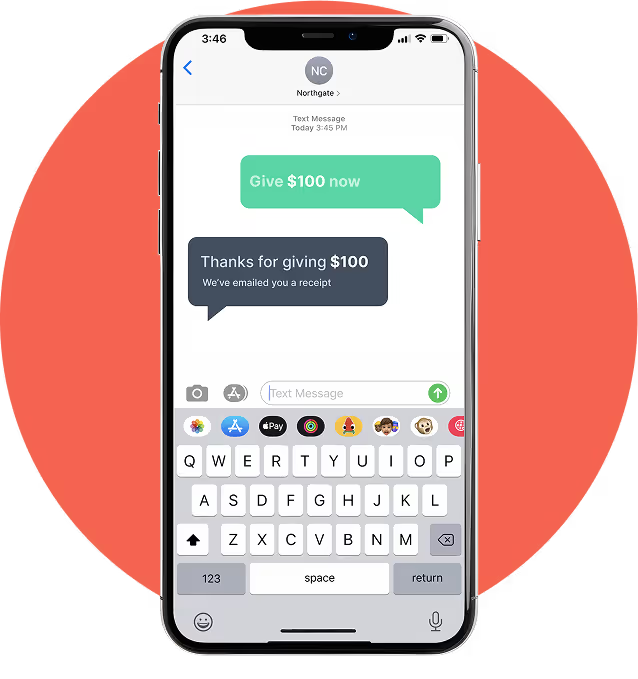
Giving Should Be This Easy
- Instant Donations – No logins, no redirects—just text and give.
- Smart Fund Allocation – Donors can designate gifts (e.g., “50 Missions” to support specific funds).
- Real-Time Confirmation – Every donation triggers an instant receipt via text and email.

A Giving Tool You Can Trust
- Admin Dashboard – Track and manage text donations in real time, all in one place.
- Secure & PCI Compliant – Every transaction is protected with the highest security standards.
- Full Reporting & Exporting – Easily generate reports, view donor history, and sync with your ChMS.
- Live Support When You Need It – Our team is ready to help your church succeed.
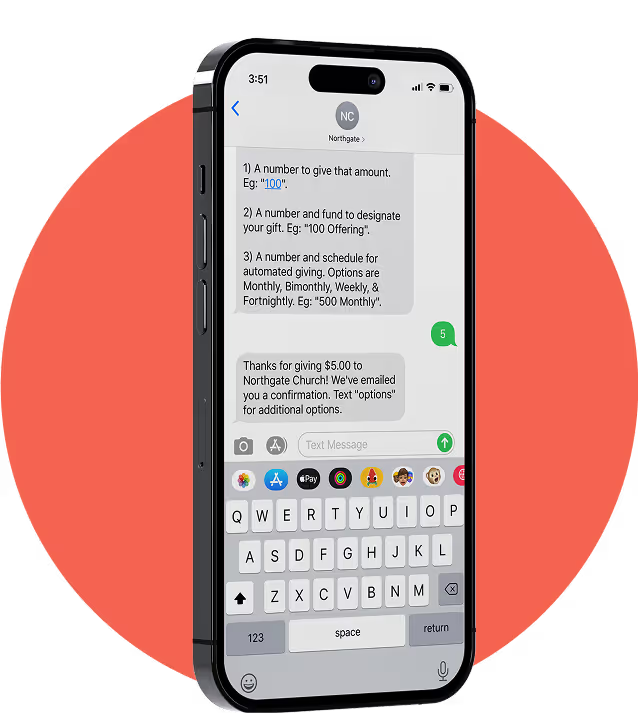
Why Churches Choose Tithely Giving
- Free to get started—only pay processing fees
- Designed specifically for churches
- Scales with your needs, from church plants to multi-campus ministries
- Integrates with Tithely’s full Church Management Suite
Simple, Affordable Pricing

Text Giving

Will I need to download a text to give app?

No! With Tithely’s text giving church tools there’s no need to download an additional app to be able to text give to your church. People can simply use the default text message application on their phone.
Can I easily issue refunds?
Yes! People can text “refund” in right after their gift to refund it in case they made a mistake or you can issue refunds from the admin panel with the click of a button.
Do people get a receipt?
Absolutely! As soon as someone gives via Tithe.ly they instantly receive an email with the details of their transaction. All giving history for each member is also tracked and available within the mobile app, giving your members instant access to check their records.
Can we track giving across church campuses?
Yes. With Tithe.ly you can easily track giving for multiple campuses within a single account by assigning each campus its own unique text-to-give number. Tithe.ly will also support multi-campus setup in popular ChMS platforms like Church Community Builder, Breeze, Elvanto, and other church software.
Can I integrate with my church's mobile app?
Yes! Tithe.ly can integrate directly into your church’s existing mobile app (eg. The Church App, PocketPew, ApolloApp, etc) so that your members don’t have to use multiple apps to interact.
Can I integrate with my church MGMT system?
Tithe.ly currently integrates with Elvanto Church Management Software, Planning Center Giving, Ministry Platform, Shelby v5, Shelby Arena, Church Community Builder (CCB), Breeze, Rock RMS, F1 and Faith Teams. We are continually adding and improving integrations. Additionally, we offer a very simple way to export your data in a format that easily imports into most ChMS platforms that we don’t have a have direct integration with.
Can people designate giving to funds?
Yes. With Tithe.ly's giving by text tool you can create as many funds/designations as you need (eg. missions, building fund, weekly contribution, etc), making Tithely text giving one of the best text to give platforms for nonprofits as well. Folks can then text “50 tithe” or “100 building” to your unique giving number to designate their gift to that specific fund, making it very simple for them to be sure their generosity goes to the place they are most passionate about.
How do people give via text giving?
Tithe.ly will assign your church a unique 10-digit telephone phone number that is dedicated to your church. To give through text, your members and visitors follow these 2 simple steps:
• Text the word “Give” to your church’s assigned text giving number to create their account. This ONLY happens the first time through.
• After they’ve created their account they can text the amount of their gift (e.g. 25, 50, 100, etc) and their donation is complete! You can also text things like “25 tithe weekly” to set up a weekly recurring gift that’s designated to the tithe fund or “500 buildingfund” to make a gift to the building fund.
How do I get people using text giving?
We’ll send you a few slides, a giving postcard, and a video that all have your church text giving number on them. The best way to launch is to put the slide up during your church service so people can see the text giving number while you talk about the new way of giving. You can also show the short video that we provide people to quickly give them a sense of how easy it is to use. Beyond that: – Send and email. – Put a note in your weekly bulletin. – Create a page on your website. – Send a personal letter to your biggest givers. The better your members are educated to use tithe.ly the more opportunity you have to increase giving. Churches that fully implement tithe.ly typically see up to a 20% increase in giving.
Do I need a new merchant account?
Nope! Tithe.ly provides an end-to-end solution. All gifts are tracked through the Tithe.ly dashboard and deposits go directly into your bank account.
Is text giving secure?
All financial information is encrypted and stored by our banking partner to PCI DSS Level 1 compliant standards. PCI DSS Level 1 compliance is a set of rules stated by credit card companies and audited by an independent third party. It is the highest possible rating one can get in the electronic payment processing industry.
How long does it take to launch?
Once you sign-up, there is a 3 week approval process to get your dedicated text giving number. Learn more about the approval process here.
How much does text giving cost?
There are no contracts, no upfront fees, no PCI or security fees, and no other hidden fees of any other kind. You simply pay 2.9% + 0.30c per transaction and $19 per month after the free 30-day trial.
How do I sign my church up for text-to-give?
Simply click the "Sign Up Free" button in the top menu and complete the form. You’ll have your unique text number and be able to take gifts the second you complete the online signup. Someone from the Tithe.ly team will be in touch shortly thereafter to share a few useful resources for launching your new text to give church tools.
What is text to give?
Text giving, or text 2 give, is the fastest and most convenient way for people to give to your church. It allows you to meet your members and guests in the moment they feel called to give and enables them to donate money by text message — something people are very familiar with. You put your 10-digit phone number on screen, people text “Give” to that number to set up their account. Once their account is set up they simply need to text a number (eg. 100) and their gift has been made! True in text giving that takes under five seconds to complete. Givers will immediately receive a text back thanking them for their gift as well as an email confirmation for their records.



