What Is ChMS? How Does Church Management Software Work? Every Feature Explained
Church management software is a digital system that helps churches organize member information, track giving, manage events, schedule volunteers, and communicate with their congregation from one central platform.




Knowing that church management software exists is one thing. Knowing what it actually does (how a gift, a check-in, or a text message actually moves through the system) is what determines whether it'll save your team time or just become another login nobody uses.
This guide breaks down exactly how each core feature works in practice, using real church workflows rather than a marketing feature list.
What does ChMS stand for?
ChMS is shorthand for church management software, sometimes also called a church management system or ChCRM (church customer relationship management). All three terms point at the same category of tool. "ChMS" is simply the abbreviation that stuck in the industry, and you'll see it in vendor pricing pages, church tech blogs, and denominational resource guides interchangeably with the spelled-out version.
It's worth noting ChMS is not the same thing as a generic CRM (customer relationship management platform) built for sales teams, even though the underlying idea (one record per person, tracked over time) is similar. A general CRM has no concept of a small group, a baptism, a giving statement, or a volunteer background check. A ChMS is purpose-built around how a congregation actually works.
Why the term exists: the problem ChMS solves
Church administration has a shape that's genuinely different from a typical business, which is why a category of software grew up specifically to serve it:
- Giving isn't a transaction, it's a relationship. Churches need to track recurring gifts, pledges, and fund designations tied to a person and a household, not just process a payment.
- Involvement matters as much as attendance. A church needs to know who's serving, who's in a group, who's new, and who's drifted, not just who showed up on Sunday.
- Communication has to be targeted. A message to "everyone in the youth group's parents" or "everyone who gave last year but not this year" needs to reach the right list without a staff member manually building it.
- Data has to stay accurate across a volunteer-run staff. Most churches run on a mix of paid staff and volunteers, so the system has to be simple enough that non-technical people keep records current.
ChMS emerged specifically to solve this cluster of problems in one place, instead of forcing churches to duct-tape together tools built for other industries.
How ChMS works, at a high level
The core idea behind every ChMS platform is the same: one record follows one person through everything they do at your church.
When someone gives online, registers for an event, checks a child into the nursery, or joins a small group, that activity attaches to their existing profile instead of creating a disconnected entry in a separate tool. That's the mechanical difference between a ChMS and a pile of separate apps: the data model is built around the person, not around the task.
In practice, that means a single search for a name pulls up:
- Their contact and household info
- Giving history and fund designations
- Attendance and check-in history
- Groups, teams, or ministries they're part of
- Communication history (emails/texts sent to them)
- Notes from pastoral or admin staff
From there, every feature below is really just a different lens on that same underlying record.
A worked example: one person moving through the system
It's easier to see how the pieces connect with a concrete example than with a feature list. Here's what typically happens, mechanically, when a first-time guest visits on a Sunday:
- They fill out a connect card (or check in a child at kids' check-in). A new person record is created automatically: name, contact info, and household are captured in one place.
- An automation triggers a follow-up sequence. Because the system knows this is their first visit, it can kick off a "new guest" email or text that same day without a staff member remembering to send one.
- They give online for the first time two weeks later. That gift attaches to the same profile created on their first visit. Staff don't have to manually match "the gift from Jane Smith" to "the visitor from two weeks ago."
- They join a small group. The group leader adds them to the roster; attendance and involvement from that group now roll back up into their overall profile.
- A staff member pulls a report. Six months later, a pastor can see this person's full path (first visit, first gift, group involvement) in one view, instead of piecing it together from four different tools.
That's the mechanical difference a ChMS makes: not that any one of these steps is impossible without it, but that all five stay connected to one record instead of living in five disconnected places.
Important Features for Church Management Systems
Feature 1: Membership Management - The people database
This is the foundation everything else is built on. Each person (and household) gets one record that includes contact info, family relationships, membership status, and any custom fields your church tracks (baptism date, small group, allergy notes for kids, etc.).
Here's the type of membership data you should be able to track:
- Basic contact details, such as names, addresses, numbers, email and social-media IDs.
- Demographics, such as date of birth, marriages, confirmations, baptisms, areas in which they volunteer or participate, and groups they belong to.
- Family structures, such as spouse and children, or even more advanced functions such as divorced or separated parents.
- Youth and young adults’ information within their family records in order to keep in contact with them personally.
- The ability to add more than one contact or email address.
- Managing volunteer and staff schedules and communication.
- Manage first-time guests or new members.
- Mass message your church members.
- Enable members to gain access to specific areas in your system or restrict permissions.
How it works day to day: when a new visitor fills out a connect card or a family registers a child for check-in, a record is created automatically. Staff and volunteers with the right permissions can search, filter, and segment this database, for example, pulling a list of "everyone who's visited in the last 60 days but hasn't joined a group yet."
Feature 2: Online giving
Giving tools handle the actual transaction (credit card, ACH bank transfer, text-to-give, or in some platforms, tap-to-give via NFC) and, critically, record it against the giver's profile and the correct fund automatically.
How it works day to day: a donor sets up a recurring gift once; the system charges it automatically going forward, applies it to the fund the donor selected (general, building, missions, etc.), and rolls it into their year-end giving statement without anyone re-entering data by hand. Finance staff can see fund totals in real time instead of waiting on a manual reconciliation.
Feature 3: Child check-in and security
Check-in tools allow your children's ministry to run smoothly while providing security and increasing parent/guardian trust.
Be sure your CHMS can do the following:
- Track attendance automatically, which saves you time and resources.
- Record check-in and check-out times.
- Print name tags and parent security tags.
- Has personalized tracking like allergy and special needs information.
- Track the attendance of youth group members by assigning each member barcode key tag which is scanned at the check-in point.
How it works day to day: a family checks their child in at the kiosk or app; the system prints a matching security label for parent and child, logs the attendance against both the child's and household's record, and flags any allergy or medical notes for the room's volunteers automatically.
Feature 4: Event registration and check-in
Event tools handle sign-ups, ticketing or RSVP limits, and, for services and kids' programs, secure check-in and check-out.
How it works day to day: People register for special events digitally. When they arrive they check-in and receive a customized event name tag. Your team is able to track registration, attendance, and how frequently an individual remains active in your church.
Feature 5: Volunteer scheduling
This is where a ChMS replaces the group text and the sign-up sheet. It tracks who's on a serving team, what position they're scheduled for, and automates the reminders.
How it works day to day: a volunteer coordinator builds a serving schedule for the month; the system automatically emails or texts each volunteer their upcoming date, lets them confirm or request a swap, and flags any gaps that still need to be filled, instead of a coordinator manually calling around.
Feature 6: Messaging and communication
Email and text tools let staff message a specific segment (not the whole church) based on any combination of the data already in the system.
How it works day to day: a staff member builds a list ("everyone in the middle school group's parents," or "everyone who gave last year but hasn't given yet this year") directly from the database, then sends one email or text to that exact group. No separate contact export, no copy-pasting into another tool.
Feature 7: Automations and workflows
Automations trigger a follow-up action based on something that just happened, without a staff member remembering to do it manually.
How it works day to day: when a first-time guest checks in, the system can automatically add them to a "new guest" follow-up sequence: a thank-you email the same day, a text from a pastor two days later, an invite to a newcomers class the following week, all without anyone manually tracking who's new.
Feature 8: Groups and ministry management
Small groups, classes, teams, and ministries each get their own roster, tied back to the people database.
How it works day to day: a group leader can see their roster, take attendance, and message their group directly from the app, while that attendance and involvement data rolls back up into each member's overall profile, so staff can see who's connected and who's isolated.
Feature 9: Reporting and dashboards
Reporting tools turn all of the above into a view staff and leadership actually use: giving trends, attendance patterns, group health, and follow-up status.
How it works day to day: instead of building a report by hand, a pastor or admin opens a dashboard that's already tracking giving trends week over week, first-time-guest follow-up completion rates, and attendance by service or campus, updated automatically as new data comes in.
How the pieces work together, by church type
Small and new churches typically lean hardest on the people database, giving, and basic communication: the goal is not losing track of who's new and who's given, without needing a dedicated admin.
Growing churches start relying more heavily on automations and volunteer scheduling, because the volume of people and events outgrows what one staff member can track manually.
Multi-campus and multi-site ministries depend on the system's ability to keep one shared database across locations, so a family that visits a second campus shows up as already known, not as a new stranger, and giving/attendance roll up correctly at both the campus and organization level.
How ChMS fits with the tools you already use
Most platforms are built to integrate rather than replace everything else in your stack:
- Accounting: syncing giving and expense data with tools like QuickBooks
- Email marketing: syncing contact segments with tools like Mailchimp
- Calendars: syncing event schedules with staff and room calendars
Platforms vary in how deep these integrations go, so it's worth checking specific integration lists (not just "integrates with QuickBooks" as a checkbox) before choosing a tool. Depending on the platform, you may also find integrations for background-check providers (for volunteers working with kids), dedicated texting providers, and room or facility scheduling tools, worth checking directly against your church's existing stack rather than assuming coverage.
What to look for when evaluating feature depth
Two platforms can both claim to offer "volunteer scheduling" or "online giving" and still differ enormously in how much that feature actually does. A few things worth checking feature-by-feature rather than category-by-category:
- Does giving support fund designations and recurring gifts, or just one-time payments?
- Does volunteer scheduling handle swap requests and reminders automatically, or just display a static schedule?
- Does check-in include a security-label match for kids' ministry, or just log attendance?
- Can messaging segment by any field in the database (like "gave last year, not this year"), or only by static, pre-built lists?
The category name tells you what a feature is called. The mechanics above are what determine whether it actually saves your team time.
Feature depth is only one of four things that decide this. Pricing model, migration, and support are where switches actually go wrong, and they are much harder to assess in a demo. If you are past the "what is it" stage and into shortlisting, work through a buyer's checklist for choosing church management software before you take another sales call.
How this compares across platforms
Feature depth varies meaningfully between the major ChMS platforms: Tithely, Planning Center, Pushpay, and Subsplash all cover the same broad categories above, but differ in areas like giving flexibility, communication limits, and pricing structure. If you're actively comparing platforms rather than trying to understand how the category works, see Tithely's church management platform for a full feature list and current pricing.
7 Ways Church Management Software Makes You a Better Pastor
1. Gain a Clear Picture of Your Church’s Health
Just as a doctor checks vital signs before making a diagnosis, church leaders need a way to monitor the health of their congregation.
With ChMS, you can quickly see:
- Attendance trends (Are families drifting? Did attendance drop after summer?)
- Giving patterns (Is there consistency, or warning signs of financial strain?)
- Volunteer engagement (Who’s serving? Who might be burning out?)
- Small group participation (Are people finding connection?)
This “dashboard” view enables you to address issues early, celebrate wins, and make data-informed decisions for the future.
As Dean Sweetman from Tithely puts it:
“Data allows church leaders to get those top-line vital signs so you can get a feel of the health of the church member, and the health of the church in general.”
Without this, you’re flying blind.
2. Care Personally for Every Member
The heart of pastoral ministry is care. But as your church grows, it’s easy for individuals to get lost in the crowd.
A ChMS lets you:
- Record pastoral visits and counseling notes securely
- Set reminders for follow-ups (e.g., after a hospital stay or prayer request)
- Track important life milestones like baptisms, weddings, and births
- Keep up with birthdays or anniversaries to send encouragement
Imagine knowing that a young couple hasn’t attended in three weeks, or that an elderly member just entered the hospital—not because someone happened to tell you, but because your system flagged it.
This isn’t about replacing relationships with screens. It’s about leveraging technology to strengthen relationships and ensure no one slips through the cracks.
3. Empower Your Leadership Team
Ephesians 4:12 reminds us that pastors are to “equip the saints for the work of ministry.” You can’t do it all—but with ChMS, you don’t have to.
You can:
- Assign care tasks to staff or volunteer leaders
- Share notes and updates securely across your team
- Track who has reached out to whom
- Ensure continuity in care even when leaders change
This creates a culture where pastoral care is a shared responsibility, and your people feel consistently supported.
4. Make Smarter Ministry Decisions
Big vision is inspiring—but actionable insight comes from data.
- Should we plant a campus? Check attendance growth and geographic data.
- Do we need more children’s workers? Analyze volunteer trends.
- Are young families engaging? Review demographics and small group data.
By basing your decisions on real-time information, you can allocate resources wisely and lead your church toward its mission with confidence.
5. Improve Communication and Connection
Consistent communication keeps your congregation engaged and informed. Many ChMS tools include:
- Bulk email and text messaging
- Automated follow-ups for newcomers or absentees
- Event invitations and RSVP tracking
For example, Tithely integrates event sign-ups and volunteer scheduling so members feel valued and included.
6. Streamline Administrative Work
How much time do you or your staff spend on:
- Counting attendance manually?
- Managing spreadsheets of members?
- Sending individual emails or texts?
ChMS automates these tasks, freeing you to focus on teaching, discipling, and vision-casting.
7. Strengthen Stewardship of Resources
With giving dashboards and donor management tools, you can monitor trends and ensure transparency. Many ChMS platforms also integrate online giving, making it easier for members to give and for you to manage finances responsibly.
Overcoming Resistance: Isn’t This Too “Business-like”?
Some pastors hesitate to adopt data-driven tools, fearing it might feel corporate. But remember:
- Shepherds knew their sheep intimately—not to control them, but to care for them.
- The early church kept records (Acts 2:41 notes “about 3,000 were added” on Pentecost).
- Good stewardship includes wisely managing people, time, and resources.
Technology is just a tool. It’s not about replacing prayer and relationships—it’s about supporting them.
Frequently Asked Questions About Church Management Software
1. What is Church Management Software (ChMS), and why do churches need it?
Church Management Software (ChMS) is a digital tool designed to help churches organize member information, track attendance, manage giving, schedule volunteers, and streamline communication. It helps pastors and leaders stay informed about their congregation and provides practical ways to care for people effectively—especially as a church grows.
2. Is Church Management Software only for large churches?
No. Even small churches can benefit from ChMS. Many platforms like Breeze and Tithely are designed with smaller congregations in mind, offering affordable pricing and simple interfaces. Whether you have 50 members or 5,000, ChMS helps you stay organized and care for your people better.
3. How does Church Management Software help with pastoral care?
ChMS helps pastors track individual member needs, life events, and spiritual growth. For example, it can alert you if someone hasn’t attended in several weeks, remind you of a hospital visit follow-up, or keep notes from previous counseling sessions. This ensures no one slips through the cracks and allows for more personalized care.
4. Is Church Management Software secure?
Yes—most reputable ChMS providers use industry-standard security protocols, including encrypted data storage, secure logins, and regular backups. There are platforms available, like Tithely, that prioritize protecting sensitive member information. Always choose a provider with strong privacy and security policies.
5. Can Church Management Software handle online giving?
Absolutely. Many ChMS platforms include built-in online giving tools or integrate with third-party solutions. These tools make it easy for members to give via credit card, bank transfer, or mobile app, and they automatically update donor records and contribution statements.
6. Will using ChMS make ministry feel too “corporate”?
Not at all. ChMS is a tool, not a replacement for relationships or spiritual leadership. It allows you to focus more on people by reducing administrative burdens and ensuring you have the insights needed to shepherd well. It’s about supporting ministry, not replacing the heart of it.
7. What features should I look for in a Church Management System?
Key features to consider include:
- Member database and profiles
- Attendance tracking
- Giving management and reporting
- Volunteer scheduling
- Communication tools (email, SMS, push notifications)
- Event planning and registrations
- Mobile accessibility
The best system depends on your church’s size, budget, and ministry needs.
8. How much does Church Management Software cost?
Costs vary widely depending on the provider and features. Some systems, like Tithely, offer free or low-cost options, while others like Church Community Builder provide premium plans for larger churches. Expect monthly pricing to range from $50–$250 for most mid-size churches.
9. How hard is it to implement ChMS in our church?
Most modern ChMS platforms are designed for ease of use and offer onboarding support, tutorials, and customer service to help you get started. Begin with core features like member tracking and giving management, then expand as your team becomes comfortable.
10. Can Church Management Software integrate with other tools we already use?
Yes. Many ChMS platforms integrate with popular tools like Mailchimp, QuickBooks, Zoom, and social media platforms. This allows for a seamless workflow and minimizes duplication of effort across systems.
Final Thoughts: Shepherding with Insight and Care
Your calling hasn’t changed—but your tools can.
Church management software helps you:
- Stay connected to your people
- Make informed, Spirit-led decisions
- Delegate and empower your team
- Focus on preaching, prayer, and discipleship
It’s not about data for data’s sake. It’s about knowing your flock, so you can lead them well into the purposes of God.
As Proverbs 27:23 reminds us:
“Be sure you know the condition of your flocks, give careful attention to your herds.”
With the right tools, you can do just that—faithfully, fruitfully, and without burning out.
Sign Up for Product Updates

Chris Dunagan is a marketing strategist focused on church tech and digital engagement. He helps churches grow through SEO, email campaigns, and tools like Tithely and Breeze ChMS, with an emphasis on online giving, content strategy, and digital outreach.
Knowing that church management software exists is one thing. Knowing what it actually does (how a gift, a check-in, or a text message actually moves through the system) is what determines whether it'll save your team time or just become another login nobody uses.
This guide breaks down exactly how each core feature works in practice, using real church workflows rather than a marketing feature list.
What does ChMS stand for?
ChMS is shorthand for church management software, sometimes also called a church management system or ChCRM (church customer relationship management). All three terms point at the same category of tool. "ChMS" is simply the abbreviation that stuck in the industry, and you'll see it in vendor pricing pages, church tech blogs, and denominational resource guides interchangeably with the spelled-out version.
It's worth noting ChMS is not the same thing as a generic CRM (customer relationship management platform) built for sales teams, even though the underlying idea (one record per person, tracked over time) is similar. A general CRM has no concept of a small group, a baptism, a giving statement, or a volunteer background check. A ChMS is purpose-built around how a congregation actually works.
Why the term exists: the problem ChMS solves
Church administration has a shape that's genuinely different from a typical business, which is why a category of software grew up specifically to serve it:
- Giving isn't a transaction, it's a relationship. Churches need to track recurring gifts, pledges, and fund designations tied to a person and a household, not just process a payment.
- Involvement matters as much as attendance. A church needs to know who's serving, who's in a group, who's new, and who's drifted, not just who showed up on Sunday.
- Communication has to be targeted. A message to "everyone in the youth group's parents" or "everyone who gave last year but not this year" needs to reach the right list without a staff member manually building it.
- Data has to stay accurate across a volunteer-run staff. Most churches run on a mix of paid staff and volunteers, so the system has to be simple enough that non-technical people keep records current.
ChMS emerged specifically to solve this cluster of problems in one place, instead of forcing churches to duct-tape together tools built for other industries.
How ChMS works, at a high level
The core idea behind every ChMS platform is the same: one record follows one person through everything they do at your church.
When someone gives online, registers for an event, checks a child into the nursery, or joins a small group, that activity attaches to their existing profile instead of creating a disconnected entry in a separate tool. That's the mechanical difference between a ChMS and a pile of separate apps: the data model is built around the person, not around the task.
In practice, that means a single search for a name pulls up:
- Their contact and household info
- Giving history and fund designations
- Attendance and check-in history
- Groups, teams, or ministries they're part of
- Communication history (emails/texts sent to them)
- Notes from pastoral or admin staff
From there, every feature below is really just a different lens on that same underlying record.
A worked example: one person moving through the system
It's easier to see how the pieces connect with a concrete example than with a feature list. Here's what typically happens, mechanically, when a first-time guest visits on a Sunday:
- They fill out a connect card (or check in a child at kids' check-in). A new person record is created automatically: name, contact info, and household are captured in one place.
- An automation triggers a follow-up sequence. Because the system knows this is their first visit, it can kick off a "new guest" email or text that same day without a staff member remembering to send one.
- They give online for the first time two weeks later. That gift attaches to the same profile created on their first visit. Staff don't have to manually match "the gift from Jane Smith" to "the visitor from two weeks ago."
- They join a small group. The group leader adds them to the roster; attendance and involvement from that group now roll back up into their overall profile.
- A staff member pulls a report. Six months later, a pastor can see this person's full path (first visit, first gift, group involvement) in one view, instead of piecing it together from four different tools.
That's the mechanical difference a ChMS makes: not that any one of these steps is impossible without it, but that all five stay connected to one record instead of living in five disconnected places.
Important Features for Church Management Systems
Feature 1: Membership Management - The people database
This is the foundation everything else is built on. Each person (and household) gets one record that includes contact info, family relationships, membership status, and any custom fields your church tracks (baptism date, small group, allergy notes for kids, etc.).
Here's the type of membership data you should be able to track:
- Basic contact details, such as names, addresses, numbers, email and social-media IDs.
- Demographics, such as date of birth, marriages, confirmations, baptisms, areas in which they volunteer or participate, and groups they belong to.
- Family structures, such as spouse and children, or even more advanced functions such as divorced or separated parents.
- Youth and young adults’ information within their family records in order to keep in contact with them personally.
- The ability to add more than one contact or email address.
- Managing volunteer and staff schedules and communication.
- Manage first-time guests or new members.
- Mass message your church members.
- Enable members to gain access to specific areas in your system or restrict permissions.
How it works day to day: when a new visitor fills out a connect card or a family registers a child for check-in, a record is created automatically. Staff and volunteers with the right permissions can search, filter, and segment this database, for example, pulling a list of "everyone who's visited in the last 60 days but hasn't joined a group yet."
Feature 2: Online giving
Giving tools handle the actual transaction (credit card, ACH bank transfer, text-to-give, or in some platforms, tap-to-give via NFC) and, critically, record it against the giver's profile and the correct fund automatically.
How it works day to day: a donor sets up a recurring gift once; the system charges it automatically going forward, applies it to the fund the donor selected (general, building, missions, etc.), and rolls it into their year-end giving statement without anyone re-entering data by hand. Finance staff can see fund totals in real time instead of waiting on a manual reconciliation.
Feature 3: Child check-in and security
Check-in tools allow your children's ministry to run smoothly while providing security and increasing parent/guardian trust.
Be sure your CHMS can do the following:
- Track attendance automatically, which saves you time and resources.
- Record check-in and check-out times.
- Print name tags and parent security tags.
- Has personalized tracking like allergy and special needs information.
- Track the attendance of youth group members by assigning each member barcode key tag which is scanned at the check-in point.
How it works day to day: a family checks their child in at the kiosk or app; the system prints a matching security label for parent and child, logs the attendance against both the child's and household's record, and flags any allergy or medical notes for the room's volunteers automatically.
Feature 4: Event registration and check-in
Event tools handle sign-ups, ticketing or RSVP limits, and, for services and kids' programs, secure check-in and check-out.
How it works day to day: People register for special events digitally. When they arrive they check-in and receive a customized event name tag. Your team is able to track registration, attendance, and how frequently an individual remains active in your church.
Feature 5: Volunteer scheduling
This is where a ChMS replaces the group text and the sign-up sheet. It tracks who's on a serving team, what position they're scheduled for, and automates the reminders.
How it works day to day: a volunteer coordinator builds a serving schedule for the month; the system automatically emails or texts each volunteer their upcoming date, lets them confirm or request a swap, and flags any gaps that still need to be filled, instead of a coordinator manually calling around.
Feature 6: Messaging and communication
Email and text tools let staff message a specific segment (not the whole church) based on any combination of the data already in the system.
How it works day to day: a staff member builds a list ("everyone in the middle school group's parents," or "everyone who gave last year but hasn't given yet this year") directly from the database, then sends one email or text to that exact group. No separate contact export, no copy-pasting into another tool.
Feature 7: Automations and workflows
Automations trigger a follow-up action based on something that just happened, without a staff member remembering to do it manually.
How it works day to day: when a first-time guest checks in, the system can automatically add them to a "new guest" follow-up sequence: a thank-you email the same day, a text from a pastor two days later, an invite to a newcomers class the following week, all without anyone manually tracking who's new.
Feature 8: Groups and ministry management
Small groups, classes, teams, and ministries each get their own roster, tied back to the people database.
How it works day to day: a group leader can see their roster, take attendance, and message their group directly from the app, while that attendance and involvement data rolls back up into each member's overall profile, so staff can see who's connected and who's isolated.
Feature 9: Reporting and dashboards
Reporting tools turn all of the above into a view staff and leadership actually use: giving trends, attendance patterns, group health, and follow-up status.
How it works day to day: instead of building a report by hand, a pastor or admin opens a dashboard that's already tracking giving trends week over week, first-time-guest follow-up completion rates, and attendance by service or campus, updated automatically as new data comes in.
How the pieces work together, by church type
Small and new churches typically lean hardest on the people database, giving, and basic communication: the goal is not losing track of who's new and who's given, without needing a dedicated admin.
Growing churches start relying more heavily on automations and volunteer scheduling, because the volume of people and events outgrows what one staff member can track manually.
Multi-campus and multi-site ministries depend on the system's ability to keep one shared database across locations, so a family that visits a second campus shows up as already known, not as a new stranger, and giving/attendance roll up correctly at both the campus and organization level.
How ChMS fits with the tools you already use
Most platforms are built to integrate rather than replace everything else in your stack:
- Accounting: syncing giving and expense data with tools like QuickBooks
- Email marketing: syncing contact segments with tools like Mailchimp
- Calendars: syncing event schedules with staff and room calendars
Platforms vary in how deep these integrations go, so it's worth checking specific integration lists (not just "integrates with QuickBooks" as a checkbox) before choosing a tool. Depending on the platform, you may also find integrations for background-check providers (for volunteers working with kids), dedicated texting providers, and room or facility scheduling tools, worth checking directly against your church's existing stack rather than assuming coverage.
What to look for when evaluating feature depth
Two platforms can both claim to offer "volunteer scheduling" or "online giving" and still differ enormously in how much that feature actually does. A few things worth checking feature-by-feature rather than category-by-category:
- Does giving support fund designations and recurring gifts, or just one-time payments?
- Does volunteer scheduling handle swap requests and reminders automatically, or just display a static schedule?
- Does check-in include a security-label match for kids' ministry, or just log attendance?
- Can messaging segment by any field in the database (like "gave last year, not this year"), or only by static, pre-built lists?
The category name tells you what a feature is called. The mechanics above are what determine whether it actually saves your team time.
Feature depth is only one of four things that decide this. Pricing model, migration, and support are where switches actually go wrong, and they are much harder to assess in a demo. If you are past the "what is it" stage and into shortlisting, work through a buyer's checklist for choosing church management software before you take another sales call.
How this compares across platforms
Feature depth varies meaningfully between the major ChMS platforms: Tithely, Planning Center, Pushpay, and Subsplash all cover the same broad categories above, but differ in areas like giving flexibility, communication limits, and pricing structure. If you're actively comparing platforms rather than trying to understand how the category works, see Tithely's church management platform for a full feature list and current pricing.
7 Ways Church Management Software Makes You a Better Pastor
1. Gain a Clear Picture of Your Church’s Health
Just as a doctor checks vital signs before making a diagnosis, church leaders need a way to monitor the health of their congregation.
With ChMS, you can quickly see:
- Attendance trends (Are families drifting? Did attendance drop after summer?)
- Giving patterns (Is there consistency, or warning signs of financial strain?)
- Volunteer engagement (Who’s serving? Who might be burning out?)
- Small group participation (Are people finding connection?)
This “dashboard” view enables you to address issues early, celebrate wins, and make data-informed decisions for the future.
As Dean Sweetman from Tithely puts it:
“Data allows church leaders to get those top-line vital signs so you can get a feel of the health of the church member, and the health of the church in general.”
Without this, you’re flying blind.
2. Care Personally for Every Member
The heart of pastoral ministry is care. But as your church grows, it’s easy for individuals to get lost in the crowd.
A ChMS lets you:
- Record pastoral visits and counseling notes securely
- Set reminders for follow-ups (e.g., after a hospital stay or prayer request)
- Track important life milestones like baptisms, weddings, and births
- Keep up with birthdays or anniversaries to send encouragement
Imagine knowing that a young couple hasn’t attended in three weeks, or that an elderly member just entered the hospital—not because someone happened to tell you, but because your system flagged it.
This isn’t about replacing relationships with screens. It’s about leveraging technology to strengthen relationships and ensure no one slips through the cracks.
3. Empower Your Leadership Team
Ephesians 4:12 reminds us that pastors are to “equip the saints for the work of ministry.” You can’t do it all—but with ChMS, you don’t have to.
You can:
- Assign care tasks to staff or volunteer leaders
- Share notes and updates securely across your team
- Track who has reached out to whom
- Ensure continuity in care even when leaders change
This creates a culture where pastoral care is a shared responsibility, and your people feel consistently supported.
4. Make Smarter Ministry Decisions
Big vision is inspiring—but actionable insight comes from data.
- Should we plant a campus? Check attendance growth and geographic data.
- Do we need more children’s workers? Analyze volunteer trends.
- Are young families engaging? Review demographics and small group data.
By basing your decisions on real-time information, you can allocate resources wisely and lead your church toward its mission with confidence.
5. Improve Communication and Connection
Consistent communication keeps your congregation engaged and informed. Many ChMS tools include:
- Bulk email and text messaging
- Automated follow-ups for newcomers or absentees
- Event invitations and RSVP tracking
For example, Tithely integrates event sign-ups and volunteer scheduling so members feel valued and included.
6. Streamline Administrative Work
How much time do you or your staff spend on:
- Counting attendance manually?
- Managing spreadsheets of members?
- Sending individual emails or texts?
ChMS automates these tasks, freeing you to focus on teaching, discipling, and vision-casting.
7. Strengthen Stewardship of Resources
With giving dashboards and donor management tools, you can monitor trends and ensure transparency. Many ChMS platforms also integrate online giving, making it easier for members to give and for you to manage finances responsibly.
Overcoming Resistance: Isn’t This Too “Business-like”?
Some pastors hesitate to adopt data-driven tools, fearing it might feel corporate. But remember:
- Shepherds knew their sheep intimately—not to control them, but to care for them.
- The early church kept records (Acts 2:41 notes “about 3,000 were added” on Pentecost).
- Good stewardship includes wisely managing people, time, and resources.
Technology is just a tool. It’s not about replacing prayer and relationships—it’s about supporting them.
Frequently Asked Questions About Church Management Software
1. What is Church Management Software (ChMS), and why do churches need it?
Church Management Software (ChMS) is a digital tool designed to help churches organize member information, track attendance, manage giving, schedule volunteers, and streamline communication. It helps pastors and leaders stay informed about their congregation and provides practical ways to care for people effectively—especially as a church grows.
2. Is Church Management Software only for large churches?
No. Even small churches can benefit from ChMS. Many platforms like Breeze and Tithely are designed with smaller congregations in mind, offering affordable pricing and simple interfaces. Whether you have 50 members or 5,000, ChMS helps you stay organized and care for your people better.
3. How does Church Management Software help with pastoral care?
ChMS helps pastors track individual member needs, life events, and spiritual growth. For example, it can alert you if someone hasn’t attended in several weeks, remind you of a hospital visit follow-up, or keep notes from previous counseling sessions. This ensures no one slips through the cracks and allows for more personalized care.
4. Is Church Management Software secure?
Yes—most reputable ChMS providers use industry-standard security protocols, including encrypted data storage, secure logins, and regular backups. There are platforms available, like Tithely, that prioritize protecting sensitive member information. Always choose a provider with strong privacy and security policies.
5. Can Church Management Software handle online giving?
Absolutely. Many ChMS platforms include built-in online giving tools or integrate with third-party solutions. These tools make it easy for members to give via credit card, bank transfer, or mobile app, and they automatically update donor records and contribution statements.
6. Will using ChMS make ministry feel too “corporate”?
Not at all. ChMS is a tool, not a replacement for relationships or spiritual leadership. It allows you to focus more on people by reducing administrative burdens and ensuring you have the insights needed to shepherd well. It’s about supporting ministry, not replacing the heart of it.
7. What features should I look for in a Church Management System?
Key features to consider include:
- Member database and profiles
- Attendance tracking
- Giving management and reporting
- Volunteer scheduling
- Communication tools (email, SMS, push notifications)
- Event planning and registrations
- Mobile accessibility
The best system depends on your church’s size, budget, and ministry needs.
8. How much does Church Management Software cost?
Costs vary widely depending on the provider and features. Some systems, like Tithely, offer free or low-cost options, while others like Church Community Builder provide premium plans for larger churches. Expect monthly pricing to range from $50–$250 for most mid-size churches.
9. How hard is it to implement ChMS in our church?
Most modern ChMS platforms are designed for ease of use and offer onboarding support, tutorials, and customer service to help you get started. Begin with core features like member tracking and giving management, then expand as your team becomes comfortable.
10. Can Church Management Software integrate with other tools we already use?
Yes. Many ChMS platforms integrate with popular tools like Mailchimp, QuickBooks, Zoom, and social media platforms. This allows for a seamless workflow and minimizes duplication of effort across systems.
Final Thoughts: Shepherding with Insight and Care
Your calling hasn’t changed—but your tools can.
Church management software helps you:
- Stay connected to your people
- Make informed, Spirit-led decisions
- Delegate and empower your team
- Focus on preaching, prayer, and discipleship
It’s not about data for data’s sake. It’s about knowing your flock, so you can lead them well into the purposes of God.
As Proverbs 27:23 reminds us:
“Be sure you know the condition of your flocks, give careful attention to your herds.”
With the right tools, you can do just that—faithfully, fruitfully, and without burning out.
podcast transcript
Chris Dunagan is a marketing strategist focused on church tech and digital engagement. He helps churches grow through SEO, email campaigns, and tools like Tithely and Breeze ChMS, with an emphasis on online giving, content strategy, and digital outreach.
Knowing that church management software exists is one thing. Knowing what it actually does (how a gift, a check-in, or a text message actually moves through the system) is what determines whether it'll save your team time or just become another login nobody uses.
This guide breaks down exactly how each core feature works in practice, using real church workflows rather than a marketing feature list.
What does ChMS stand for?
ChMS is shorthand for church management software, sometimes also called a church management system or ChCRM (church customer relationship management). All three terms point at the same category of tool. "ChMS" is simply the abbreviation that stuck in the industry, and you'll see it in vendor pricing pages, church tech blogs, and denominational resource guides interchangeably with the spelled-out version.
It's worth noting ChMS is not the same thing as a generic CRM (customer relationship management platform) built for sales teams, even though the underlying idea (one record per person, tracked over time) is similar. A general CRM has no concept of a small group, a baptism, a giving statement, or a volunteer background check. A ChMS is purpose-built around how a congregation actually works.
Why the term exists: the problem ChMS solves
Church administration has a shape that's genuinely different from a typical business, which is why a category of software grew up specifically to serve it:
- Giving isn't a transaction, it's a relationship. Churches need to track recurring gifts, pledges, and fund designations tied to a person and a household, not just process a payment.
- Involvement matters as much as attendance. A church needs to know who's serving, who's in a group, who's new, and who's drifted, not just who showed up on Sunday.
- Communication has to be targeted. A message to "everyone in the youth group's parents" or "everyone who gave last year but not this year" needs to reach the right list without a staff member manually building it.
- Data has to stay accurate across a volunteer-run staff. Most churches run on a mix of paid staff and volunteers, so the system has to be simple enough that non-technical people keep records current.
ChMS emerged specifically to solve this cluster of problems in one place, instead of forcing churches to duct-tape together tools built for other industries.
How ChMS works, at a high level
The core idea behind every ChMS platform is the same: one record follows one person through everything they do at your church.
When someone gives online, registers for an event, checks a child into the nursery, or joins a small group, that activity attaches to their existing profile instead of creating a disconnected entry in a separate tool. That's the mechanical difference between a ChMS and a pile of separate apps: the data model is built around the person, not around the task.
In practice, that means a single search for a name pulls up:
- Their contact and household info
- Giving history and fund designations
- Attendance and check-in history
- Groups, teams, or ministries they're part of
- Communication history (emails/texts sent to them)
- Notes from pastoral or admin staff
From there, every feature below is really just a different lens on that same underlying record.
A worked example: one person moving through the system
It's easier to see how the pieces connect with a concrete example than with a feature list. Here's what typically happens, mechanically, when a first-time guest visits on a Sunday:
- They fill out a connect card (or check in a child at kids' check-in). A new person record is created automatically: name, contact info, and household are captured in one place.
- An automation triggers a follow-up sequence. Because the system knows this is their first visit, it can kick off a "new guest" email or text that same day without a staff member remembering to send one.
- They give online for the first time two weeks later. That gift attaches to the same profile created on their first visit. Staff don't have to manually match "the gift from Jane Smith" to "the visitor from two weeks ago."
- They join a small group. The group leader adds them to the roster; attendance and involvement from that group now roll back up into their overall profile.
- A staff member pulls a report. Six months later, a pastor can see this person's full path (first visit, first gift, group involvement) in one view, instead of piecing it together from four different tools.
That's the mechanical difference a ChMS makes: not that any one of these steps is impossible without it, but that all five stay connected to one record instead of living in five disconnected places.
Important Features for Church Management Systems
Feature 1: Membership Management - The people database
This is the foundation everything else is built on. Each person (and household) gets one record that includes contact info, family relationships, membership status, and any custom fields your church tracks (baptism date, small group, allergy notes for kids, etc.).
Here's the type of membership data you should be able to track:
- Basic contact details, such as names, addresses, numbers, email and social-media IDs.
- Demographics, such as date of birth, marriages, confirmations, baptisms, areas in which they volunteer or participate, and groups they belong to.
- Family structures, such as spouse and children, or even more advanced functions such as divorced or separated parents.
- Youth and young adults’ information within their family records in order to keep in contact with them personally.
- The ability to add more than one contact or email address.
- Managing volunteer and staff schedules and communication.
- Manage first-time guests or new members.
- Mass message your church members.
- Enable members to gain access to specific areas in your system or restrict permissions.
How it works day to day: when a new visitor fills out a connect card or a family registers a child for check-in, a record is created automatically. Staff and volunteers with the right permissions can search, filter, and segment this database, for example, pulling a list of "everyone who's visited in the last 60 days but hasn't joined a group yet."
Feature 2: Online giving
Giving tools handle the actual transaction (credit card, ACH bank transfer, text-to-give, or in some platforms, tap-to-give via NFC) and, critically, record it against the giver's profile and the correct fund automatically.
How it works day to day: a donor sets up a recurring gift once; the system charges it automatically going forward, applies it to the fund the donor selected (general, building, missions, etc.), and rolls it into their year-end giving statement without anyone re-entering data by hand. Finance staff can see fund totals in real time instead of waiting on a manual reconciliation.
Feature 3: Child check-in and security
Check-in tools allow your children's ministry to run smoothly while providing security and increasing parent/guardian trust.
Be sure your CHMS can do the following:
- Track attendance automatically, which saves you time and resources.
- Record check-in and check-out times.
- Print name tags and parent security tags.
- Has personalized tracking like allergy and special needs information.
- Track the attendance of youth group members by assigning each member barcode key tag which is scanned at the check-in point.
How it works day to day: a family checks their child in at the kiosk or app; the system prints a matching security label for parent and child, logs the attendance against both the child's and household's record, and flags any allergy or medical notes for the room's volunteers automatically.
Feature 4: Event registration and check-in
Event tools handle sign-ups, ticketing or RSVP limits, and, for services and kids' programs, secure check-in and check-out.
How it works day to day: People register for special events digitally. When they arrive they check-in and receive a customized event name tag. Your team is able to track registration, attendance, and how frequently an individual remains active in your church.
Feature 5: Volunteer scheduling
This is where a ChMS replaces the group text and the sign-up sheet. It tracks who's on a serving team, what position they're scheduled for, and automates the reminders.
How it works day to day: a volunteer coordinator builds a serving schedule for the month; the system automatically emails or texts each volunteer their upcoming date, lets them confirm or request a swap, and flags any gaps that still need to be filled, instead of a coordinator manually calling around.
Feature 6: Messaging and communication
Email and text tools let staff message a specific segment (not the whole church) based on any combination of the data already in the system.
How it works day to day: a staff member builds a list ("everyone in the middle school group's parents," or "everyone who gave last year but hasn't given yet this year") directly from the database, then sends one email or text to that exact group. No separate contact export, no copy-pasting into another tool.
Feature 7: Automations and workflows
Automations trigger a follow-up action based on something that just happened, without a staff member remembering to do it manually.
How it works day to day: when a first-time guest checks in, the system can automatically add them to a "new guest" follow-up sequence: a thank-you email the same day, a text from a pastor two days later, an invite to a newcomers class the following week, all without anyone manually tracking who's new.
Feature 8: Groups and ministry management
Small groups, classes, teams, and ministries each get their own roster, tied back to the people database.
How it works day to day: a group leader can see their roster, take attendance, and message their group directly from the app, while that attendance and involvement data rolls back up into each member's overall profile, so staff can see who's connected and who's isolated.
Feature 9: Reporting and dashboards
Reporting tools turn all of the above into a view staff and leadership actually use: giving trends, attendance patterns, group health, and follow-up status.
How it works day to day: instead of building a report by hand, a pastor or admin opens a dashboard that's already tracking giving trends week over week, first-time-guest follow-up completion rates, and attendance by service or campus, updated automatically as new data comes in.
How the pieces work together, by church type
Small and new churches typically lean hardest on the people database, giving, and basic communication: the goal is not losing track of who's new and who's given, without needing a dedicated admin.
Growing churches start relying more heavily on automations and volunteer scheduling, because the volume of people and events outgrows what one staff member can track manually.
Multi-campus and multi-site ministries depend on the system's ability to keep one shared database across locations, so a family that visits a second campus shows up as already known, not as a new stranger, and giving/attendance roll up correctly at both the campus and organization level.
How ChMS fits with the tools you already use
Most platforms are built to integrate rather than replace everything else in your stack:
- Accounting: syncing giving and expense data with tools like QuickBooks
- Email marketing: syncing contact segments with tools like Mailchimp
- Calendars: syncing event schedules with staff and room calendars
Platforms vary in how deep these integrations go, so it's worth checking specific integration lists (not just "integrates with QuickBooks" as a checkbox) before choosing a tool. Depending on the platform, you may also find integrations for background-check providers (for volunteers working with kids), dedicated texting providers, and room or facility scheduling tools, worth checking directly against your church's existing stack rather than assuming coverage.
What to look for when evaluating feature depth
Two platforms can both claim to offer "volunteer scheduling" or "online giving" and still differ enormously in how much that feature actually does. A few things worth checking feature-by-feature rather than category-by-category:
- Does giving support fund designations and recurring gifts, or just one-time payments?
- Does volunteer scheduling handle swap requests and reminders automatically, or just display a static schedule?
- Does check-in include a security-label match for kids' ministry, or just log attendance?
- Can messaging segment by any field in the database (like "gave last year, not this year"), or only by static, pre-built lists?
The category name tells you what a feature is called. The mechanics above are what determine whether it actually saves your team time.
Feature depth is only one of four things that decide this. Pricing model, migration, and support are where switches actually go wrong, and they are much harder to assess in a demo. If you are past the "what is it" stage and into shortlisting, work through a buyer's checklist for choosing church management software before you take another sales call.
How this compares across platforms
Feature depth varies meaningfully between the major ChMS platforms: Tithely, Planning Center, Pushpay, and Subsplash all cover the same broad categories above, but differ in areas like giving flexibility, communication limits, and pricing structure. If you're actively comparing platforms rather than trying to understand how the category works, see Tithely's church management platform for a full feature list and current pricing.
7 Ways Church Management Software Makes You a Better Pastor
1. Gain a Clear Picture of Your Church’s Health
Just as a doctor checks vital signs before making a diagnosis, church leaders need a way to monitor the health of their congregation.
With ChMS, you can quickly see:
- Attendance trends (Are families drifting? Did attendance drop after summer?)
- Giving patterns (Is there consistency, or warning signs of financial strain?)
- Volunteer engagement (Who’s serving? Who might be burning out?)
- Small group participation (Are people finding connection?)
This “dashboard” view enables you to address issues early, celebrate wins, and make data-informed decisions for the future.
As Dean Sweetman from Tithely puts it:
“Data allows church leaders to get those top-line vital signs so you can get a feel of the health of the church member, and the health of the church in general.”
Without this, you’re flying blind.
2. Care Personally for Every Member
The heart of pastoral ministry is care. But as your church grows, it’s easy for individuals to get lost in the crowd.
A ChMS lets you:
- Record pastoral visits and counseling notes securely
- Set reminders for follow-ups (e.g., after a hospital stay or prayer request)
- Track important life milestones like baptisms, weddings, and births
- Keep up with birthdays or anniversaries to send encouragement
Imagine knowing that a young couple hasn’t attended in three weeks, or that an elderly member just entered the hospital—not because someone happened to tell you, but because your system flagged it.
This isn’t about replacing relationships with screens. It’s about leveraging technology to strengthen relationships and ensure no one slips through the cracks.
3. Empower Your Leadership Team
Ephesians 4:12 reminds us that pastors are to “equip the saints for the work of ministry.” You can’t do it all—but with ChMS, you don’t have to.
You can:
- Assign care tasks to staff or volunteer leaders
- Share notes and updates securely across your team
- Track who has reached out to whom
- Ensure continuity in care even when leaders change
This creates a culture where pastoral care is a shared responsibility, and your people feel consistently supported.
4. Make Smarter Ministry Decisions
Big vision is inspiring—but actionable insight comes from data.
- Should we plant a campus? Check attendance growth and geographic data.
- Do we need more children’s workers? Analyze volunteer trends.
- Are young families engaging? Review demographics and small group data.
By basing your decisions on real-time information, you can allocate resources wisely and lead your church toward its mission with confidence.
5. Improve Communication and Connection
Consistent communication keeps your congregation engaged and informed. Many ChMS tools include:
- Bulk email and text messaging
- Automated follow-ups for newcomers or absentees
- Event invitations and RSVP tracking
For example, Tithely integrates event sign-ups and volunteer scheduling so members feel valued and included.
6. Streamline Administrative Work
How much time do you or your staff spend on:
- Counting attendance manually?
- Managing spreadsheets of members?
- Sending individual emails or texts?
ChMS automates these tasks, freeing you to focus on teaching, discipling, and vision-casting.
7. Strengthen Stewardship of Resources
With giving dashboards and donor management tools, you can monitor trends and ensure transparency. Many ChMS platforms also integrate online giving, making it easier for members to give and for you to manage finances responsibly.
Overcoming Resistance: Isn’t This Too “Business-like”?
Some pastors hesitate to adopt data-driven tools, fearing it might feel corporate. But remember:
- Shepherds knew their sheep intimately—not to control them, but to care for them.
- The early church kept records (Acts 2:41 notes “about 3,000 were added” on Pentecost).
- Good stewardship includes wisely managing people, time, and resources.
Technology is just a tool. It’s not about replacing prayer and relationships—it’s about supporting them.
Frequently Asked Questions About Church Management Software
1. What is Church Management Software (ChMS), and why do churches need it?
Church Management Software (ChMS) is a digital tool designed to help churches organize member information, track attendance, manage giving, schedule volunteers, and streamline communication. It helps pastors and leaders stay informed about their congregation and provides practical ways to care for people effectively—especially as a church grows.
2. Is Church Management Software only for large churches?
No. Even small churches can benefit from ChMS. Many platforms like Breeze and Tithely are designed with smaller congregations in mind, offering affordable pricing and simple interfaces. Whether you have 50 members or 5,000, ChMS helps you stay organized and care for your people better.
3. How does Church Management Software help with pastoral care?
ChMS helps pastors track individual member needs, life events, and spiritual growth. For example, it can alert you if someone hasn’t attended in several weeks, remind you of a hospital visit follow-up, or keep notes from previous counseling sessions. This ensures no one slips through the cracks and allows for more personalized care.
4. Is Church Management Software secure?
Yes—most reputable ChMS providers use industry-standard security protocols, including encrypted data storage, secure logins, and regular backups. There are platforms available, like Tithely, that prioritize protecting sensitive member information. Always choose a provider with strong privacy and security policies.
5. Can Church Management Software handle online giving?
Absolutely. Many ChMS platforms include built-in online giving tools or integrate with third-party solutions. These tools make it easy for members to give via credit card, bank transfer, or mobile app, and they automatically update donor records and contribution statements.
6. Will using ChMS make ministry feel too “corporate”?
Not at all. ChMS is a tool, not a replacement for relationships or spiritual leadership. It allows you to focus more on people by reducing administrative burdens and ensuring you have the insights needed to shepherd well. It’s about supporting ministry, not replacing the heart of it.
7. What features should I look for in a Church Management System?
Key features to consider include:
- Member database and profiles
- Attendance tracking
- Giving management and reporting
- Volunteer scheduling
- Communication tools (email, SMS, push notifications)
- Event planning and registrations
- Mobile accessibility
The best system depends on your church’s size, budget, and ministry needs.
8. How much does Church Management Software cost?
Costs vary widely depending on the provider and features. Some systems, like Tithely, offer free or low-cost options, while others like Church Community Builder provide premium plans for larger churches. Expect monthly pricing to range from $50–$250 for most mid-size churches.
9. How hard is it to implement ChMS in our church?
Most modern ChMS platforms are designed for ease of use and offer onboarding support, tutorials, and customer service to help you get started. Begin with core features like member tracking and giving management, then expand as your team becomes comfortable.
10. Can Church Management Software integrate with other tools we already use?
Yes. Many ChMS platforms integrate with popular tools like Mailchimp, QuickBooks, Zoom, and social media platforms. This allows for a seamless workflow and minimizes duplication of effort across systems.
Final Thoughts: Shepherding with Insight and Care
Your calling hasn’t changed—but your tools can.
Church management software helps you:
- Stay connected to your people
- Make informed, Spirit-led decisions
- Delegate and empower your team
- Focus on preaching, prayer, and discipleship
It’s not about data for data’s sake. It’s about knowing your flock, so you can lead them well into the purposes of God.
As Proverbs 27:23 reminds us:
“Be sure you know the condition of your flocks, give careful attention to your herds.”
With the right tools, you can do just that—faithfully, fruitfully, and without burning out.
VIDEO transcript
Knowing that church management software exists is one thing. Knowing what it actually does (how a gift, a check-in, or a text message actually moves through the system) is what determines whether it'll save your team time or just become another login nobody uses.
This guide breaks down exactly how each core feature works in practice, using real church workflows rather than a marketing feature list.
What does ChMS stand for?
ChMS is shorthand for church management software, sometimes also called a church management system or ChCRM (church customer relationship management). All three terms point at the same category of tool. "ChMS" is simply the abbreviation that stuck in the industry, and you'll see it in vendor pricing pages, church tech blogs, and denominational resource guides interchangeably with the spelled-out version.
It's worth noting ChMS is not the same thing as a generic CRM (customer relationship management platform) built for sales teams, even though the underlying idea (one record per person, tracked over time) is similar. A general CRM has no concept of a small group, a baptism, a giving statement, or a volunteer background check. A ChMS is purpose-built around how a congregation actually works.
Why the term exists: the problem ChMS solves
Church administration has a shape that's genuinely different from a typical business, which is why a category of software grew up specifically to serve it:
- Giving isn't a transaction, it's a relationship. Churches need to track recurring gifts, pledges, and fund designations tied to a person and a household, not just process a payment.
- Involvement matters as much as attendance. A church needs to know who's serving, who's in a group, who's new, and who's drifted, not just who showed up on Sunday.
- Communication has to be targeted. A message to "everyone in the youth group's parents" or "everyone who gave last year but not this year" needs to reach the right list without a staff member manually building it.
- Data has to stay accurate across a volunteer-run staff. Most churches run on a mix of paid staff and volunteers, so the system has to be simple enough that non-technical people keep records current.
ChMS emerged specifically to solve this cluster of problems in one place, instead of forcing churches to duct-tape together tools built for other industries.
How ChMS works, at a high level
The core idea behind every ChMS platform is the same: one record follows one person through everything they do at your church.
When someone gives online, registers for an event, checks a child into the nursery, or joins a small group, that activity attaches to their existing profile instead of creating a disconnected entry in a separate tool. That's the mechanical difference between a ChMS and a pile of separate apps: the data model is built around the person, not around the task.
In practice, that means a single search for a name pulls up:
- Their contact and household info
- Giving history and fund designations
- Attendance and check-in history
- Groups, teams, or ministries they're part of
- Communication history (emails/texts sent to them)
- Notes from pastoral or admin staff
From there, every feature below is really just a different lens on that same underlying record.
A worked example: one person moving through the system
It's easier to see how the pieces connect with a concrete example than with a feature list. Here's what typically happens, mechanically, when a first-time guest visits on a Sunday:
- They fill out a connect card (or check in a child at kids' check-in). A new person record is created automatically: name, contact info, and household are captured in one place.
- An automation triggers a follow-up sequence. Because the system knows this is their first visit, it can kick off a "new guest" email or text that same day without a staff member remembering to send one.
- They give online for the first time two weeks later. That gift attaches to the same profile created on their first visit. Staff don't have to manually match "the gift from Jane Smith" to "the visitor from two weeks ago."
- They join a small group. The group leader adds them to the roster; attendance and involvement from that group now roll back up into their overall profile.
- A staff member pulls a report. Six months later, a pastor can see this person's full path (first visit, first gift, group involvement) in one view, instead of piecing it together from four different tools.
That's the mechanical difference a ChMS makes: not that any one of these steps is impossible without it, but that all five stay connected to one record instead of living in five disconnected places.
Important Features for Church Management Systems
Feature 1: Membership Management - The people database
This is the foundation everything else is built on. Each person (and household) gets one record that includes contact info, family relationships, membership status, and any custom fields your church tracks (baptism date, small group, allergy notes for kids, etc.).
Here's the type of membership data you should be able to track:
- Basic contact details, such as names, addresses, numbers, email and social-media IDs.
- Demographics, such as date of birth, marriages, confirmations, baptisms, areas in which they volunteer or participate, and groups they belong to.
- Family structures, such as spouse and children, or even more advanced functions such as divorced or separated parents.
- Youth and young adults’ information within their family records in order to keep in contact with them personally.
- The ability to add more than one contact or email address.
- Managing volunteer and staff schedules and communication.
- Manage first-time guests or new members.
- Mass message your church members.
- Enable members to gain access to specific areas in your system or restrict permissions.
How it works day to day: when a new visitor fills out a connect card or a family registers a child for check-in, a record is created automatically. Staff and volunteers with the right permissions can search, filter, and segment this database, for example, pulling a list of "everyone who's visited in the last 60 days but hasn't joined a group yet."
Feature 2: Online giving
Giving tools handle the actual transaction (credit card, ACH bank transfer, text-to-give, or in some platforms, tap-to-give via NFC) and, critically, record it against the giver's profile and the correct fund automatically.
How it works day to day: a donor sets up a recurring gift once; the system charges it automatically going forward, applies it to the fund the donor selected (general, building, missions, etc.), and rolls it into their year-end giving statement without anyone re-entering data by hand. Finance staff can see fund totals in real time instead of waiting on a manual reconciliation.
Feature 3: Child check-in and security
Check-in tools allow your children's ministry to run smoothly while providing security and increasing parent/guardian trust.
Be sure your CHMS can do the following:
- Track attendance automatically, which saves you time and resources.
- Record check-in and check-out times.
- Print name tags and parent security tags.
- Has personalized tracking like allergy and special needs information.
- Track the attendance of youth group members by assigning each member barcode key tag which is scanned at the check-in point.
How it works day to day: a family checks their child in at the kiosk or app; the system prints a matching security label for parent and child, logs the attendance against both the child's and household's record, and flags any allergy or medical notes for the room's volunteers automatically.
Feature 4: Event registration and check-in
Event tools handle sign-ups, ticketing or RSVP limits, and, for services and kids' programs, secure check-in and check-out.
How it works day to day: People register for special events digitally. When they arrive they check-in and receive a customized event name tag. Your team is able to track registration, attendance, and how frequently an individual remains active in your church.
Feature 5: Volunteer scheduling
This is where a ChMS replaces the group text and the sign-up sheet. It tracks who's on a serving team, what position they're scheduled for, and automates the reminders.
How it works day to day: a volunteer coordinator builds a serving schedule for the month; the system automatically emails or texts each volunteer their upcoming date, lets them confirm or request a swap, and flags any gaps that still need to be filled, instead of a coordinator manually calling around.
Feature 6: Messaging and communication
Email and text tools let staff message a specific segment (not the whole church) based on any combination of the data already in the system.
How it works day to day: a staff member builds a list ("everyone in the middle school group's parents," or "everyone who gave last year but hasn't given yet this year") directly from the database, then sends one email or text to that exact group. No separate contact export, no copy-pasting into another tool.
Feature 7: Automations and workflows
Automations trigger a follow-up action based on something that just happened, without a staff member remembering to do it manually.
How it works day to day: when a first-time guest checks in, the system can automatically add them to a "new guest" follow-up sequence: a thank-you email the same day, a text from a pastor two days later, an invite to a newcomers class the following week, all without anyone manually tracking who's new.
Feature 8: Groups and ministry management
Small groups, classes, teams, and ministries each get their own roster, tied back to the people database.
How it works day to day: a group leader can see their roster, take attendance, and message their group directly from the app, while that attendance and involvement data rolls back up into each member's overall profile, so staff can see who's connected and who's isolated.
Feature 9: Reporting and dashboards
Reporting tools turn all of the above into a view staff and leadership actually use: giving trends, attendance patterns, group health, and follow-up status.
How it works day to day: instead of building a report by hand, a pastor or admin opens a dashboard that's already tracking giving trends week over week, first-time-guest follow-up completion rates, and attendance by service or campus, updated automatically as new data comes in.
How the pieces work together, by church type
Small and new churches typically lean hardest on the people database, giving, and basic communication: the goal is not losing track of who's new and who's given, without needing a dedicated admin.
Growing churches start relying more heavily on automations and volunteer scheduling, because the volume of people and events outgrows what one staff member can track manually.
Multi-campus and multi-site ministries depend on the system's ability to keep one shared database across locations, so a family that visits a second campus shows up as already known, not as a new stranger, and giving/attendance roll up correctly at both the campus and organization level.
How ChMS fits with the tools you already use
Most platforms are built to integrate rather than replace everything else in your stack:
- Accounting: syncing giving and expense data with tools like QuickBooks
- Email marketing: syncing contact segments with tools like Mailchimp
- Calendars: syncing event schedules with staff and room calendars
Platforms vary in how deep these integrations go, so it's worth checking specific integration lists (not just "integrates with QuickBooks" as a checkbox) before choosing a tool. Depending on the platform, you may also find integrations for background-check providers (for volunteers working with kids), dedicated texting providers, and room or facility scheduling tools, worth checking directly against your church's existing stack rather than assuming coverage.
What to look for when evaluating feature depth
Two platforms can both claim to offer "volunteer scheduling" or "online giving" and still differ enormously in how much that feature actually does. A few things worth checking feature-by-feature rather than category-by-category:
- Does giving support fund designations and recurring gifts, or just one-time payments?
- Does volunteer scheduling handle swap requests and reminders automatically, or just display a static schedule?
- Does check-in include a security-label match for kids' ministry, or just log attendance?
- Can messaging segment by any field in the database (like "gave last year, not this year"), or only by static, pre-built lists?
The category name tells you what a feature is called. The mechanics above are what determine whether it actually saves your team time.
Feature depth is only one of four things that decide this. Pricing model, migration, and support are where switches actually go wrong, and they are much harder to assess in a demo. If you are past the "what is it" stage and into shortlisting, work through a buyer's checklist for choosing church management software before you take another sales call.
How this compares across platforms
Feature depth varies meaningfully between the major ChMS platforms: Tithely, Planning Center, Pushpay, and Subsplash all cover the same broad categories above, but differ in areas like giving flexibility, communication limits, and pricing structure. If you're actively comparing platforms rather than trying to understand how the category works, see Tithely's church management platform for a full feature list and current pricing.
7 Ways Church Management Software Makes You a Better Pastor
1. Gain a Clear Picture of Your Church’s Health
Just as a doctor checks vital signs before making a diagnosis, church leaders need a way to monitor the health of their congregation.
With ChMS, you can quickly see:
- Attendance trends (Are families drifting? Did attendance drop after summer?)
- Giving patterns (Is there consistency, or warning signs of financial strain?)
- Volunteer engagement (Who’s serving? Who might be burning out?)
- Small group participation (Are people finding connection?)
This “dashboard” view enables you to address issues early, celebrate wins, and make data-informed decisions for the future.
As Dean Sweetman from Tithely puts it:
“Data allows church leaders to get those top-line vital signs so you can get a feel of the health of the church member, and the health of the church in general.”
Without this, you’re flying blind.
2. Care Personally for Every Member
The heart of pastoral ministry is care. But as your church grows, it’s easy for individuals to get lost in the crowd.
A ChMS lets you:
- Record pastoral visits and counseling notes securely
- Set reminders for follow-ups (e.g., after a hospital stay or prayer request)
- Track important life milestones like baptisms, weddings, and births
- Keep up with birthdays or anniversaries to send encouragement
Imagine knowing that a young couple hasn’t attended in three weeks, or that an elderly member just entered the hospital—not because someone happened to tell you, but because your system flagged it.
This isn’t about replacing relationships with screens. It’s about leveraging technology to strengthen relationships and ensure no one slips through the cracks.
3. Empower Your Leadership Team
Ephesians 4:12 reminds us that pastors are to “equip the saints for the work of ministry.” You can’t do it all—but with ChMS, you don’t have to.
You can:
- Assign care tasks to staff or volunteer leaders
- Share notes and updates securely across your team
- Track who has reached out to whom
- Ensure continuity in care even when leaders change
This creates a culture where pastoral care is a shared responsibility, and your people feel consistently supported.
4. Make Smarter Ministry Decisions
Big vision is inspiring—but actionable insight comes from data.
- Should we plant a campus? Check attendance growth and geographic data.
- Do we need more children’s workers? Analyze volunteer trends.
- Are young families engaging? Review demographics and small group data.
By basing your decisions on real-time information, you can allocate resources wisely and lead your church toward its mission with confidence.
5. Improve Communication and Connection
Consistent communication keeps your congregation engaged and informed. Many ChMS tools include:
- Bulk email and text messaging
- Automated follow-ups for newcomers or absentees
- Event invitations and RSVP tracking
For example, Tithely integrates event sign-ups and volunteer scheduling so members feel valued and included.
6. Streamline Administrative Work
How much time do you or your staff spend on:
- Counting attendance manually?
- Managing spreadsheets of members?
- Sending individual emails or texts?
ChMS automates these tasks, freeing you to focus on teaching, discipling, and vision-casting.
7. Strengthen Stewardship of Resources
With giving dashboards and donor management tools, you can monitor trends and ensure transparency. Many ChMS platforms also integrate online giving, making it easier for members to give and for you to manage finances responsibly.
Overcoming Resistance: Isn’t This Too “Business-like”?
Some pastors hesitate to adopt data-driven tools, fearing it might feel corporate. But remember:
- Shepherds knew their sheep intimately—not to control them, but to care for them.
- The early church kept records (Acts 2:41 notes “about 3,000 were added” on Pentecost).
- Good stewardship includes wisely managing people, time, and resources.
Technology is just a tool. It’s not about replacing prayer and relationships—it’s about supporting them.
Frequently Asked Questions About Church Management Software
1. What is Church Management Software (ChMS), and why do churches need it?
Church Management Software (ChMS) is a digital tool designed to help churches organize member information, track attendance, manage giving, schedule volunteers, and streamline communication. It helps pastors and leaders stay informed about their congregation and provides practical ways to care for people effectively—especially as a church grows.
2. Is Church Management Software only for large churches?
No. Even small churches can benefit from ChMS. Many platforms like Breeze and Tithely are designed with smaller congregations in mind, offering affordable pricing and simple interfaces. Whether you have 50 members or 5,000, ChMS helps you stay organized and care for your people better.
3. How does Church Management Software help with pastoral care?
ChMS helps pastors track individual member needs, life events, and spiritual growth. For example, it can alert you if someone hasn’t attended in several weeks, remind you of a hospital visit follow-up, or keep notes from previous counseling sessions. This ensures no one slips through the cracks and allows for more personalized care.
4. Is Church Management Software secure?
Yes—most reputable ChMS providers use industry-standard security protocols, including encrypted data storage, secure logins, and regular backups. There are platforms available, like Tithely, that prioritize protecting sensitive member information. Always choose a provider with strong privacy and security policies.
5. Can Church Management Software handle online giving?
Absolutely. Many ChMS platforms include built-in online giving tools or integrate with third-party solutions. These tools make it easy for members to give via credit card, bank transfer, or mobile app, and they automatically update donor records and contribution statements.
6. Will using ChMS make ministry feel too “corporate”?
Not at all. ChMS is a tool, not a replacement for relationships or spiritual leadership. It allows you to focus more on people by reducing administrative burdens and ensuring you have the insights needed to shepherd well. It’s about supporting ministry, not replacing the heart of it.
7. What features should I look for in a Church Management System?
Key features to consider include:
- Member database and profiles
- Attendance tracking
- Giving management and reporting
- Volunteer scheduling
- Communication tools (email, SMS, push notifications)
- Event planning and registrations
- Mobile accessibility
The best system depends on your church’s size, budget, and ministry needs.
8. How much does Church Management Software cost?
Costs vary widely depending on the provider and features. Some systems, like Tithely, offer free or low-cost options, while others like Church Community Builder provide premium plans for larger churches. Expect monthly pricing to range from $50–$250 for most mid-size churches.
9. How hard is it to implement ChMS in our church?
Most modern ChMS platforms are designed for ease of use and offer onboarding support, tutorials, and customer service to help you get started. Begin with core features like member tracking and giving management, then expand as your team becomes comfortable.
10. Can Church Management Software integrate with other tools we already use?
Yes. Many ChMS platforms integrate with popular tools like Mailchimp, QuickBooks, Zoom, and social media platforms. This allows for a seamless workflow and minimizes duplication of effort across systems.
Final Thoughts: Shepherding with Insight and Care
Your calling hasn’t changed—but your tools can.
Church management software helps you:
- Stay connected to your people
- Make informed, Spirit-led decisions
- Delegate and empower your team
- Focus on preaching, prayer, and discipleship
It’s not about data for data’s sake. It’s about knowing your flock, so you can lead them well into the purposes of God.
As Proverbs 27:23 reminds us:
“Be sure you know the condition of your flocks, give careful attention to your herds.”
With the right tools, you can do just that—faithfully, fruitfully, and without burning out.
Sign Up for Product Updates
Chris Dunagan is a marketing strategist focused on church tech and digital engagement. He helps churches grow through SEO, email campaigns, and tools like Tithely and Breeze ChMS, with an emphasis on online giving, content strategy, and digital outreach.

You Might Also Like
More Resources

From increasing giving, managing your congregation, and engaging your church, our collection of resources will keep you up-to-date on the latest church and ministry trends.
Free Resources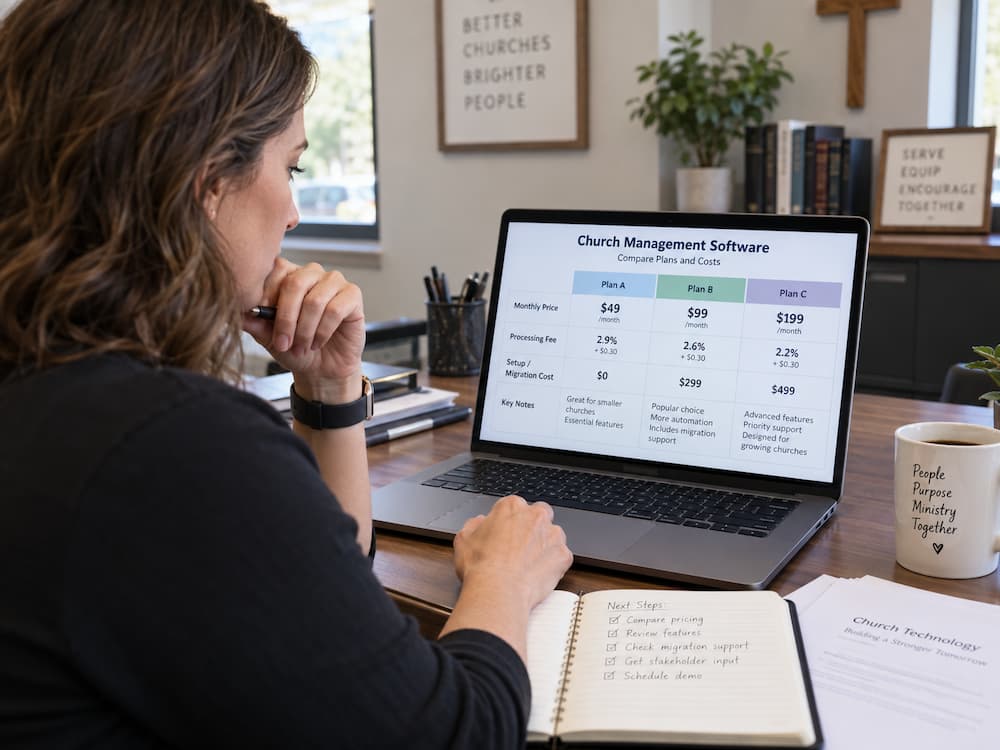



.jpg)

.jpg)
.jpg)
.jpg)