Breeze Groups FAQs: How Breeze, Tithely, and the Church App Work Together
A simple guide to how Breeze Groups work, where members find them, what the Tithely Church App does, and what your church needs to get started.




This guide is based on questions asked by churches during Tithely's Breeze Groups webinar and current Breeze/Tithely product documentation.
New features are exciting until you realize you need three browser tabs, two apps, and a diagram just to explain where everything lives.
That was one of the clearest takeaways from the Breeze Groups webinar. Churches were interested in Groups, but many people had the same questions: Is the Breeze app the same as the Tithely Church App? Where do members find Groups? Do we have to purchase something new? And if we already use Tags, why would we use Groups too?
If you have wondered any of those things, you are not alone. Here is the simplest way to understand how Breeze Groups fits into the larger Tithely ecosystem and what your church actually needs to begin using it.
How Do Breeze Groups Work With the Tithely Church App?
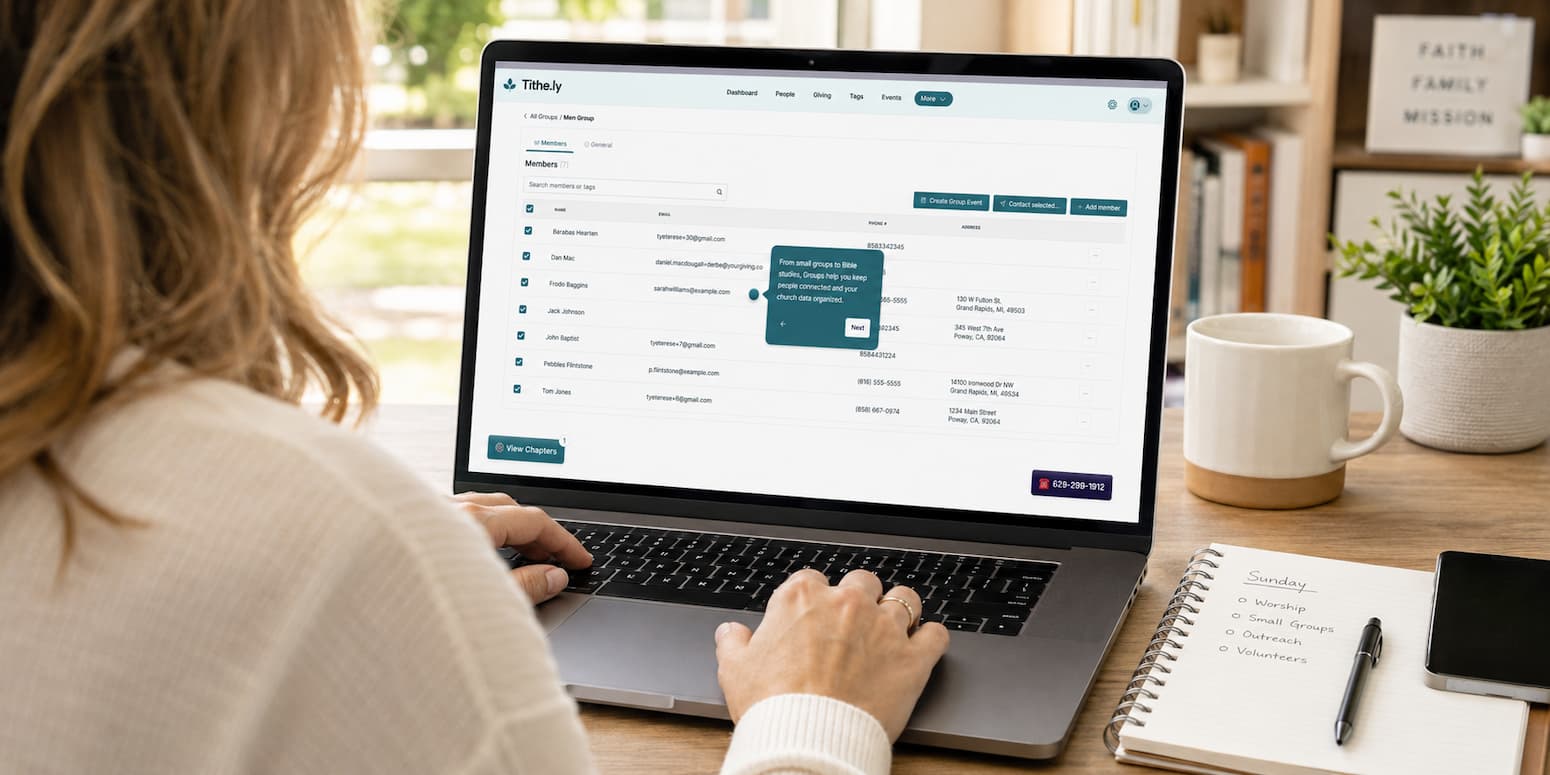
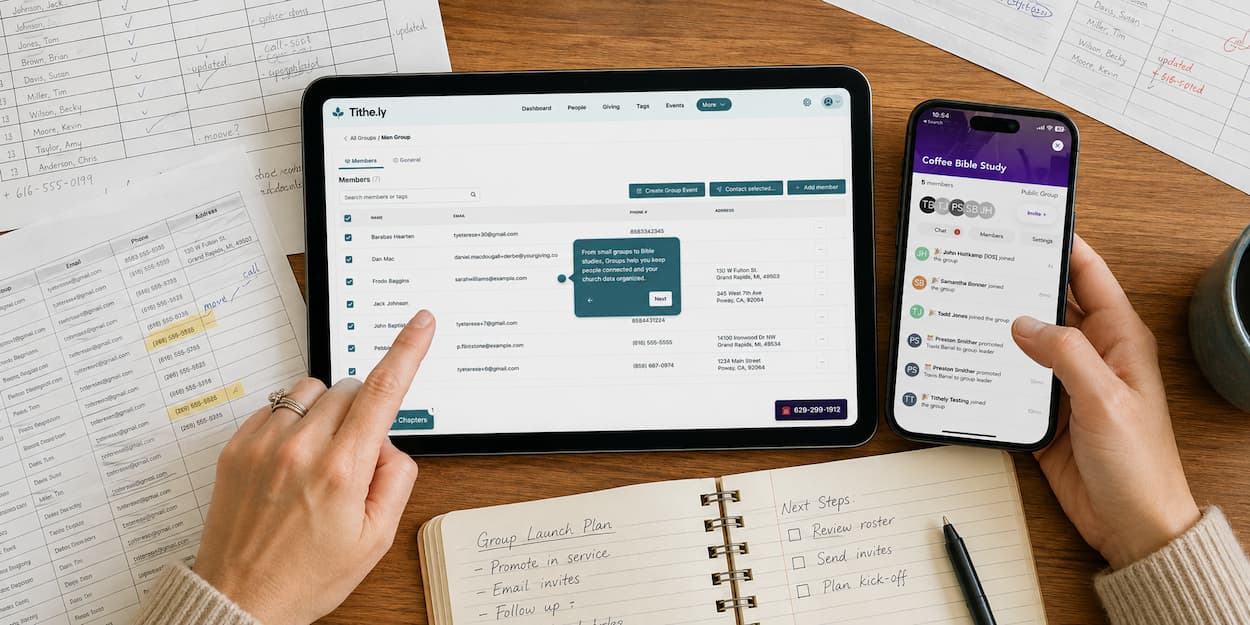
Groups connects the administrative side of church management with the relational side of church life.
Inside Breeze Church Management, church staff can:
- Create public or private Groups
- Add people to a Group, including populating a Group from an existing Tag
- Assign more than one leader
- Contact leaders or members by email or text
- Connect Groups to events and limit check-in to Group members
- Add or remove individual members
Inside the Tithely Church App, members can:
- Browse public Groups
- Join a public Group or request to join a private one
- Connect with other Group members
- Participate in Group chat
- Receive updates in the same app they use to engage with the church
The Church App gives members a front door to the Groups your staff is already managing in Breeze.
Breeze App vs. Tithely Church App: What's the Difference?
The Breeze app and Tithely Church App are not the same thing. The Breeze app is designed primarily for church staff and administrators who need mobile access to Breeze's church management tools. The Tithely Church App is designed for the congregation. It gives members a place to interact with their church, including finding and participating in Groups.
For Breeze Groups, a simple way to remember the difference is: staff manage Groups in Breeze; members experience Groups through the Tithely Church App.
Do You Need the Tithely Church App to Use Breeze Groups?
No. Groups is available to Breeze customers even if your church does not subscribe to the Tithely Church App.
Without the Church App, your staff can still use Groups on the administrative side. You can organize people, assign leaders, contact a Group by email or text, and connect Groups to events and check-in.
The Church App adds the member-facing experience. That is where people can discover Groups, join or request access, and use two-way Group chat. If your primary goal is better internal organization, Groups can still help without the app. If your goal includes self-service and ongoing member-to-member interaction, the Church App is what brings that experience to life.
Breeze Groups vs. Tags: What's the Difference?
This was one of the most repeated questions during the webinar, and the distinction is simpler than it may first appear:
Tags help your staff organize people. Groups help people interact with one another.
Tags work behind the scenes. They are useful for segmenting people based on shared information or ministry needs, sending targeted communication, and supporting automations or drip campaigns. Most members will never know which Tags are attached to their profiles.
Groups are designed for people who share an actual ministry, team, class, or community. Members can see them in the Church App, join them, and communicate with one another.
You do not have to choose one or the other. A Tag can help you identify and organize a segment of people, while a Group creates a place for those people to connect. You can use a Tag to populate a Group initially, but the Tag and Group do not remain automatically synchronized. Each can continue serving its own purpose.
How Much Does Breeze Groups Cost?
Groups itself is included for Breeze customers. Churches do not need to purchase another Tithely product simply to create and manage Groups in Breeze.
The Tithely Church App is available separately for $89/month and adds the member-facing Groups experience, including discovery, joining, and Group interaction. Churches that want the Church App alongside giving, websites, and messaging can compare Tithely All Access. Because pricing can change, check Tithely's current pricing before making a purchasing decision.
Group chat in the Church App is unlimited and does not count toward Breeze's monthly SMS allowance. Breeze email and one-way text messaging remain available for administrative communication with Group members.
How Do You Enable Breeze Groups?
If Groups does not appear in your Breeze navigation, the issue may be account setup rather than permissions within the feature itself. Start with these three steps:
- Confirm that you are the Breeze Account Owner. The Account Owner is the person who can complete the billing connection. If that is someone else at your church, ask that person to handle the next step.
- Connect your Breeze billing to Tithely. Go to the Extensions page and look for the migration banner or link. Connecting billing does not require your church to purchase the Church App. It is the account step that makes Groups available in Breeze.
- Confirm access and permissions. Once billing is connected, verify that Groups appears in the navigation and that the appropriate staff members have permission to manage it. If it still does not appear, contact Breeze Support.
Churches that subscribe to the Tithely Church App should also make sure Groups is visible in the app's tab settings so members can find it. For the full setup walkthrough, see how to get started with Breeze Groups.
How to Prepare Your Church for Breeze Groups
A little preparation can prevent confusion later.
Check profile information
When someone signs into the Tithely Church App, the system attempts to match that person with an existing Breeze profile using identifying information such as email address and phone number. Make sure your records are current before launching Groups widely. Consistent information makes successful matching more likely and helps reduce duplicate profiles.
Decide which Groups should be public or private
Public Groups are easier for members to discover and join. Private Groups require a request and leader approval, which may be more appropriate for care Groups, leadership teams, or Groups involving sensitive information.
Set expectations for leaders
A Group can have more than one leader. Decide who will approve requests, manage members, post updates, and respond in chat before inviting the congregation. If you are still building the ministry itself, start with these 10 tips for launching a small groups ministry with purpose.
Explain privacy clearly
Regular members do not automatically receive broad access to your church database. By default, member permissions are limited to protect ministry data. Leaders and administrators can access the contact information they need through Breeze, while members see a more limited Group experience unless additional permissions are intentionally granted.
Breeze Groups FAQs
Can we message every Group at once?
Yes. From the Groups dashboard, select multiple Groups or all Groups, then use Contact Selected to email or text leaders, members, or both.
Can people outside our congregation be added?
Yes. For example, a church could use Groups with preschool families who are not formal members. The church would first need to collect basic information and create or match a person record in Breeze.
Can members join from our website instead of the Church App?
The member-facing Group discovery and joining experience is designed for the Tithely Church App. Churches can still use forms and links as part of a broader registration process, but Group interaction itself lives in the Church App.
Can Group members share links or files in chat?
Links can be shared in Group chat. At the time of the webinar, file attachments were still in development.
Will Tags update when a Group changes?
No. Tags can be used to populate a Group, but the two do not remain automatically synchronized. Plan to manage ongoing membership based on how your church uses each tool.
Bring Your Church Groups Together With Breeze
The names may take a moment to sort out, but the workflow is straightforward once everyone understands the role of each tool:
- Build and manage Groups in Breeze.
- Let members find, join, and interact through the Tithely Church App.
- Keep using Tags for behind-the-scenes organization, segmentation, and automation.
Groups does not replace the tools your church already uses. It gives the people represented by those records a clearer path into community.
Want to see the full workflow in action? Watch the Breeze Groups webinar for a closer look at setup, member management, communication, events, and the Church App experience.
See Breeze Groups in Action →
Want to see how Groups work from setup to member interaction? Watch the Breeze Groups webinar for a walkthrough of Group creation, communication, events, check-in, permissions, and the Tithely Church App experience.
Sign Up for Product Updates

Laura is a writer and ministry leader with experience in church communications, administration, worship ministry, and nonprofit support. She is passionate about helping people grow in their faith through biblical truth, practical encouragement, and honest conversations about the messy middle of everyday life.
When she's not writing, she's spending time with her family and hoping for the swift return of side parts and high-waisted skinny jeans.
This guide is based on questions asked by churches during Tithely's Breeze Groups webinar and current Breeze/Tithely product documentation.
New features are exciting until you realize you need three browser tabs, two apps, and a diagram just to explain where everything lives.
That was one of the clearest takeaways from the Breeze Groups webinar. Churches were interested in Groups, but many people had the same questions: Is the Breeze app the same as the Tithely Church App? Where do members find Groups? Do we have to purchase something new? And if we already use Tags, why would we use Groups too?
If you have wondered any of those things, you are not alone. Here is the simplest way to understand how Breeze Groups fits into the larger Tithely ecosystem and what your church actually needs to begin using it.
How Do Breeze Groups Work With the Tithely Church App?
Groups connects the administrative side of church management with the relational side of church life.
Inside Breeze Church Management, church staff can:
- Create public or private Groups
- Add people to a Group, including populating a Group from an existing Tag
- Assign more than one leader
- Contact leaders or members by email or text
- Connect Groups to events and limit check-in to Group members
- Add or remove individual members
Inside the Tithely Church App, members can:
- Browse public Groups
- Join a public Group or request to join a private one
- Connect with other Group members
- Participate in Group chat
- Receive updates in the same app they use to engage with the church
The Church App gives members a front door to the Groups your staff is already managing in Breeze.
Breeze App vs. Tithely Church App: What's the Difference?
The Breeze app and Tithely Church App are not the same thing. The Breeze app is designed primarily for church staff and administrators who need mobile access to Breeze's church management tools. The Tithely Church App is designed for the congregation. It gives members a place to interact with their church, including finding and participating in Groups.
For Breeze Groups, a simple way to remember the difference is: staff manage Groups in Breeze; members experience Groups through the Tithely Church App.
Do You Need the Tithely Church App to Use Breeze Groups?
No. Groups is available to Breeze customers even if your church does not subscribe to the Tithely Church App.
Without the Church App, your staff can still use Groups on the administrative side. You can organize people, assign leaders, contact a Group by email or text, and connect Groups to events and check-in.
The Church App adds the member-facing experience. That is where people can discover Groups, join or request access, and use two-way Group chat. If your primary goal is better internal organization, Groups can still help without the app. If your goal includes self-service and ongoing member-to-member interaction, the Church App is what brings that experience to life.
Breeze Groups vs. Tags: What's the Difference?
This was one of the most repeated questions during the webinar, and the distinction is simpler than it may first appear:
Tags help your staff organize people. Groups help people interact with one another.
Tags work behind the scenes. They are useful for segmenting people based on shared information or ministry needs, sending targeted communication, and supporting automations or drip campaigns. Most members will never know which Tags are attached to their profiles.
Groups are designed for people who share an actual ministry, team, class, or community. Members can see them in the Church App, join them, and communicate with one another.
You do not have to choose one or the other. A Tag can help you identify and organize a segment of people, while a Group creates a place for those people to connect. You can use a Tag to populate a Group initially, but the Tag and Group do not remain automatically synchronized. Each can continue serving its own purpose.
How Much Does Breeze Groups Cost?
Groups itself is included for Breeze customers. Churches do not need to purchase another Tithely product simply to create and manage Groups in Breeze.
The Tithely Church App is available separately for $89/month and adds the member-facing Groups experience, including discovery, joining, and Group interaction. Churches that want the Church App alongside giving, websites, and messaging can compare Tithely All Access. Because pricing can change, check Tithely's current pricing before making a purchasing decision.
Group chat in the Church App is unlimited and does not count toward Breeze's monthly SMS allowance. Breeze email and one-way text messaging remain available for administrative communication with Group members.
How Do You Enable Breeze Groups?
If Groups does not appear in your Breeze navigation, the issue may be account setup rather than permissions within the feature itself. Start with these three steps:
- Confirm that you are the Breeze Account Owner. The Account Owner is the person who can complete the billing connection. If that is someone else at your church, ask that person to handle the next step.
- Connect your Breeze billing to Tithely. Go to the Extensions page and look for the migration banner or link. Connecting billing does not require your church to purchase the Church App. It is the account step that makes Groups available in Breeze.
- Confirm access and permissions. Once billing is connected, verify that Groups appears in the navigation and that the appropriate staff members have permission to manage it. If it still does not appear, contact Breeze Support.
Churches that subscribe to the Tithely Church App should also make sure Groups is visible in the app's tab settings so members can find it. For the full setup walkthrough, see how to get started with Breeze Groups.
How to Prepare Your Church for Breeze Groups
A little preparation can prevent confusion later.
Check profile information
When someone signs into the Tithely Church App, the system attempts to match that person with an existing Breeze profile using identifying information such as email address and phone number. Make sure your records are current before launching Groups widely. Consistent information makes successful matching more likely and helps reduce duplicate profiles.
Decide which Groups should be public or private
Public Groups are easier for members to discover and join. Private Groups require a request and leader approval, which may be more appropriate for care Groups, leadership teams, or Groups involving sensitive information.
Set expectations for leaders
A Group can have more than one leader. Decide who will approve requests, manage members, post updates, and respond in chat before inviting the congregation. If you are still building the ministry itself, start with these 10 tips for launching a small groups ministry with purpose.
Explain privacy clearly
Regular members do not automatically receive broad access to your church database. By default, member permissions are limited to protect ministry data. Leaders and administrators can access the contact information they need through Breeze, while members see a more limited Group experience unless additional permissions are intentionally granted.
Breeze Groups FAQs
Can we message every Group at once?
Yes. From the Groups dashboard, select multiple Groups or all Groups, then use Contact Selected to email or text leaders, members, or both.
Can people outside our congregation be added?
Yes. For example, a church could use Groups with preschool families who are not formal members. The church would first need to collect basic information and create or match a person record in Breeze.
Can members join from our website instead of the Church App?
The member-facing Group discovery and joining experience is designed for the Tithely Church App. Churches can still use forms and links as part of a broader registration process, but Group interaction itself lives in the Church App.
Can Group members share links or files in chat?
Links can be shared in Group chat. At the time of the webinar, file attachments were still in development.
Will Tags update when a Group changes?
No. Tags can be used to populate a Group, but the two do not remain automatically synchronized. Plan to manage ongoing membership based on how your church uses each tool.
Bring Your Church Groups Together With Breeze
The names may take a moment to sort out, but the workflow is straightforward once everyone understands the role of each tool:
- Build and manage Groups in Breeze.
- Let members find, join, and interact through the Tithely Church App.
- Keep using Tags for behind-the-scenes organization, segmentation, and automation.
Groups does not replace the tools your church already uses. It gives the people represented by those records a clearer path into community.
Want to see the full workflow in action? Watch the Breeze Groups webinar for a closer look at setup, member management, communication, events, and the Church App experience.
See Breeze Groups in Action →
Want to see how Groups work from setup to member interaction? Watch the Breeze Groups webinar for a walkthrough of Group creation, communication, events, check-in, permissions, and the Tithely Church App experience.
podcast transcript
Laura is a writer and ministry leader with experience in church communications, administration, worship ministry, and nonprofit support. She is passionate about helping people grow in their faith through biblical truth, practical encouragement, and honest conversations about the messy middle of everyday life.
When she's not writing, she's spending time with her family and hoping for the swift return of side parts and high-waisted skinny jeans.
This guide is based on questions asked by churches during Tithely's Breeze Groups webinar and current Breeze/Tithely product documentation.
New features are exciting until you realize you need three browser tabs, two apps, and a diagram just to explain where everything lives.
That was one of the clearest takeaways from the Breeze Groups webinar. Churches were interested in Groups, but many people had the same questions: Is the Breeze app the same as the Tithely Church App? Where do members find Groups? Do we have to purchase something new? And if we already use Tags, why would we use Groups too?
If you have wondered any of those things, you are not alone. Here is the simplest way to understand how Breeze Groups fits into the larger Tithely ecosystem and what your church actually needs to begin using it.
How Do Breeze Groups Work With the Tithely Church App?
Groups connects the administrative side of church management with the relational side of church life.
Inside Breeze Church Management, church staff can:
- Create public or private Groups
- Add people to a Group, including populating a Group from an existing Tag
- Assign more than one leader
- Contact leaders or members by email or text
- Connect Groups to events and limit check-in to Group members
- Add or remove individual members
Inside the Tithely Church App, members can:
- Browse public Groups
- Join a public Group or request to join a private one
- Connect with other Group members
- Participate in Group chat
- Receive updates in the same app they use to engage with the church
The Church App gives members a front door to the Groups your staff is already managing in Breeze.
Breeze App vs. Tithely Church App: What's the Difference?
The Breeze app and Tithely Church App are not the same thing. The Breeze app is designed primarily for church staff and administrators who need mobile access to Breeze's church management tools. The Tithely Church App is designed for the congregation. It gives members a place to interact with their church, including finding and participating in Groups.
For Breeze Groups, a simple way to remember the difference is: staff manage Groups in Breeze; members experience Groups through the Tithely Church App.
Do You Need the Tithely Church App to Use Breeze Groups?
No. Groups is available to Breeze customers even if your church does not subscribe to the Tithely Church App.
Without the Church App, your staff can still use Groups on the administrative side. You can organize people, assign leaders, contact a Group by email or text, and connect Groups to events and check-in.
The Church App adds the member-facing experience. That is where people can discover Groups, join or request access, and use two-way Group chat. If your primary goal is better internal organization, Groups can still help without the app. If your goal includes self-service and ongoing member-to-member interaction, the Church App is what brings that experience to life.
Breeze Groups vs. Tags: What's the Difference?
This was one of the most repeated questions during the webinar, and the distinction is simpler than it may first appear:
Tags help your staff organize people. Groups help people interact with one another.
Tags work behind the scenes. They are useful for segmenting people based on shared information or ministry needs, sending targeted communication, and supporting automations or drip campaigns. Most members will never know which Tags are attached to their profiles.
Groups are designed for people who share an actual ministry, team, class, or community. Members can see them in the Church App, join them, and communicate with one another.
You do not have to choose one or the other. A Tag can help you identify and organize a segment of people, while a Group creates a place for those people to connect. You can use a Tag to populate a Group initially, but the Tag and Group do not remain automatically synchronized. Each can continue serving its own purpose.
How Much Does Breeze Groups Cost?
Groups itself is included for Breeze customers. Churches do not need to purchase another Tithely product simply to create and manage Groups in Breeze.
The Tithely Church App is available separately for $89/month and adds the member-facing Groups experience, including discovery, joining, and Group interaction. Churches that want the Church App alongside giving, websites, and messaging can compare Tithely All Access. Because pricing can change, check Tithely's current pricing before making a purchasing decision.
Group chat in the Church App is unlimited and does not count toward Breeze's monthly SMS allowance. Breeze email and one-way text messaging remain available for administrative communication with Group members.
How Do You Enable Breeze Groups?
If Groups does not appear in your Breeze navigation, the issue may be account setup rather than permissions within the feature itself. Start with these three steps:
- Confirm that you are the Breeze Account Owner. The Account Owner is the person who can complete the billing connection. If that is someone else at your church, ask that person to handle the next step.
- Connect your Breeze billing to Tithely. Go to the Extensions page and look for the migration banner or link. Connecting billing does not require your church to purchase the Church App. It is the account step that makes Groups available in Breeze.
- Confirm access and permissions. Once billing is connected, verify that Groups appears in the navigation and that the appropriate staff members have permission to manage it. If it still does not appear, contact Breeze Support.
Churches that subscribe to the Tithely Church App should also make sure Groups is visible in the app's tab settings so members can find it. For the full setup walkthrough, see how to get started with Breeze Groups.
How to Prepare Your Church for Breeze Groups
A little preparation can prevent confusion later.
Check profile information
When someone signs into the Tithely Church App, the system attempts to match that person with an existing Breeze profile using identifying information such as email address and phone number. Make sure your records are current before launching Groups widely. Consistent information makes successful matching more likely and helps reduce duplicate profiles.
Decide which Groups should be public or private
Public Groups are easier for members to discover and join. Private Groups require a request and leader approval, which may be more appropriate for care Groups, leadership teams, or Groups involving sensitive information.
Set expectations for leaders
A Group can have more than one leader. Decide who will approve requests, manage members, post updates, and respond in chat before inviting the congregation. If you are still building the ministry itself, start with these 10 tips for launching a small groups ministry with purpose.
Explain privacy clearly
Regular members do not automatically receive broad access to your church database. By default, member permissions are limited to protect ministry data. Leaders and administrators can access the contact information they need through Breeze, while members see a more limited Group experience unless additional permissions are intentionally granted.
Breeze Groups FAQs
Can we message every Group at once?
Yes. From the Groups dashboard, select multiple Groups or all Groups, then use Contact Selected to email or text leaders, members, or both.
Can people outside our congregation be added?
Yes. For example, a church could use Groups with preschool families who are not formal members. The church would first need to collect basic information and create or match a person record in Breeze.
Can members join from our website instead of the Church App?
The member-facing Group discovery and joining experience is designed for the Tithely Church App. Churches can still use forms and links as part of a broader registration process, but Group interaction itself lives in the Church App.
Can Group members share links or files in chat?
Links can be shared in Group chat. At the time of the webinar, file attachments were still in development.
Will Tags update when a Group changes?
No. Tags can be used to populate a Group, but the two do not remain automatically synchronized. Plan to manage ongoing membership based on how your church uses each tool.
Bring Your Church Groups Together With Breeze
The names may take a moment to sort out, but the workflow is straightforward once everyone understands the role of each tool:
- Build and manage Groups in Breeze.
- Let members find, join, and interact through the Tithely Church App.
- Keep using Tags for behind-the-scenes organization, segmentation, and automation.
Groups does not replace the tools your church already uses. It gives the people represented by those records a clearer path into community.
Want to see the full workflow in action? Watch the Breeze Groups webinar for a closer look at setup, member management, communication, events, and the Church App experience.
See Breeze Groups in Action →
Want to see how Groups work from setup to member interaction? Watch the Breeze Groups webinar for a walkthrough of Group creation, communication, events, check-in, permissions, and the Tithely Church App experience.
VIDEO transcript
This guide is based on questions asked by churches during Tithely's Breeze Groups webinar and current Breeze/Tithely product documentation.
New features are exciting until you realize you need three browser tabs, two apps, and a diagram just to explain where everything lives.
That was one of the clearest takeaways from the Breeze Groups webinar. Churches were interested in Groups, but many people had the same questions: Is the Breeze app the same as the Tithely Church App? Where do members find Groups? Do we have to purchase something new? And if we already use Tags, why would we use Groups too?
If you have wondered any of those things, you are not alone. Here is the simplest way to understand how Breeze Groups fits into the larger Tithely ecosystem and what your church actually needs to begin using it.
How Do Breeze Groups Work With the Tithely Church App?
Groups connects the administrative side of church management with the relational side of church life.
Inside Breeze Church Management, church staff can:
- Create public or private Groups
- Add people to a Group, including populating a Group from an existing Tag
- Assign more than one leader
- Contact leaders or members by email or text
- Connect Groups to events and limit check-in to Group members
- Add or remove individual members
Inside the Tithely Church App, members can:
- Browse public Groups
- Join a public Group or request to join a private one
- Connect with other Group members
- Participate in Group chat
- Receive updates in the same app they use to engage with the church
The Church App gives members a front door to the Groups your staff is already managing in Breeze.
Breeze App vs. Tithely Church App: What's the Difference?
The Breeze app and Tithely Church App are not the same thing. The Breeze app is designed primarily for church staff and administrators who need mobile access to Breeze's church management tools. The Tithely Church App is designed for the congregation. It gives members a place to interact with their church, including finding and participating in Groups.
For Breeze Groups, a simple way to remember the difference is: staff manage Groups in Breeze; members experience Groups through the Tithely Church App.
Do You Need the Tithely Church App to Use Breeze Groups?
No. Groups is available to Breeze customers even if your church does not subscribe to the Tithely Church App.
Without the Church App, your staff can still use Groups on the administrative side. You can organize people, assign leaders, contact a Group by email or text, and connect Groups to events and check-in.
The Church App adds the member-facing experience. That is where people can discover Groups, join or request access, and use two-way Group chat. If your primary goal is better internal organization, Groups can still help without the app. If your goal includes self-service and ongoing member-to-member interaction, the Church App is what brings that experience to life.
Breeze Groups vs. Tags: What's the Difference?
This was one of the most repeated questions during the webinar, and the distinction is simpler than it may first appear:
Tags help your staff organize people. Groups help people interact with one another.
Tags work behind the scenes. They are useful for segmenting people based on shared information or ministry needs, sending targeted communication, and supporting automations or drip campaigns. Most members will never know which Tags are attached to their profiles.
Groups are designed for people who share an actual ministry, team, class, or community. Members can see them in the Church App, join them, and communicate with one another.
You do not have to choose one or the other. A Tag can help you identify and organize a segment of people, while a Group creates a place for those people to connect. You can use a Tag to populate a Group initially, but the Tag and Group do not remain automatically synchronized. Each can continue serving its own purpose.
How Much Does Breeze Groups Cost?
Groups itself is included for Breeze customers. Churches do not need to purchase another Tithely product simply to create and manage Groups in Breeze.
The Tithely Church App is available separately for $89/month and adds the member-facing Groups experience, including discovery, joining, and Group interaction. Churches that want the Church App alongside giving, websites, and messaging can compare Tithely All Access. Because pricing can change, check Tithely's current pricing before making a purchasing decision.
Group chat in the Church App is unlimited and does not count toward Breeze's monthly SMS allowance. Breeze email and one-way text messaging remain available for administrative communication with Group members.
How Do You Enable Breeze Groups?
If Groups does not appear in your Breeze navigation, the issue may be account setup rather than permissions within the feature itself. Start with these three steps:
- Confirm that you are the Breeze Account Owner. The Account Owner is the person who can complete the billing connection. If that is someone else at your church, ask that person to handle the next step.
- Connect your Breeze billing to Tithely. Go to the Extensions page and look for the migration banner or link. Connecting billing does not require your church to purchase the Church App. It is the account step that makes Groups available in Breeze.
- Confirm access and permissions. Once billing is connected, verify that Groups appears in the navigation and that the appropriate staff members have permission to manage it. If it still does not appear, contact Breeze Support.
Churches that subscribe to the Tithely Church App should also make sure Groups is visible in the app's tab settings so members can find it. For the full setup walkthrough, see how to get started with Breeze Groups.
How to Prepare Your Church for Breeze Groups
A little preparation can prevent confusion later.
Check profile information
When someone signs into the Tithely Church App, the system attempts to match that person with an existing Breeze profile using identifying information such as email address and phone number. Make sure your records are current before launching Groups widely. Consistent information makes successful matching more likely and helps reduce duplicate profiles.
Decide which Groups should be public or private
Public Groups are easier for members to discover and join. Private Groups require a request and leader approval, which may be more appropriate for care Groups, leadership teams, or Groups involving sensitive information.
Set expectations for leaders
A Group can have more than one leader. Decide who will approve requests, manage members, post updates, and respond in chat before inviting the congregation. If you are still building the ministry itself, start with these 10 tips for launching a small groups ministry with purpose.
Explain privacy clearly
Regular members do not automatically receive broad access to your church database. By default, member permissions are limited to protect ministry data. Leaders and administrators can access the contact information they need through Breeze, while members see a more limited Group experience unless additional permissions are intentionally granted.
Breeze Groups FAQs
Can we message every Group at once?
Yes. From the Groups dashboard, select multiple Groups or all Groups, then use Contact Selected to email or text leaders, members, or both.
Can people outside our congregation be added?
Yes. For example, a church could use Groups with preschool families who are not formal members. The church would first need to collect basic information and create or match a person record in Breeze.
Can members join from our website instead of the Church App?
The member-facing Group discovery and joining experience is designed for the Tithely Church App. Churches can still use forms and links as part of a broader registration process, but Group interaction itself lives in the Church App.
Can Group members share links or files in chat?
Links can be shared in Group chat. At the time of the webinar, file attachments were still in development.
Will Tags update when a Group changes?
No. Tags can be used to populate a Group, but the two do not remain automatically synchronized. Plan to manage ongoing membership based on how your church uses each tool.
Bring Your Church Groups Together With Breeze
The names may take a moment to sort out, but the workflow is straightforward once everyone understands the role of each tool:
- Build and manage Groups in Breeze.
- Let members find, join, and interact through the Tithely Church App.
- Keep using Tags for behind-the-scenes organization, segmentation, and automation.
Groups does not replace the tools your church already uses. It gives the people represented by those records a clearer path into community.
Want to see the full workflow in action? Watch the Breeze Groups webinar for a closer look at setup, member management, communication, events, and the Church App experience.
See Breeze Groups in Action →
Want to see how Groups work from setup to member interaction? Watch the Breeze Groups webinar for a walkthrough of Group creation, communication, events, check-in, permissions, and the Tithely Church App experience.
Sign Up for Product Updates
Laura is a writer and ministry leader with experience in church communications, administration, worship ministry, and nonprofit support. She is passionate about helping people grow in their faith through biblical truth, practical encouragement, and honest conversations about the messy middle of everyday life.
When she's not writing, she's spending time with her family and hoping for the swift return of side parts and high-waisted skinny jeans.

You Might Also Like
More Resources

From increasing giving, managing your congregation, and engaging your church, our collection of resources will keep you up-to-date on the latest church and ministry trends.
Free Resources

.jpg)