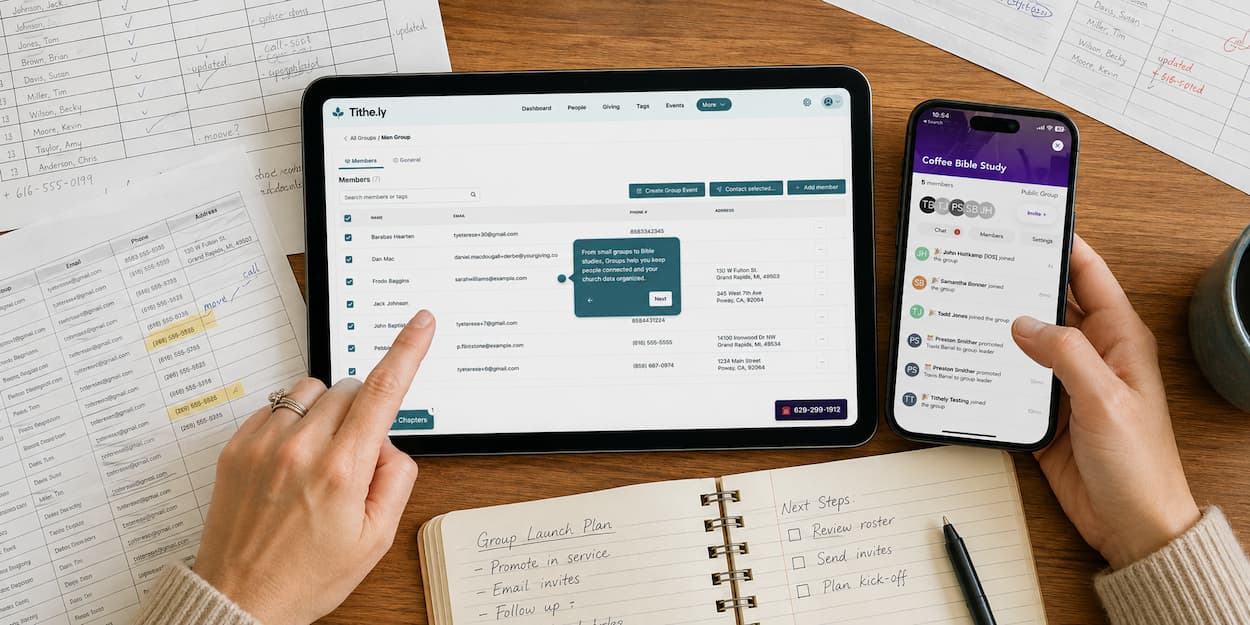
From Interest to Belonging: Getting the Most Out of Groups
Learn how Breeze Groups helps churches turn interest into belonging by simplifying group discovery, membership requests, leadership, and communication.




Over the last few weeks, we've walked through how Groups turns your existing tags into ready-to-go groups, and how it keeps your Church Management Software (ChMS) and Church Apps in sync so nobody's reconciling two versions of the truth. Useful on their own. But the reason any of it matters comes down to one thing: helping people go from interest to belonging, faster.
Why this matters more than the mechanics
A visitor's interest in a group has a shelf life. They see something Sunday morning — a group that fits where they are in life, a ministry that speaks to them, a calling to get involved — and if that interest doesn't turn into a next step quickly, it fades.
Groups closes that gap. A visitor finds a group in the church app and requests to join. The leader or admin sees it and can approve it the same day — not next Wednesday's meeting, not "whenever someone gets around to it." That speed is the difference between a person who almost joined and a person who shows up.
That's what community and engagement actually look like day to day: fewer people falling through the cracks between interest and belonging.
Your quick-start checklist
If you've been following along and are ready to put this into practice, here's the path:
- Create your first group. Give it a name, a leader, and a meeting cadence. It's live on your Groups tab and visible in Church Apps right away.
- Convert your tags. Start with the groups you can create in minutes from tags you've already built — no rebuilding lists by hand.
- Invite a leader. Hand off day-to-day ownership — approving join requests, keeping members updated — to the person who'll actually run it.
One thing to plan into your event setup: groups and events
Groups doesn't just live on its own — you can tie a group directly to an event, so members checking in are automatically connected to the right group. It's a clean way to turn event attendance into ongoing group participation.
A couple of details worth knowing as you set this up: each event links to a single group, so if you're mapping out event-based group structures, plan around a one-to-one pairing between event and group. And if the event is part of a series — a weekly Sunday gathering, for example — linking a group to it carries across every occurrence in that series automatically. You won't need to re-link it week to week; just be aware that one link covers the whole series, not a single date.
See it in action
Want to hear it straight from the team behind it? In this short clip — pulled from our full product update video — Todd and Frank walk through what Groups looks like in practice and the difference it's designed to make for churches using it.
→ Watch the Groups video snapshot — a clip from our latest product update, featuring Todd and Frank
Sign Up for Product Updates

Tithely provides the tools you need to engage with your church online, stay connected, increase generosity, and simplify the lives of your staff.
With tools like text and email messaging, custom church apps and websites, church management software, digital giving, and so much more… it’s no wonder why over 53,000 churches in 50 countries trust Tithely to help run their church.
Over the last few weeks, we've walked through how Groups turns your existing tags into ready-to-go groups, and how it keeps your Church Management Software (ChMS) and Church Apps in sync so nobody's reconciling two versions of the truth. Useful on their own. But the reason any of it matters comes down to one thing: helping people go from interest to belonging, faster.
Why this matters more than the mechanics
A visitor's interest in a group has a shelf life. They see something Sunday morning — a group that fits where they are in life, a ministry that speaks to them, a calling to get involved — and if that interest doesn't turn into a next step quickly, it fades.
Groups closes that gap. A visitor finds a group in the church app and requests to join. The leader or admin sees it and can approve it the same day — not next Wednesday's meeting, not "whenever someone gets around to it." That speed is the difference between a person who almost joined and a person who shows up.
That's what community and engagement actually look like day to day: fewer people falling through the cracks between interest and belonging.
Your quick-start checklist
If you've been following along and are ready to put this into practice, here's the path:
- Create your first group. Give it a name, a leader, and a meeting cadence. It's live on your Groups tab and visible in Church Apps right away.
- Convert your tags. Start with the groups you can create in minutes from tags you've already built — no rebuilding lists by hand.
- Invite a leader. Hand off day-to-day ownership — approving join requests, keeping members updated — to the person who'll actually run it.
One thing to plan into your event setup: groups and events
Groups doesn't just live on its own — you can tie a group directly to an event, so members checking in are automatically connected to the right group. It's a clean way to turn event attendance into ongoing group participation.
A couple of details worth knowing as you set this up: each event links to a single group, so if you're mapping out event-based group structures, plan around a one-to-one pairing between event and group. And if the event is part of a series — a weekly Sunday gathering, for example — linking a group to it carries across every occurrence in that series automatically. You won't need to re-link it week to week; just be aware that one link covers the whole series, not a single date.
See it in action
Want to hear it straight from the team behind it? In this short clip — pulled from our full product update video — Todd and Frank walk through what Groups looks like in practice and the difference it's designed to make for churches using it.
→ Watch the Groups video snapshot — a clip from our latest product update, featuring Todd and Frank
podcast transcript
Tithely provides the tools you need to engage with your church online, stay connected, increase generosity, and simplify the lives of your staff.
With tools like text and email messaging, custom church apps and websites, church management software, digital giving, and so much more… it’s no wonder why over 53,000 churches in 50 countries trust Tithely to help run their church.
Over the last few weeks, we've walked through how Groups turns your existing tags into ready-to-go groups, and how it keeps your Church Management Software (ChMS) and Church Apps in sync so nobody's reconciling two versions of the truth. Useful on their own. But the reason any of it matters comes down to one thing: helping people go from interest to belonging, faster.
Why this matters more than the mechanics
A visitor's interest in a group has a shelf life. They see something Sunday morning — a group that fits where they are in life, a ministry that speaks to them, a calling to get involved — and if that interest doesn't turn into a next step quickly, it fades.
Groups closes that gap. A visitor finds a group in the church app and requests to join. The leader or admin sees it and can approve it the same day — not next Wednesday's meeting, not "whenever someone gets around to it." That speed is the difference between a person who almost joined and a person who shows up.
That's what community and engagement actually look like day to day: fewer people falling through the cracks between interest and belonging.
Your quick-start checklist
If you've been following along and are ready to put this into practice, here's the path:
- Create your first group. Give it a name, a leader, and a meeting cadence. It's live on your Groups tab and visible in Church Apps right away.
- Convert your tags. Start with the groups you can create in minutes from tags you've already built — no rebuilding lists by hand.
- Invite a leader. Hand off day-to-day ownership — approving join requests, keeping members updated — to the person who'll actually run it.
One thing to plan into your event setup: groups and events
Groups doesn't just live on its own — you can tie a group directly to an event, so members checking in are automatically connected to the right group. It's a clean way to turn event attendance into ongoing group participation.
A couple of details worth knowing as you set this up: each event links to a single group, so if you're mapping out event-based group structures, plan around a one-to-one pairing between event and group. And if the event is part of a series — a weekly Sunday gathering, for example — linking a group to it carries across every occurrence in that series automatically. You won't need to re-link it week to week; just be aware that one link covers the whole series, not a single date.
See it in action
Want to hear it straight from the team behind it? In this short clip — pulled from our full product update video — Todd and Frank walk through what Groups looks like in practice and the difference it's designed to make for churches using it.
→ Watch the Groups video snapshot — a clip from our latest product update, featuring Todd and Frank
VIDEO transcript
Over the last few weeks, we've walked through how Groups turns your existing tags into ready-to-go groups, and how it keeps your Church Management Software (ChMS) and Church Apps in sync so nobody's reconciling two versions of the truth. Useful on their own. But the reason any of it matters comes down to one thing: helping people go from interest to belonging, faster.
Why this matters more than the mechanics
A visitor's interest in a group has a shelf life. They see something Sunday morning — a group that fits where they are in life, a ministry that speaks to them, a calling to get involved — and if that interest doesn't turn into a next step quickly, it fades.
Groups closes that gap. A visitor finds a group in the church app and requests to join. The leader or admin sees it and can approve it the same day — not next Wednesday's meeting, not "whenever someone gets around to it." That speed is the difference between a person who almost joined and a person who shows up.
That's what community and engagement actually look like day to day: fewer people falling through the cracks between interest and belonging.
Your quick-start checklist
If you've been following along and are ready to put this into practice, here's the path:
- Create your first group. Give it a name, a leader, and a meeting cadence. It's live on your Groups tab and visible in Church Apps right away.
- Convert your tags. Start with the groups you can create in minutes from tags you've already built — no rebuilding lists by hand.
- Invite a leader. Hand off day-to-day ownership — approving join requests, keeping members updated — to the person who'll actually run it.
One thing to plan into your event setup: groups and events
Groups doesn't just live on its own — you can tie a group directly to an event, so members checking in are automatically connected to the right group. It's a clean way to turn event attendance into ongoing group participation.
A couple of details worth knowing as you set this up: each event links to a single group, so if you're mapping out event-based group structures, plan around a one-to-one pairing between event and group. And if the event is part of a series — a weekly Sunday gathering, for example — linking a group to it carries across every occurrence in that series automatically. You won't need to re-link it week to week; just be aware that one link covers the whole series, not a single date.
See it in action
Want to hear it straight from the team behind it? In this short clip — pulled from our full product update video — Todd and Frank walk through what Groups looks like in practice and the difference it's designed to make for churches using it.
→ Watch the Groups video snapshot — a clip from our latest product update, featuring Todd and Frank
Sign Up for Product Updates
Tithely provides the tools you need to engage with your church online, stay connected, increase generosity, and simplify the lives of your staff.
With tools like text and email messaging, custom church apps and websites, church management software, digital giving, and so much more… it’s no wonder why over 53,000 churches in 50 countries trust Tithely to help run their church.

You Might Also Like
More Resources

From increasing giving, managing your congregation, and engaging your church, our collection of resources will keep you up-to-date on the latest church and ministry trends.
Free Resources



.jpg)