Church Attendance Tracking Software: The Complete Guide for Church Leaders
Church attendance tracking software helps churches move beyond headcounts to understand who's attending, who's missing, and when someone may need follow-up. Learn how these systems work, compare popular options, and find the right approach for your church.




There's a moment most pastors hit somewhere between 150 and 400 people, and it usually arrives on a Tuesday.
You're looking at the weekend, and you realize you can't answer a simple question: who wasn't there? You know the room felt full. You know a few families you talked to. But the couple who sat in the back for eight months straight and then stopped coming in March? You didn't notice until someone else mentioned it in passing. And by then it had been five weeks.
That gap isn't a character flaw. It's an arithmetic problem. One person can hold maybe 70 or 80 relationships in their head with any real fidelity. Past that, the flock gets bigger than your memory, and people start slipping into a gray space: not visitors anymore, not quite members, and no longer anybody's specific responsibility.
Church attendance tracking software exists to close that gap. Not to turn shepherding into a dashboard, but to make sure the person who quietly stopped showing up gets noticed by somebody while the absence is still three weeks old instead of three months.
This guide covers what this software actually does, why manual tracking breaks down, how the major options compare, how to choose one that fits your church, and how to roll it out without burning out your volunteers.
What Is Church Attendance Tracking Software?
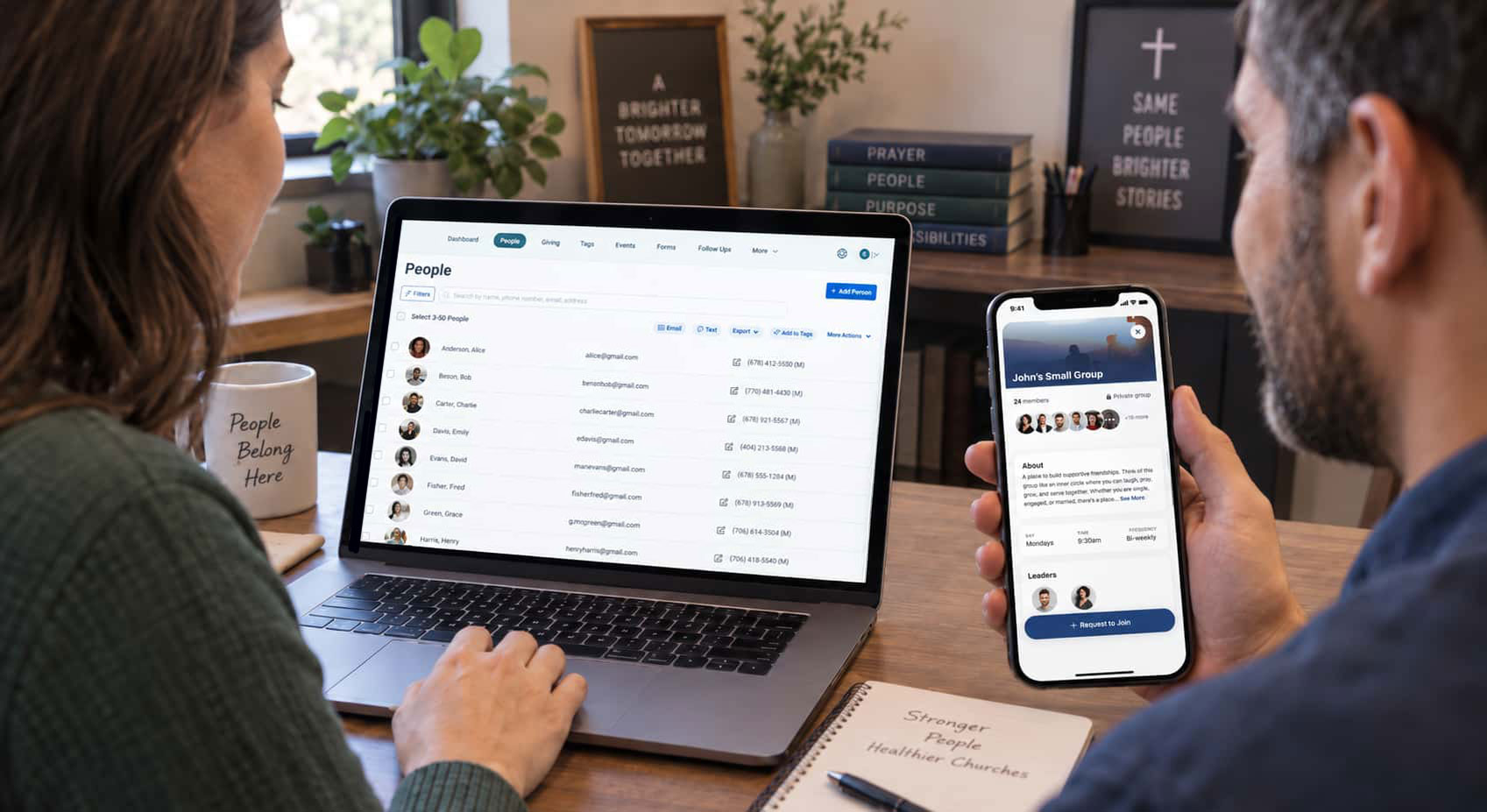
At its simplest, church attendance tracking software records who was present at a gathering and stores that record where your team can use it, and is an integral part of a comprehensive church management system.
That sounds mundane. The value isn't in the recording. It's in what becomes possible once attendance stops living in a volunteer's notebook and starts living alongside everything else you know about a person.
Most systems handle some combination of:
- Check-in at the door. Kiosks, tablets, phones, or QR codes that let families and volunteers check themselves in, usually with name-tag printing and security codes for children's ministry.
- Manual and roster-based entry. A group leader taps down a list after Bible study. A greeter marks a headcount for the 9 a.m. service.
- Self check-in from a mobile app. People mark themselves present, which works well for small groups and midweek gatherings where a kiosk would be overkill.
- Event and class registration. Attendance for anything with a signup: VBS, membership class, a men's retreat.
- Reporting and trends. Weekly, monthly, and year-over-year views; per-service, per-campus, per-group breakdowns.
- Absence flags. Automatic alerts when a regular attender misses a defined number of gatherings.
- Follow-up triggers. Attendance data that kicks off a task, a text, or an assignment to a specific staff member or group leader.
The last two are where most of the pastoral value sits. Anyone can count. The point is to notice.
Why manual church attendance tracking breaks down
Nearly every church starts with a manual method, and nearly every growing church outgrows it. Here's where it fails, in roughly the order churches hit it.
The data never gets entered. A clipboard goes around, gets filled in, and sits in a drawer. The information technically exists. Nobody can use it.
It lives in five places. Kids check-in on paper, small groups in a group text, service counts in a spreadsheet the office manager maintains, event signups in a form tool, giving in a completely separate system. Each one is accurate on its own. Together they tell you nothing, because no one has the time to reconcile them.
It only produces totals. A headcount tells you the room had 212 people. It cannot tell you that 14 of them were first-timers, or that a family who came weekly all spring hasn't been back since June. Totals describe the crowd. They don't describe anyone in it.
Nobody owns the follow-up. Even when someone notices an absence, there's no system for turning that into action. It becomes a mental note that competes with sixty other mental notes.
It doesn't survive staff turnover. The system was in one person's head and one person's spreadsheet. They took a call at another church, and now you're rebuilding from scratch.
The fix isn't more discipline. It's fewer places for the information to hide. When attendance is captured once and stored where your whole team already works, most of these problems stop being problems.
Why disconnected attendance data loses its value
Here's the thing that surprises leaders who've never centralized: attendance data becomes exponentially more useful the moment it sits next to everything else.
On its own, "Jeff missed three weeks" is a fact. Next to the rest of the record, it's a picture. Jeff joined a small group in January, served on the parking team twice a month, gave consistently, and then, three weeks ago, all of it stopped at once. That's not a scheduling conflict. That's something happening in someone's life.
When a leader sees that pattern and makes a phone call, they usually find out something worth knowing. Sometimes it's a new job. Sometimes it's a sick parent. Sometimes it's a hurt nobody named out loud. In all three cases, the call lands better in week three than in month three.
This is also where centralization pays off operationally:
- Follow-up gets consistent instead of depending on who happened to notice. If you want a system for this, our church guest follow-up system walk-through covers the workflow in detail.
- Reporting stops being a project. Board reports and denominational reports pull from one source instead of three exports and a manual merge.
- Teams stop contradicting each other. The children's director, the connections pastor, and the office manager are all looking at the same record.
- Automations become possible. A first-time check-in can trigger a welcome sequence; a three-week absence can create a task for a group leader. That's the difference between data and discipleship: the software does the remembering so your people can do the caring.
Consistency matters more than precision
One warning, because this is where a lot of implementations die.
Churches often stall trying to make attendance tracking perfect. They debate whether a person who slips in at the last song counts. They worry that volunteers will miss people. They hold off launching until they've designed a flawless process.
Don't. A method that's 85% accurate and used every single week beats a method that's 99% accurate and used when someone remembers. Trends are what you're after, and trends survive noise. They do not survive gaps.
Pick a definition of "attended," write it down in one sentence, teach it to everyone who records attendance, and then leave it alone for a year. The consistency is the data.
Comparing the best church attendance tracking software
Every tool below can record attendance. They differ in what surrounds it, and that's usually what determines whether your church actually keeps using it.
Two honest caveats. First, the free options are free for a reason: they log numbers, not individuals, so they can't tell you who's missing. If your goal is pastoral follow-up rather than board reporting, they won't get you there. Second, a stack of best-in-class point solutions usually costs more in staff time than a single platform saves in features, and the seams between them are exactly where people fall through.
If you want a deeper look at the buying criteria themselves, we've written separately on the features to look for in church management software and on the best children's ministry check-in systems specifically.
How to choose the right system for your church
Feature lists are seductive and mostly useless. These four questions do more work.
1. What is the actual pain?
Name the specific failure you're trying to stop. "Guests never hear from us again." "We don't know when a regular stops coming." "The kids check-in line takes twelve minutes." "Our board report takes a full afternoon."
Write down the top two. Evaluate every tool against those two only. A system that solves your real problem and lacks nine features you'll never use is the better purchase.
2. Does it fit the way your church actually operates?
Mission fit beats feature count. A church of 90 with three volunteer admins needs something a volunteer can learn in one sitting. A multi-site church of 2,000 needs campus-level permissions and reporting. Buying the enterprise tool for the 90-person church doesn't make you future-proof; it makes you the person who bought software nobody uses.
Ask specifically: can a 68-year-old volunteer run this on a Sunday morning without calling someone?
3. Is the pricing transparent?
You should be able to find the price on the website without a sales call. Check what's included at each tier, whether attendance and check-in are core or add-ons, whether transaction fees apply to giving, and what happens to the price when you grow past the next people threshold.
4. What does doing nothing cost?
This is the question most churches skip. Count it honestly: staff hours spent reconciling spreadsheets, guests who never got a second touch, members who drifted without anyone calling, the Sunday morning your kids check-in bottleneck sent a young family home frustrated.
That's the real comparison. Not "software versus no software," but "software versus what the current situation is already costing you."
Rolling it out without losing your volunteers
The software isn't the hard part. Adoption is. This sequence works.
Week 1: Clean your people data first. Import your existing roster and merge duplicates before anyone checks in. Attendance records attached to three versions of the same family are worse than no records.
Week 2: Start with one gathering. Pick children's ministry or your main service, not both. One environment, one process, one set of volunteers to train.
Week 3: Train the humans, not the system. Show your volunteers the actual screens they'll touch, on the actual device, standing where they'll be standing. Write a one-page cheat sheet and tape it to the kiosk. If you're building out a volunteer bench for this, our 7-step volunteer management strategy is a useful companion.
Week 4: Fix the intake point. Attendance tracking is only as good as the names entering the system. Make sure your connection card or first-time guest form captures the few fields you'll actually use, and nothing more.
Month 2: Turn on one automation. Just one. Usually: flag anyone who's attended four or more times and then missed three consecutive weeks, and assign it to a specific person. Not a team. A person.
Month 3: Expand. Add small groups, then events, then classes. By now your volunteers trust the process, and the data has enough history to show you something.
Two rules throughout. Never make a volunteer do double entry. If they're recording on paper and in the system, you've added work instead of removing it. And review the data monthly with the people who act on it, because a report nobody reads is a report nobody should be generating.
5 Church Attendance Metrics Worth Tracking
Once the data is flowing, resist the urge to track everything. These five tell you most of what you need:
- Average weekly attendance, on a rolling four-week basis rather than week to week. Single weeks are weather and holidays. Rolling averages are reality.
- Attendance frequency per person. In most churches, a "regular" now attends twice a month, not four times. If you're measuring the crowd instead of the individual, you'll misread a frequency decline as a growth problem.
- First-time guest return rate. What percentage of first-timers come back within 60 days? This is the single best measure of whether your follow-up works.
- Percentage of attenders in a group or serving role. Attendance without connection is fragile. This is the number that predicts whether someone will still be around next year, and it's why member engagement is the metric behind the metric.
- Absence flags acted on. Not flags generated, but flags where somebody actually reached out. This measures your system, not your congregation.
The goal isn't data. It's shepherding.
It's worth saying plainly, because software companies are not always the most trustworthy narrators on this point.
None of this makes anyone a better pastor. A report doesn't sit with a widow. An automation doesn't drive across town when someone's marriage is falling apart. The care is still the care, and it's still done by people, at cost, one relationship at a time.
What the software does is much smaller and still worth doing: it makes sure the right person finds out in time. It distributes the noticing across your whole leadership team instead of stacking it on one exhausted pastor's memory. It turns "I feel like I haven't seen them in a while" into "they've missed four Sundays, and I'm calling today."
Technology should never replace the shepherd. But it can help the shepherd see the flock.
Ready to stop guessing who's missing?
Tithely Church Management brings attendance, check-in, giving, groups, and messaging together under one login, so a three-week absence becomes a phone call instead of a regret. Less time on administration, more time with your people.
See how Tithely Church Management Software works →
Sign Up for Product Updates

Chris Dunagan is a marketing strategist focused on church tech and digital engagement. He helps churches grow through SEO, email campaigns, and tools like Tithely and Breeze ChMS, with an emphasis on online giving, content strategy, and digital outreach.
There's a moment most pastors hit somewhere between 150 and 400 people, and it usually arrives on a Tuesday.
You're looking at the weekend, and you realize you can't answer a simple question: who wasn't there? You know the room felt full. You know a few families you talked to. But the couple who sat in the back for eight months straight and then stopped coming in March? You didn't notice until someone else mentioned it in passing. And by then it had been five weeks.
That gap isn't a character flaw. It's an arithmetic problem. One person can hold maybe 70 or 80 relationships in their head with any real fidelity. Past that, the flock gets bigger than your memory, and people start slipping into a gray space: not visitors anymore, not quite members, and no longer anybody's specific responsibility.
Church attendance tracking software exists to close that gap. Not to turn shepherding into a dashboard, but to make sure the person who quietly stopped showing up gets noticed by somebody while the absence is still three weeks old instead of three months.
This guide covers what this software actually does, why manual tracking breaks down, how the major options compare, how to choose one that fits your church, and how to roll it out without burning out your volunteers.
What Is Church Attendance Tracking Software?
At its simplest, church attendance tracking software records who was present at a gathering and stores that record where your team can use it, and is an integral part of a comprehensive church management system.
That sounds mundane. The value isn't in the recording. It's in what becomes possible once attendance stops living in a volunteer's notebook and starts living alongside everything else you know about a person.
Most systems handle some combination of:
- Check-in at the door. Kiosks, tablets, phones, or QR codes that let families and volunteers check themselves in, usually with name-tag printing and security codes for children's ministry.
- Manual and roster-based entry. A group leader taps down a list after Bible study. A greeter marks a headcount for the 9 a.m. service.
- Self check-in from a mobile app. People mark themselves present, which works well for small groups and midweek gatherings where a kiosk would be overkill.
- Event and class registration. Attendance for anything with a signup: VBS, membership class, a men's retreat.
- Reporting and trends. Weekly, monthly, and year-over-year views; per-service, per-campus, per-group breakdowns.
- Absence flags. Automatic alerts when a regular attender misses a defined number of gatherings.
- Follow-up triggers. Attendance data that kicks off a task, a text, or an assignment to a specific staff member or group leader.
The last two are where most of the pastoral value sits. Anyone can count. The point is to notice.
Why manual church attendance tracking breaks down
Nearly every church starts with a manual method, and nearly every growing church outgrows it. Here's where it fails, in roughly the order churches hit it.
The data never gets entered. A clipboard goes around, gets filled in, and sits in a drawer. The information technically exists. Nobody can use it.
It lives in five places. Kids check-in on paper, small groups in a group text, service counts in a spreadsheet the office manager maintains, event signups in a form tool, giving in a completely separate system. Each one is accurate on its own. Together they tell you nothing, because no one has the time to reconcile them.
It only produces totals. A headcount tells you the room had 212 people. It cannot tell you that 14 of them were first-timers, or that a family who came weekly all spring hasn't been back since June. Totals describe the crowd. They don't describe anyone in it.
Nobody owns the follow-up. Even when someone notices an absence, there's no system for turning that into action. It becomes a mental note that competes with sixty other mental notes.
It doesn't survive staff turnover. The system was in one person's head and one person's spreadsheet. They took a call at another church, and now you're rebuilding from scratch.
The fix isn't more discipline. It's fewer places for the information to hide. When attendance is captured once and stored where your whole team already works, most of these problems stop being problems.
Why disconnected attendance data loses its value
Here's the thing that surprises leaders who've never centralized: attendance data becomes exponentially more useful the moment it sits next to everything else.
On its own, "Jeff missed three weeks" is a fact. Next to the rest of the record, it's a picture. Jeff joined a small group in January, served on the parking team twice a month, gave consistently, and then, three weeks ago, all of it stopped at once. That's not a scheduling conflict. That's something happening in someone's life.
When a leader sees that pattern and makes a phone call, they usually find out something worth knowing. Sometimes it's a new job. Sometimes it's a sick parent. Sometimes it's a hurt nobody named out loud. In all three cases, the call lands better in week three than in month three.
This is also where centralization pays off operationally:
- Follow-up gets consistent instead of depending on who happened to notice. If you want a system for this, our church guest follow-up system walk-through covers the workflow in detail.
- Reporting stops being a project. Board reports and denominational reports pull from one source instead of three exports and a manual merge.
- Teams stop contradicting each other. The children's director, the connections pastor, and the office manager are all looking at the same record.
- Automations become possible. A first-time check-in can trigger a welcome sequence; a three-week absence can create a task for a group leader. That's the difference between data and discipleship: the software does the remembering so your people can do the caring.
Consistency matters more than precision
One warning, because this is where a lot of implementations die.
Churches often stall trying to make attendance tracking perfect. They debate whether a person who slips in at the last song counts. They worry that volunteers will miss people. They hold off launching until they've designed a flawless process.
Don't. A method that's 85% accurate and used every single week beats a method that's 99% accurate and used when someone remembers. Trends are what you're after, and trends survive noise. They do not survive gaps.
Pick a definition of "attended," write it down in one sentence, teach it to everyone who records attendance, and then leave it alone for a year. The consistency is the data.
Comparing the best church attendance tracking software
Every tool below can record attendance. They differ in what surrounds it, and that's usually what determines whether your church actually keeps using it.
Two honest caveats. First, the free options are free for a reason: they log numbers, not individuals, so they can't tell you who's missing. If your goal is pastoral follow-up rather than board reporting, they won't get you there. Second, a stack of best-in-class point solutions usually costs more in staff time than a single platform saves in features, and the seams between them are exactly where people fall through.
If you want a deeper look at the buying criteria themselves, we've written separately on the features to look for in church management software and on the best children's ministry check-in systems specifically.
How to choose the right system for your church
Feature lists are seductive and mostly useless. These four questions do more work.
1. What is the actual pain?
Name the specific failure you're trying to stop. "Guests never hear from us again." "We don't know when a regular stops coming." "The kids check-in line takes twelve minutes." "Our board report takes a full afternoon."
Write down the top two. Evaluate every tool against those two only. A system that solves your real problem and lacks nine features you'll never use is the better purchase.
2. Does it fit the way your church actually operates?
Mission fit beats feature count. A church of 90 with three volunteer admins needs something a volunteer can learn in one sitting. A multi-site church of 2,000 needs campus-level permissions and reporting. Buying the enterprise tool for the 90-person church doesn't make you future-proof; it makes you the person who bought software nobody uses.
Ask specifically: can a 68-year-old volunteer run this on a Sunday morning without calling someone?
3. Is the pricing transparent?
You should be able to find the price on the website without a sales call. Check what's included at each tier, whether attendance and check-in are core or add-ons, whether transaction fees apply to giving, and what happens to the price when you grow past the next people threshold.
4. What does doing nothing cost?
This is the question most churches skip. Count it honestly: staff hours spent reconciling spreadsheets, guests who never got a second touch, members who drifted without anyone calling, the Sunday morning your kids check-in bottleneck sent a young family home frustrated.
That's the real comparison. Not "software versus no software," but "software versus what the current situation is already costing you."
Rolling it out without losing your volunteers
The software isn't the hard part. Adoption is. This sequence works.
Week 1: Clean your people data first. Import your existing roster and merge duplicates before anyone checks in. Attendance records attached to three versions of the same family are worse than no records.
Week 2: Start with one gathering. Pick children's ministry or your main service, not both. One environment, one process, one set of volunteers to train.
Week 3: Train the humans, not the system. Show your volunteers the actual screens they'll touch, on the actual device, standing where they'll be standing. Write a one-page cheat sheet and tape it to the kiosk. If you're building out a volunteer bench for this, our 7-step volunteer management strategy is a useful companion.
Week 4: Fix the intake point. Attendance tracking is only as good as the names entering the system. Make sure your connection card or first-time guest form captures the few fields you'll actually use, and nothing more.
Month 2: Turn on one automation. Just one. Usually: flag anyone who's attended four or more times and then missed three consecutive weeks, and assign it to a specific person. Not a team. A person.
Month 3: Expand. Add small groups, then events, then classes. By now your volunteers trust the process, and the data has enough history to show you something.
Two rules throughout. Never make a volunteer do double entry. If they're recording on paper and in the system, you've added work instead of removing it. And review the data monthly with the people who act on it, because a report nobody reads is a report nobody should be generating.
5 Church Attendance Metrics Worth Tracking
Once the data is flowing, resist the urge to track everything. These five tell you most of what you need:
- Average weekly attendance, on a rolling four-week basis rather than week to week. Single weeks are weather and holidays. Rolling averages are reality.
- Attendance frequency per person. In most churches, a "regular" now attends twice a month, not four times. If you're measuring the crowd instead of the individual, you'll misread a frequency decline as a growth problem.
- First-time guest return rate. What percentage of first-timers come back within 60 days? This is the single best measure of whether your follow-up works.
- Percentage of attenders in a group or serving role. Attendance without connection is fragile. This is the number that predicts whether someone will still be around next year, and it's why member engagement is the metric behind the metric.
- Absence flags acted on. Not flags generated, but flags where somebody actually reached out. This measures your system, not your congregation.
The goal isn't data. It's shepherding.
It's worth saying plainly, because software companies are not always the most trustworthy narrators on this point.
None of this makes anyone a better pastor. A report doesn't sit with a widow. An automation doesn't drive across town when someone's marriage is falling apart. The care is still the care, and it's still done by people, at cost, one relationship at a time.
What the software does is much smaller and still worth doing: it makes sure the right person finds out in time. It distributes the noticing across your whole leadership team instead of stacking it on one exhausted pastor's memory. It turns "I feel like I haven't seen them in a while" into "they've missed four Sundays, and I'm calling today."
Technology should never replace the shepherd. But it can help the shepherd see the flock.
Ready to stop guessing who's missing?
Tithely Church Management brings attendance, check-in, giving, groups, and messaging together under one login, so a three-week absence becomes a phone call instead of a regret. Less time on administration, more time with your people.
See how Tithely Church Management Software works →
podcast transcript
Chris Dunagan is a marketing strategist focused on church tech and digital engagement. He helps churches grow through SEO, email campaigns, and tools like Tithely and Breeze ChMS, with an emphasis on online giving, content strategy, and digital outreach.
There's a moment most pastors hit somewhere between 150 and 400 people, and it usually arrives on a Tuesday.
You're looking at the weekend, and you realize you can't answer a simple question: who wasn't there? You know the room felt full. You know a few families you talked to. But the couple who sat in the back for eight months straight and then stopped coming in March? You didn't notice until someone else mentioned it in passing. And by then it had been five weeks.
That gap isn't a character flaw. It's an arithmetic problem. One person can hold maybe 70 or 80 relationships in their head with any real fidelity. Past that, the flock gets bigger than your memory, and people start slipping into a gray space: not visitors anymore, not quite members, and no longer anybody's specific responsibility.
Church attendance tracking software exists to close that gap. Not to turn shepherding into a dashboard, but to make sure the person who quietly stopped showing up gets noticed by somebody while the absence is still three weeks old instead of three months.
This guide covers what this software actually does, why manual tracking breaks down, how the major options compare, how to choose one that fits your church, and how to roll it out without burning out your volunteers.
What Is Church Attendance Tracking Software?
At its simplest, church attendance tracking software records who was present at a gathering and stores that record where your team can use it, and is an integral part of a comprehensive church management system.
That sounds mundane. The value isn't in the recording. It's in what becomes possible once attendance stops living in a volunteer's notebook and starts living alongside everything else you know about a person.
Most systems handle some combination of:
- Check-in at the door. Kiosks, tablets, phones, or QR codes that let families and volunteers check themselves in, usually with name-tag printing and security codes for children's ministry.
- Manual and roster-based entry. A group leader taps down a list after Bible study. A greeter marks a headcount for the 9 a.m. service.
- Self check-in from a mobile app. People mark themselves present, which works well for small groups and midweek gatherings where a kiosk would be overkill.
- Event and class registration. Attendance for anything with a signup: VBS, membership class, a men's retreat.
- Reporting and trends. Weekly, monthly, and year-over-year views; per-service, per-campus, per-group breakdowns.
- Absence flags. Automatic alerts when a regular attender misses a defined number of gatherings.
- Follow-up triggers. Attendance data that kicks off a task, a text, or an assignment to a specific staff member or group leader.
The last two are where most of the pastoral value sits. Anyone can count. The point is to notice.
Why manual church attendance tracking breaks down
Nearly every church starts with a manual method, and nearly every growing church outgrows it. Here's where it fails, in roughly the order churches hit it.
The data never gets entered. A clipboard goes around, gets filled in, and sits in a drawer. The information technically exists. Nobody can use it.
It lives in five places. Kids check-in on paper, small groups in a group text, service counts in a spreadsheet the office manager maintains, event signups in a form tool, giving in a completely separate system. Each one is accurate on its own. Together they tell you nothing, because no one has the time to reconcile them.
It only produces totals. A headcount tells you the room had 212 people. It cannot tell you that 14 of them were first-timers, or that a family who came weekly all spring hasn't been back since June. Totals describe the crowd. They don't describe anyone in it.
Nobody owns the follow-up. Even when someone notices an absence, there's no system for turning that into action. It becomes a mental note that competes with sixty other mental notes.
It doesn't survive staff turnover. The system was in one person's head and one person's spreadsheet. They took a call at another church, and now you're rebuilding from scratch.
The fix isn't more discipline. It's fewer places for the information to hide. When attendance is captured once and stored where your whole team already works, most of these problems stop being problems.
Why disconnected attendance data loses its value
Here's the thing that surprises leaders who've never centralized: attendance data becomes exponentially more useful the moment it sits next to everything else.
On its own, "Jeff missed three weeks" is a fact. Next to the rest of the record, it's a picture. Jeff joined a small group in January, served on the parking team twice a month, gave consistently, and then, three weeks ago, all of it stopped at once. That's not a scheduling conflict. That's something happening in someone's life.
When a leader sees that pattern and makes a phone call, they usually find out something worth knowing. Sometimes it's a new job. Sometimes it's a sick parent. Sometimes it's a hurt nobody named out loud. In all three cases, the call lands better in week three than in month three.
This is also where centralization pays off operationally:
- Follow-up gets consistent instead of depending on who happened to notice. If you want a system for this, our church guest follow-up system walk-through covers the workflow in detail.
- Reporting stops being a project. Board reports and denominational reports pull from one source instead of three exports and a manual merge.
- Teams stop contradicting each other. The children's director, the connections pastor, and the office manager are all looking at the same record.
- Automations become possible. A first-time check-in can trigger a welcome sequence; a three-week absence can create a task for a group leader. That's the difference between data and discipleship: the software does the remembering so your people can do the caring.
Consistency matters more than precision
One warning, because this is where a lot of implementations die.
Churches often stall trying to make attendance tracking perfect. They debate whether a person who slips in at the last song counts. They worry that volunteers will miss people. They hold off launching until they've designed a flawless process.
Don't. A method that's 85% accurate and used every single week beats a method that's 99% accurate and used when someone remembers. Trends are what you're after, and trends survive noise. They do not survive gaps.
Pick a definition of "attended," write it down in one sentence, teach it to everyone who records attendance, and then leave it alone for a year. The consistency is the data.
Comparing the best church attendance tracking software
Every tool below can record attendance. They differ in what surrounds it, and that's usually what determines whether your church actually keeps using it.
Two honest caveats. First, the free options are free for a reason: they log numbers, not individuals, so they can't tell you who's missing. If your goal is pastoral follow-up rather than board reporting, they won't get you there. Second, a stack of best-in-class point solutions usually costs more in staff time than a single platform saves in features, and the seams between them are exactly where people fall through.
If you want a deeper look at the buying criteria themselves, we've written separately on the features to look for in church management software and on the best children's ministry check-in systems specifically.
How to choose the right system for your church
Feature lists are seductive and mostly useless. These four questions do more work.
1. What is the actual pain?
Name the specific failure you're trying to stop. "Guests never hear from us again." "We don't know when a regular stops coming." "The kids check-in line takes twelve minutes." "Our board report takes a full afternoon."
Write down the top two. Evaluate every tool against those two only. A system that solves your real problem and lacks nine features you'll never use is the better purchase.
2. Does it fit the way your church actually operates?
Mission fit beats feature count. A church of 90 with three volunteer admins needs something a volunteer can learn in one sitting. A multi-site church of 2,000 needs campus-level permissions and reporting. Buying the enterprise tool for the 90-person church doesn't make you future-proof; it makes you the person who bought software nobody uses.
Ask specifically: can a 68-year-old volunteer run this on a Sunday morning without calling someone?
3. Is the pricing transparent?
You should be able to find the price on the website without a sales call. Check what's included at each tier, whether attendance and check-in are core or add-ons, whether transaction fees apply to giving, and what happens to the price when you grow past the next people threshold.
4. What does doing nothing cost?
This is the question most churches skip. Count it honestly: staff hours spent reconciling spreadsheets, guests who never got a second touch, members who drifted without anyone calling, the Sunday morning your kids check-in bottleneck sent a young family home frustrated.
That's the real comparison. Not "software versus no software," but "software versus what the current situation is already costing you."
Rolling it out without losing your volunteers
The software isn't the hard part. Adoption is. This sequence works.
Week 1: Clean your people data first. Import your existing roster and merge duplicates before anyone checks in. Attendance records attached to three versions of the same family are worse than no records.
Week 2: Start with one gathering. Pick children's ministry or your main service, not both. One environment, one process, one set of volunteers to train.
Week 3: Train the humans, not the system. Show your volunteers the actual screens they'll touch, on the actual device, standing where they'll be standing. Write a one-page cheat sheet and tape it to the kiosk. If you're building out a volunteer bench for this, our 7-step volunteer management strategy is a useful companion.
Week 4: Fix the intake point. Attendance tracking is only as good as the names entering the system. Make sure your connection card or first-time guest form captures the few fields you'll actually use, and nothing more.
Month 2: Turn on one automation. Just one. Usually: flag anyone who's attended four or more times and then missed three consecutive weeks, and assign it to a specific person. Not a team. A person.
Month 3: Expand. Add small groups, then events, then classes. By now your volunteers trust the process, and the data has enough history to show you something.
Two rules throughout. Never make a volunteer do double entry. If they're recording on paper and in the system, you've added work instead of removing it. And review the data monthly with the people who act on it, because a report nobody reads is a report nobody should be generating.
5 Church Attendance Metrics Worth Tracking
Once the data is flowing, resist the urge to track everything. These five tell you most of what you need:
- Average weekly attendance, on a rolling four-week basis rather than week to week. Single weeks are weather and holidays. Rolling averages are reality.
- Attendance frequency per person. In most churches, a "regular" now attends twice a month, not four times. If you're measuring the crowd instead of the individual, you'll misread a frequency decline as a growth problem.
- First-time guest return rate. What percentage of first-timers come back within 60 days? This is the single best measure of whether your follow-up works.
- Percentage of attenders in a group or serving role. Attendance without connection is fragile. This is the number that predicts whether someone will still be around next year, and it's why member engagement is the metric behind the metric.
- Absence flags acted on. Not flags generated, but flags where somebody actually reached out. This measures your system, not your congregation.
The goal isn't data. It's shepherding.
It's worth saying plainly, because software companies are not always the most trustworthy narrators on this point.
None of this makes anyone a better pastor. A report doesn't sit with a widow. An automation doesn't drive across town when someone's marriage is falling apart. The care is still the care, and it's still done by people, at cost, one relationship at a time.
What the software does is much smaller and still worth doing: it makes sure the right person finds out in time. It distributes the noticing across your whole leadership team instead of stacking it on one exhausted pastor's memory. It turns "I feel like I haven't seen them in a while" into "they've missed four Sundays, and I'm calling today."
Technology should never replace the shepherd. But it can help the shepherd see the flock.
Ready to stop guessing who's missing?
Tithely Church Management brings attendance, check-in, giving, groups, and messaging together under one login, so a three-week absence becomes a phone call instead of a regret. Less time on administration, more time with your people.
See how Tithely Church Management Software works →
VIDEO transcript
There's a moment most pastors hit somewhere between 150 and 400 people, and it usually arrives on a Tuesday.
You're looking at the weekend, and you realize you can't answer a simple question: who wasn't there? You know the room felt full. You know a few families you talked to. But the couple who sat in the back for eight months straight and then stopped coming in March? You didn't notice until someone else mentioned it in passing. And by then it had been five weeks.
That gap isn't a character flaw. It's an arithmetic problem. One person can hold maybe 70 or 80 relationships in their head with any real fidelity. Past that, the flock gets bigger than your memory, and people start slipping into a gray space: not visitors anymore, not quite members, and no longer anybody's specific responsibility.
Church attendance tracking software exists to close that gap. Not to turn shepherding into a dashboard, but to make sure the person who quietly stopped showing up gets noticed by somebody while the absence is still three weeks old instead of three months.
This guide covers what this software actually does, why manual tracking breaks down, how the major options compare, how to choose one that fits your church, and how to roll it out without burning out your volunteers.
What Is Church Attendance Tracking Software?
At its simplest, church attendance tracking software records who was present at a gathering and stores that record where your team can use it, and is an integral part of a comprehensive church management system.
That sounds mundane. The value isn't in the recording. It's in what becomes possible once attendance stops living in a volunteer's notebook and starts living alongside everything else you know about a person.
Most systems handle some combination of:
- Check-in at the door. Kiosks, tablets, phones, or QR codes that let families and volunteers check themselves in, usually with name-tag printing and security codes for children's ministry.
- Manual and roster-based entry. A group leader taps down a list after Bible study. A greeter marks a headcount for the 9 a.m. service.
- Self check-in from a mobile app. People mark themselves present, which works well for small groups and midweek gatherings where a kiosk would be overkill.
- Event and class registration. Attendance for anything with a signup: VBS, membership class, a men's retreat.
- Reporting and trends. Weekly, monthly, and year-over-year views; per-service, per-campus, per-group breakdowns.
- Absence flags. Automatic alerts when a regular attender misses a defined number of gatherings.
- Follow-up triggers. Attendance data that kicks off a task, a text, or an assignment to a specific staff member or group leader.
The last two are where most of the pastoral value sits. Anyone can count. The point is to notice.
Why manual church attendance tracking breaks down
Nearly every church starts with a manual method, and nearly every growing church outgrows it. Here's where it fails, in roughly the order churches hit it.
The data never gets entered. A clipboard goes around, gets filled in, and sits in a drawer. The information technically exists. Nobody can use it.
It lives in five places. Kids check-in on paper, small groups in a group text, service counts in a spreadsheet the office manager maintains, event signups in a form tool, giving in a completely separate system. Each one is accurate on its own. Together they tell you nothing, because no one has the time to reconcile them.
It only produces totals. A headcount tells you the room had 212 people. It cannot tell you that 14 of them were first-timers, or that a family who came weekly all spring hasn't been back since June. Totals describe the crowd. They don't describe anyone in it.
Nobody owns the follow-up. Even when someone notices an absence, there's no system for turning that into action. It becomes a mental note that competes with sixty other mental notes.
It doesn't survive staff turnover. The system was in one person's head and one person's spreadsheet. They took a call at another church, and now you're rebuilding from scratch.
The fix isn't more discipline. It's fewer places for the information to hide. When attendance is captured once and stored where your whole team already works, most of these problems stop being problems.
Why disconnected attendance data loses its value
Here's the thing that surprises leaders who've never centralized: attendance data becomes exponentially more useful the moment it sits next to everything else.
On its own, "Jeff missed three weeks" is a fact. Next to the rest of the record, it's a picture. Jeff joined a small group in January, served on the parking team twice a month, gave consistently, and then, three weeks ago, all of it stopped at once. That's not a scheduling conflict. That's something happening in someone's life.
When a leader sees that pattern and makes a phone call, they usually find out something worth knowing. Sometimes it's a new job. Sometimes it's a sick parent. Sometimes it's a hurt nobody named out loud. In all three cases, the call lands better in week three than in month three.
This is also where centralization pays off operationally:
- Follow-up gets consistent instead of depending on who happened to notice. If you want a system for this, our church guest follow-up system walk-through covers the workflow in detail.
- Reporting stops being a project. Board reports and denominational reports pull from one source instead of three exports and a manual merge.
- Teams stop contradicting each other. The children's director, the connections pastor, and the office manager are all looking at the same record.
- Automations become possible. A first-time check-in can trigger a welcome sequence; a three-week absence can create a task for a group leader. That's the difference between data and discipleship: the software does the remembering so your people can do the caring.
Consistency matters more than precision
One warning, because this is where a lot of implementations die.
Churches often stall trying to make attendance tracking perfect. They debate whether a person who slips in at the last song counts. They worry that volunteers will miss people. They hold off launching until they've designed a flawless process.
Don't. A method that's 85% accurate and used every single week beats a method that's 99% accurate and used when someone remembers. Trends are what you're after, and trends survive noise. They do not survive gaps.
Pick a definition of "attended," write it down in one sentence, teach it to everyone who records attendance, and then leave it alone for a year. The consistency is the data.
Comparing the best church attendance tracking software
Every tool below can record attendance. They differ in what surrounds it, and that's usually what determines whether your church actually keeps using it.
Two honest caveats. First, the free options are free for a reason: they log numbers, not individuals, so they can't tell you who's missing. If your goal is pastoral follow-up rather than board reporting, they won't get you there. Second, a stack of best-in-class point solutions usually costs more in staff time than a single platform saves in features, and the seams between them are exactly where people fall through.
If you want a deeper look at the buying criteria themselves, we've written separately on the features to look for in church management software and on the best children's ministry check-in systems specifically.
How to choose the right system for your church
Feature lists are seductive and mostly useless. These four questions do more work.
1. What is the actual pain?
Name the specific failure you're trying to stop. "Guests never hear from us again." "We don't know when a regular stops coming." "The kids check-in line takes twelve minutes." "Our board report takes a full afternoon."
Write down the top two. Evaluate every tool against those two only. A system that solves your real problem and lacks nine features you'll never use is the better purchase.
2. Does it fit the way your church actually operates?
Mission fit beats feature count. A church of 90 with three volunteer admins needs something a volunteer can learn in one sitting. A multi-site church of 2,000 needs campus-level permissions and reporting. Buying the enterprise tool for the 90-person church doesn't make you future-proof; it makes you the person who bought software nobody uses.
Ask specifically: can a 68-year-old volunteer run this on a Sunday morning without calling someone?
3. Is the pricing transparent?
You should be able to find the price on the website without a sales call. Check what's included at each tier, whether attendance and check-in are core or add-ons, whether transaction fees apply to giving, and what happens to the price when you grow past the next people threshold.
4. What does doing nothing cost?
This is the question most churches skip. Count it honestly: staff hours spent reconciling spreadsheets, guests who never got a second touch, members who drifted without anyone calling, the Sunday morning your kids check-in bottleneck sent a young family home frustrated.
That's the real comparison. Not "software versus no software," but "software versus what the current situation is already costing you."
Rolling it out without losing your volunteers
The software isn't the hard part. Adoption is. This sequence works.
Week 1: Clean your people data first. Import your existing roster and merge duplicates before anyone checks in. Attendance records attached to three versions of the same family are worse than no records.
Week 2: Start with one gathering. Pick children's ministry or your main service, not both. One environment, one process, one set of volunteers to train.
Week 3: Train the humans, not the system. Show your volunteers the actual screens they'll touch, on the actual device, standing where they'll be standing. Write a one-page cheat sheet and tape it to the kiosk. If you're building out a volunteer bench for this, our 7-step volunteer management strategy is a useful companion.
Week 4: Fix the intake point. Attendance tracking is only as good as the names entering the system. Make sure your connection card or first-time guest form captures the few fields you'll actually use, and nothing more.
Month 2: Turn on one automation. Just one. Usually: flag anyone who's attended four or more times and then missed three consecutive weeks, and assign it to a specific person. Not a team. A person.
Month 3: Expand. Add small groups, then events, then classes. By now your volunteers trust the process, and the data has enough history to show you something.
Two rules throughout. Never make a volunteer do double entry. If they're recording on paper and in the system, you've added work instead of removing it. And review the data monthly with the people who act on it, because a report nobody reads is a report nobody should be generating.
5 Church Attendance Metrics Worth Tracking
Once the data is flowing, resist the urge to track everything. These five tell you most of what you need:
- Average weekly attendance, on a rolling four-week basis rather than week to week. Single weeks are weather and holidays. Rolling averages are reality.
- Attendance frequency per person. In most churches, a "regular" now attends twice a month, not four times. If you're measuring the crowd instead of the individual, you'll misread a frequency decline as a growth problem.
- First-time guest return rate. What percentage of first-timers come back within 60 days? This is the single best measure of whether your follow-up works.
- Percentage of attenders in a group or serving role. Attendance without connection is fragile. This is the number that predicts whether someone will still be around next year, and it's why member engagement is the metric behind the metric.
- Absence flags acted on. Not flags generated, but flags where somebody actually reached out. This measures your system, not your congregation.
The goal isn't data. It's shepherding.
It's worth saying plainly, because software companies are not always the most trustworthy narrators on this point.
None of this makes anyone a better pastor. A report doesn't sit with a widow. An automation doesn't drive across town when someone's marriage is falling apart. The care is still the care, and it's still done by people, at cost, one relationship at a time.
What the software does is much smaller and still worth doing: it makes sure the right person finds out in time. It distributes the noticing across your whole leadership team instead of stacking it on one exhausted pastor's memory. It turns "I feel like I haven't seen them in a while" into "they've missed four Sundays, and I'm calling today."
Technology should never replace the shepherd. But it can help the shepherd see the flock.
Ready to stop guessing who's missing?
Tithely Church Management brings attendance, check-in, giving, groups, and messaging together under one login, so a three-week absence becomes a phone call instead of a regret. Less time on administration, more time with your people.
See how Tithely Church Management Software works →
Sign Up for Product Updates
Chris Dunagan is a marketing strategist focused on church tech and digital engagement. He helps churches grow through SEO, email campaigns, and tools like Tithely and Breeze ChMS, with an emphasis on online giving, content strategy, and digital outreach.

You Might Also Like
More Resources

From increasing giving, managing your congregation, and engaging your church, our collection of resources will keep you up-to-date on the latest church and ministry trends.
Free Resources


.jpg)

.jpg)
.jpg)
.jpg)
.jpg)